
GoHighLevel works for orthodontists as the follow-up system around your orthodontic practice-management software: it answers new-patient inquiries in minutes, confirms consults and recovers consult no-shows, keeps pending patients moving toward a treatment start, runs observation recall for growing children, follows up clear aligner leads from ads and asks for reviews. It does not replace Dolphin, Cloud 9, OrthoTrac, Edge Cloud or Greyfinch, and we found no connector built by HighLevel for any of them, so appointment and status data reaches GoHighLevel through a third-party sync, a scheduled import, staff updates or a custom API build. Because most orthodontic offices are HIPAA covered entities, the build also needs HighLevel's HIPAA add-on and a signed BAA before patient information goes in. This guide covers what we build, how the data gets there, the HIPAA and texting rules, what it costs and how long it takes. We checked every GoHighLevel price and feature below against HighLevel's own pages on November 13, 2026.
Who this is for
- Single-location orthodontic practices where a treatment coordinator or the front desk follows up consults and pending patients by hand, from a spreadsheet or memory.
- Practices that spend on Google, Meta or local ads for braces and clear aligners and cannot see which leads turned into starts.
- Multi-doctor and multi-office groups that want one follow-up system run the same way in every office (see GoHighLevel for multi-location businesses).
- Marketing agencies that build GoHighLevel accounts for orthodontic clients and need a straight answer on the practice-software question.
General and family dental practices should start with our GoHighLevel for dental practices guide, which covers hygiene recall, treatment plans and the dental systems. This page covers what is different in orthodontics: a long decision between consult and start, a parent who decides for a child patient, and growth patients who are not ready yet.
What does GoHighLevel do for orthodontists?
GoHighLevel handles the conversations that turn an inquiry into a treatment start and keep a not-ready-yet patient coming back, while your orthodontic software keeps the chart, the schedule of record, the contract, ledger and insurance claims. The table follows one patient from first contact to retention.
| Stage | What GoHighLevel does | What stays in the practice software |
|---|---|---|
| Inquiry | Replies to web forms, calls, chat and ad leads within minutes, tags the source and offers a consult booking link | Creating the patient record |
| Consult booked | Confirmation, new-patient forms link, day-before and same-day reminders | The appointment itself |
| Consult missed | Same-day reschedule message, second message, then a staff call task | Marking the no-show |
| Consult done, not started | A timed pending-patient sequence with tasks for the treatment coordinator | Treatment plan, fee, contract and financing terms |
| Not ready yet (growth patient) | Observation recall before and after the next check date until the family books | The doctor's decision and the next check date |
| Active treatment | Missed-adjustment follow-up and two-way texting in one thread | Clinical notes, appliance and aligner records |
| Debond and retention | Review request and retainer-check reminders | Retention records |
Two-way texting sits under all of it: every text, call and email with a patient or parent lands in one conversation thread, so the coordinator answers "can we move it to after school?" from the same screen that sent the reminder.
Is GoHighLevel a good orthodontic CRM?
GoHighLevel is a good orthodontic CRM for practices that want inquiry response, consult follow-up, pending-start follow-up, observation recall, ad attribution and reviews in one account they control. It is a weaker choice when the main need is reminders that read the practice software directly with no data work, because several patient-communication vendors already have approved connections to the orthodontic systems.
The pipeline we set up for orthodontic practices:
| Piece | What we set up |
|---|---|
| Pipeline stages | New inquiry, consult booked, consult done (pending), ready to start, started, observation, not proceeding |
| Source tracking | Tags for general dentist referral, patient referral, Google search, Google ads, Meta ads, website, walk-in |
| Responsible party | The parent or guardian as the GoHighLevel contact for a child, with each child as a linked record so siblings keep separate dates |
| Custom fields | Consult date, treatment type (braces or aligners), pending since, next observation date, preferred contact times |
| Calendars | Separate booking types for new-patient consults and observation visits, each with its own reminders |
| Reporting | Consults booked, consult show rate, starts by source and pending patients by age |
For the sibling problem we use HighLevel custom objects. HighLevel's own guide says custom objects can be linked to contacts in one-to-many relationships, "one contact owning multiple pets or properties" (article modified December 23, 2025). In an orthodontic account the same pattern gives a parent with two children two patient records, each with its own observation date.
Orthodontic new patient follow-up: from inquiry to the consult
Orthodontic new patient follow-up in GoHighLevel starts the moment someone fills in a form, calls or answers an ad: a text and email go out within a minute with a consult booking link, the lead is tagged by source, and a coordinator task is created if nobody books by the next day. The step-by-step build is in our GoHighLevel speed to lead guide.
- Missed calls. A call nobody answers gets a text within seconds. HighLevel sets this under Settings, Phone System, Voice, and recommends an incoming call timeout of 10 to 20 seconds (article modified September 7, 2026). Our GoHighLevel missed call text back guide has the full setup.
- Parent or adult. One question on the form, "Is this for you or your child?", sends the parent path or the adult path. Parents get after-school consult times first.
- Referring dentists. Tag general dentist referrals so you can see which offices send starts. Keep referral letters and records in your practice software, which already handles them.
- Forms. Send the new-patient forms link with the confirmation, so the consult starts on time.
What happens when an orthodontic consult is a no-show?
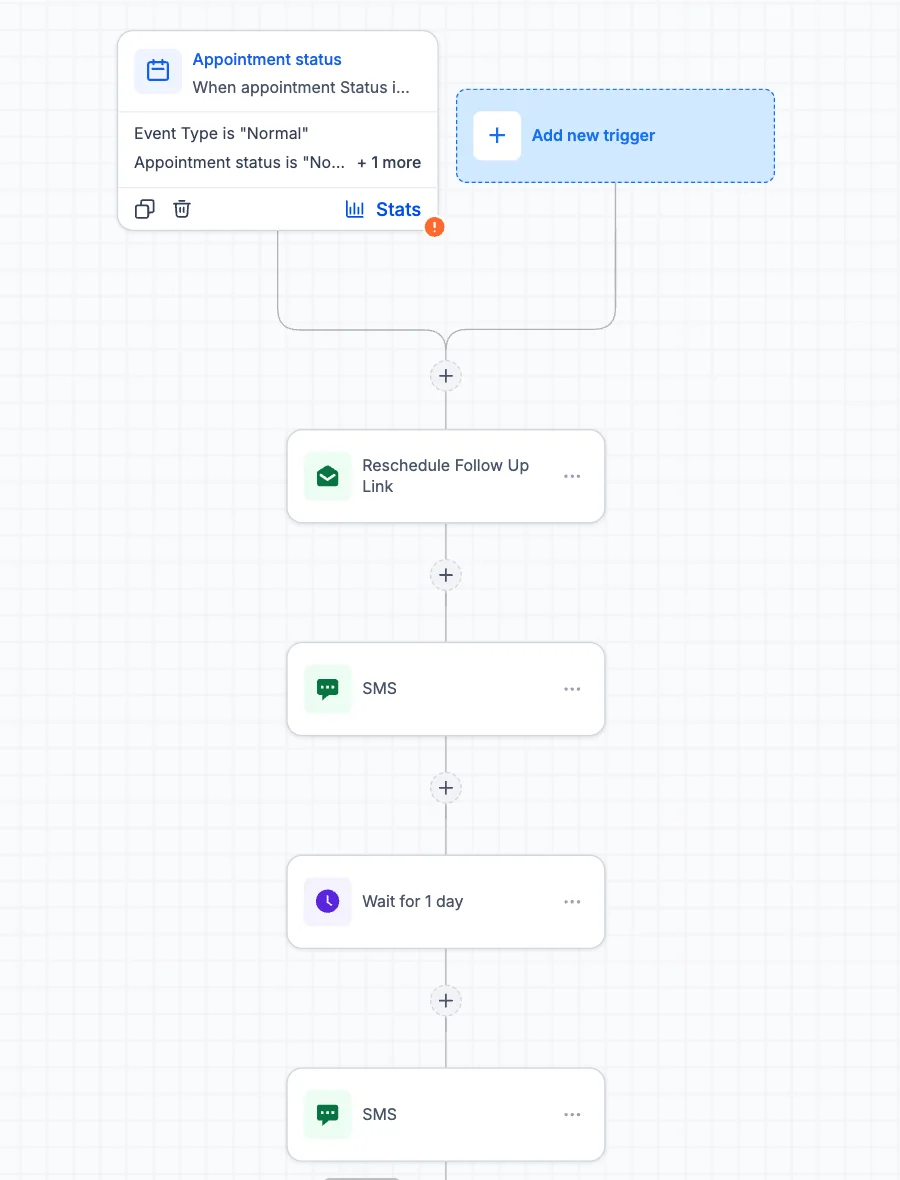
When an orthodontic consult is a no-show, the workflow sends a same-day message with a reschedule link, a second message the next day, and then a call task for the coordinator. The trigger is the appointment status, so the no-show has to be marked in GoHighLevel, either by staff or by a sync from your practice software. The sequence stops the moment the family rebooks.
Keep the wording neutral: "We missed you today. Here is a link to pick a new consult time." Our GoHighLevel no show automation guide covers the trigger and the reasons workflows fail to fire, and dental no show recovery automation covers deposit and cancellation wording.
How do you follow up Invisalign and clear aligner leads in GoHighLevel?
Invisalign lead follow-up in GoHighLevel works best as a short, fast sequence: reply within a minute, answer the three questions adults ask first (cost range, how long, how often they visit), offer a consult link, then stop after a capped number of messages if there is no reply. Adult aligner leads mostly come from ads and search, compare several offices and go cold quickly.
| When | Channel | What it says |
|---|---|---|
| Within a minute | Text and email | Thanks, here is the consult booking link, reply with a good time to talk |
| Same day, if no booking | Call task | Coordinator calls once during office hours |
| Day 2 | Text | Answers to common questions and the booking link |
| Day 5 | What happens at a consult and how payment options are discussed there | |
| Day 10 | Text | A last check-in; no reply moves the lead to a quarterly newsletter |
- Keep health questions off ad forms. Meta and Google lead forms hold the answers on their side before GoHighLevel receives them. Ask for name, phone, email and best time, and save questions about teeth for the consult.
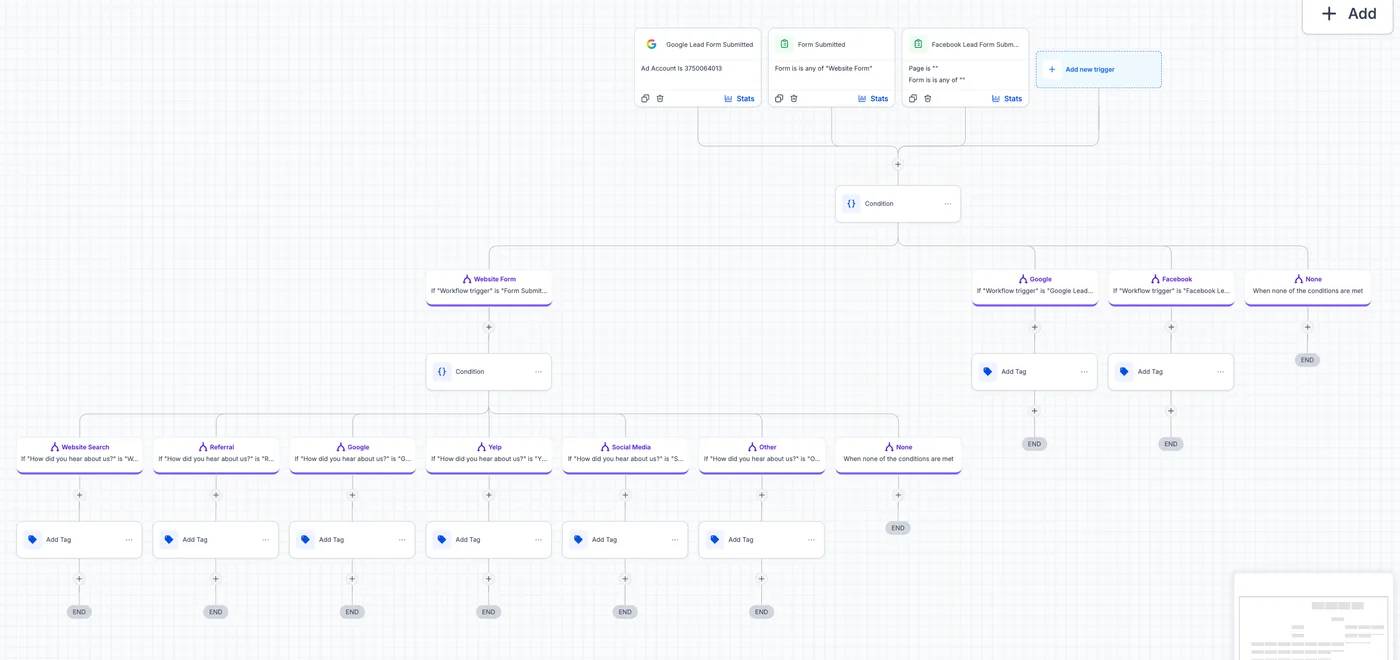
- Use the Facebook lead form trigger. HighLevel has a workflow trigger for Facebook lead forms and Google lead forms, so ad leads start the same sequence as website leads, tagged by source.
- No result promises. Do not promise treatment length or results in texts or ads. The doctor decides those at the consult.
- Marketing consent. Promotional aligner texts are marketing, so they need prior express written consent (see the texting section below).
Orthodontic treatment start follow-up: pending patients who have not started
Orthodontic treatment start follow-up is the workflow most practices are missing: a patient had the consult, heard the plan and the fee, and left without starting. In GoHighLevel the coordinator moves them to "consult done (pending)", which starts a timed sequence of personal check-ins and tasks that stops as soon as they start, decline or move to observation.
- Day 1 to 2: a thank-you text from the coordinator by name, with a reply-here line for questions.
- Day 7: a message offering a call about payment options or insurance, which is where many families stall. Fees and contract terms stay in your practice software.
- Day 14 to 21: a coordinator call task, then a short email on what the first appointment looks like.
- Day 45: a last direct check-in. No answer moves the family to a slower long-term nurture with one message every few months until they opt out.
Two rules make this work. First, the "started" and "not proceeding" stages must be updated the same day, by staff or by sync, or families who already signed keep getting chased. Second, write messages as the coordinator, not as marketing. A pending family has already met you, and a template that reads like an ad undoes that.
How do you run orthodontic observation recall for growth patients?
Orthodontic observation recall in GoHighLevel uses the Custom Date Reminder trigger on a "next observation date" field: reminders go out before the date with a booking link, and overdue reminders follow after it until the family books. The American Association of Orthodontists recommends a first orthodontic check-up no later than age 7 and says observation visits are often scheduled once or twice a year (AAO, observation visits).
HighLevel says the Custom Date Reminder trigger "starts a workflow before, on, or after a date field you select", works on date fields of a custom object, and "will not activate for contacts without a value in the custom date field" (article modified September 29, 2026). That last point matters: a monthly import that leaves the date column blank silently stops recall for those children.
- Take the date from the doctor. Do not hard-code six or twelve months in GoHighLevel. The next check date belongs in your practice software and comes across with the import or sync.
- Message the parent. The recall goes to the responsible party linked to the child's record. Test one family with two children before turning it on for everyone.
- Exit on start. When an observation patient starts treatment, the record leaves the recall workflow and joins the active-patient set.
The same trigger runs hygiene recall in a general practice, and our dental recall automation guide walks through the build, the before-and-after timing and the stop rules in detail.
Does GoHighLevel integrate with Dolphin, Cloud 9, OrthoTrac or Edge Cloud?
GoHighLevel has no integration built by HighLevel for Dolphin, Cloud 9, OrthoTrac, Ortho2 Edge Cloud or Greyfinch, and we found no Zapier app for any of them. One third-party sync product, SmartSync, lists Dolphin and OrthoTrac as supported and Cloud 9 as beta. Every other route we found runs through the vendor's partner program or API. We checked each one on November 13, 2026.
| System | Ready GoHighLevel or Zapier connector | What the vendor offers | Realistic route today |
|---|---|---|---|
| Dolphin Management (Patterson) | Nothing from HighLevel; no Zapier app page. SmartSync lists Dolphin among its supported systems | Integrations run through approved partners; Swell, for example, says its Dolphin connection needs administrator rights and an Anywhere Dolphin account. We found no public developer program | SmartSync after you confirm it signs a BAA, or a scheduled report import |
| Cloud 9 (Planet DDS) | Nothing from HighLevel; no Zapier app page. SmartSync lists Cloud9 under "beta integrations" | A Planet DDS API program that vendors apply to. Its partner grid lists Weave, Podium, SwellCX and others for Cloud 9, and no GoHighLevel, Keragon, SmartSync or Zapier entry | Scheduled report import, or a partner-approved custom build |
| OrthoTrac (Carestream Dental) | Nothing from HighLevel; no Zapier app page. SmartSync lists OrthoTrac | Carestream's authorized partner program covers OrthoTrac and says vendors not listed "have not been reviewed or approved". SmartSync and GoHighLevel are not on that list | Ask Carestream before connecting any unlisted sync; otherwise a scheduled report import |
| Edge Cloud (Ortho2) | None found; not listed by SmartSync; no Zapier app page | Ortho2's integrations page lists payment processors, Invisalign, OrthoFi, Gaidge, DDX and EasyRx, and no CRM connector. Ortho2 added a daily sync to Weave on July 31, 2025 | Scheduled report import, or ask Ortho2 about partner API access |
| Greyfinch | None found | A GraphQL API with personal access tokens that supports queries and mutations, plus an apps framework; integration docs come from connect@greyfinch.com | Custom build, the most open of the five on paper |
Keragon, the HIPAA connector that signs a BAA and that we use for several medical systems, lists no orthodontic system on its GoHighLevel integrations page; it takes requests for new connectors. SmartSync's site says it is "fully HIPAA Compliant" but does not mention a BAA, and its one-click GoHighLevel listings shown are for Dentrix and Open Dental. Before any sync carries patient data, get the BAA in writing and, for OrthoTrac, ask Carestream whether the vendor is approved. Our GoHighLevel EHR integration study covers the dental and medical systems.
How do you get orthodontic practice data into GoHighLevel without a connector?
Without a connector, an orthodontic practice gets data into GoHighLevel in one of four ways: staff update the stage by hand, the office imports a report on a schedule, a developer builds an API sync, or the practice software keeps sending its own reminders while GoHighLevel handles everything else. Most single-location practices start with a mix of the first two.
| Route | How it works | Good for | Watch out for |
|---|---|---|---|
| Staff update | The coordinator moves the pipeline stage after each consult and start | Pending-start follow-up, which needs the coordinator's judgment anyway | Double entry; a missed update means a started patient gets chased |
| Scheduled import | Export an observation-due or appointments report weekly or daily and import it, which updates the date fields | Observation recall and reactivation, where a day's delay does not matter | Same-day reminders need a daily import; map the parent's phone number carefully |
| Custom API sync | A small service reads the vendor API and posts to a GoHighLevel inbound webhook or the HighLevel API | Groups, or practices on Greyfinch or with partner access to Cloud 9 or Edge Cloud | Vendor approval first, and a BAA with whoever runs the service; inbound and custom webhooks are premium features at $0.01 per execution after 100 free lifetime executions per sub-account, or a Workflow Pro plan from $10 a month |
| Split duty | The practice software keeps appointment reminders (Ortho2, for example, sells Edge Reminders); GoHighLevel runs inquiries, consults, pending starts, observation and reviews | Practices happy with their current reminders | Turn off any overlapping message so families do not get two reminders for one visit |
HighLevel documents the inbound webhook trigger and the premium execution pricing. For API limits and the cost of running a sync, see our GoHighLevel API guide.
Do orthodontists need the GoHighLevel HIPAA add-on?
Most orthodontists do need the HIPAA add-on, because a health care provider that sends health information electronically for a standard transaction, such as an electronic insurance claim, is a HIPAA covered entity (45 CFR 160.103), and names, appointment times and treatment status in GoHighLevel are then protected health information. HighLevel says its accounts are "NOT HIPAA compliant by default".
What HighLevel's HIPAA article (modified November 10, 2026) says, in plain terms:
- Price and scope. The add-on is $297 a month, bought at the agency level and available to agencies on any plan, then switched on for each sub-account that needs it.
- Who signs what. The practice is the covered entity. HighLevel signs a BAA with the agency, and the agency signs a BAA with the practice. If we run your account, we sign that BAA with you.
- No exit. The add-on "cannot be canceled, refunded, removed, or downgraded once enabled", so decide before you buy.
- What it covers. The article lists contacts, notes, custom fields, SMS and MMS, voice recordings and email bodies among the data it protects. It does not mention Voice AI, Conversation AI, Zapier or Marketplace apps, so we treat those as outside the BAA unless HighLevel or the vendor confirms otherwise in writing.
The add-on is not the whole program. Keep clinical detail out of texts, give every staff member their own login, and confirm your setup with a healthcare attorney; this is general information, not legal advice. Our pages on is GoHighLevel HIPAA compliant and the GoHighLevel HIPAA add-on cost go further.
What texting rules apply when an orthodontic office texts patients and parents?
An orthodontic office texting from GoHighLevel needs recorded consent for each number, a working opt-out and an approved A2P 10DLC registration for US numbers. HighLevel says A2P 10DLC registration "is required when a business sends SMS or MMS messages" to US recipients on standard local numbers (article modified September 4, 2026).
- The healthcare exemption is narrow. The FCC's 2015 order lets HIPAA covered entities send certain healthcare texts, such as appointment confirmations and reminders, without prior consent, but only if each text is free to the patient, names the provider, has no marketing or billing content, is 160 characters or less, offers "STOP", and the office sends no more than one a day and three a week (FCC 15-72). Most practices get consent anyway rather than build every workflow to those limits.
- Marketing needs written consent. Aligner promotions, reactivation and newsletters are marketing, and automated marketing texts need prior express written consent (FCC 12-21). Put a consent line on the new-patient form, online and on paper.
- Honor opt-outs fast. The FCC's 2024 order requires opt-out requests to be honored within a reasonable time not to exceed ten business days (FCC 24-24). We make "STOP" end every workflow, not just the one that sent the text.
- Know whose phone it is. For a child patient the number is usually the parent's, so record consent against that number. Rejected A2P campaigns are usually an opt-in or website mismatch; see A2P registration fixes.
Can GoHighLevel Voice AI answer an orthodontic office's phones?
Yes, GoHighLevel Voice AI can answer after-hours and overflow calls, take a message, answer hours and location questions and book new-patient consults into a GoHighLevel calendar. It should not answer clinical questions, such as a broken bracket or wire, beyond your approved script, and because HighLevel's HIPAA article does not mention Voice AI, we keep patient details out of AI conversations until that is confirmed in writing.
Pricing, from HighLevel's AI product pricing article (modified November 10, 2026), checked November 13, 2026: pay per use at $0.045 a minute for the Voice Engine plus voice, model and phone charges; AI Employee Growth at $50 a month per sub-account with 100 Voice AI minutes and 1,000 Conversation AI responses; or AI Employee Unlimited at $97 a month per sub-account, subject to fair use. Our Voice AI cost guide works through the minutes.
Orthodontic workflows: trigger, timing, message and exit
An orthodontic GoHighLevel build needs about ten workflows. Each one has a trigger, a timing, a message and an exit rule, because a workflow without an exit keeps texting families who already booked or started.
| # | Workflow | Trigger | Timing | Message (keep it generic) | Exit |
|---|---|---|---|---|---|
| 1 | New-patient inquiry | Web form, chat, ad lead form | Within a minute, follow-up next day | "Thanks for contacting [practice]. Here is our consult booking link, or reply with a good time to call." | Consult booked or reply |
| 2 | Missed-call text back | Inbound call unanswered | Seconds after the 10 to 20 second timeout | "Sorry we missed your call. Reply here and we will get right back to you." | Caller replies |
| 3 | Consult reminders | Consult booked or imported | On booking, 24 hours before, morning of | Date, time, address, forms link, reschedule link | Consult happens or is cancelled |
| 4 | Consult no-show | Status marked no-show | Same day, day 2, then a call task | "We missed you today. Here is a link to pick a new time." | Rebooked |
| 5 | Pending start | Stage moved to consult done (pending) | Days 1, 7, 14 and 45, with coordinator tasks | Personal check-ins from the coordinator by name | Started, not proceeding or moved to observation |
| 6 | Clear aligner lead | Ad or website lead tagged aligners | Minute one, then days 2, 5 and 10 | Common questions and the consult link | Consult booked, reply or opt-out |
| 7 | Observation recall | Next observation date (Custom Date Reminder) | 30 and 7 days before, 14 and 45 days after | "[Child's first name] is due for a check-up on [date]. Book here." | Booked, date updated or started |
| 8 | Missed adjustment | Active patient's visit marked no-show | Same day, then a call task | "We missed you today. Reply or use this link to rebook." | Rebooked |
| 9 | Review request | Debond or a treatment milestone | Same day or next morning | The same request to every family, with the Google review link | Link clicked |
| 10 | Long-term pending nurture | No reply 45 days after consult | Every few months | Practice news and an open invitation to call | Started or opted out |
The step-by-step builds for the shared pieces are in our guides to appointment reminders and review requests. The texts stay generic on purpose: no appliance, diagnosis or treatment detail in any message.
What does GoHighLevel cost an orthodontic practice?
A single-location orthodontic practice pays HighLevel at least $394 a month (Starter $97 plus the $297 HIPAA add-on), or $594 on Unlimited, plus usage for texts, calls, email and any AI. Our build is a separate one-time cost of $500 to $4,000 for one location, quoted at a fixed price in writing.
| Item | Cost | Note |
|---|---|---|
| Platform | Starter $97, Unlimited $297 or Founder (formerly Agency Pro) $497 a month | Starter allows three sub-accounts; groups with more offices need Unlimited or Founder. See GoHighLevel pricing |
| HIPAA add-on | $297 a month | Needed in most orthodontic offices; cannot be cancelled or refunded once enabled |
| Texts, calls, email | Usage-based | Scales with patient count; rates in our SMS and email cost guide |
| Voice AI and Conversation AI | $0.045 a minute plus extras, or $50 or $97 a month per sub-account | Only if you use AI answering |
| Webhook sync | $0.01 per premium execution after 100 free lifetime executions, or Workflow Pro from $10 a month | Only for a custom API sync |
| Single-location build with us | $500 to $4,000 one-time | Fixed price in writing within 24 hours of the call |
| Multi-location group | Custom quote | One snapshot, one sub-account per office |
| White label or SaaS (agencies) | $3,500 to $5,000 | For agencies reselling an orthodontic setup to several practices |
To judge the return, take the monthly platform, HIPAA and usage cost and compare it with the value of one treatment start in your practice. Then look at how many pending patients and overdue observation patients your practice software lists today. We work those numbers with you on the call, using your figures, not industry averages.
What we build for an orthodontic practice
We build the full system above in your own GoHighLevel account, test it with real calls and test families, train your coordinator and front desk, and hand it over documented. A typical single-location build includes:
- The orthodontic pipeline, source tags and reporting on consults, show rate and starts by source.
- HIPAA add-on enabled on the sub-account, BAA signed, staff logins and a message-content rule sheet.
- A2P 10DLC registration, consent wording on your forms and opt-out handling across every workflow.
- The ten workflows in the table, with exits tested.
- The data route agreed for your software: SmartSync review, a scheduled import template mapped to your reports, or a scoped API build.
- Optional Voice AI for after-hours consult booking, with the handoff rules written first. See GoHighLevel AI setup.
Why book the free call: in 30 minutes we look at how inquiries reach you today, which practice software you run and which data route fits it, and we give you a free audit of your current GoHighLevel account if you have one. Within 24 hours you get one fixed-price quote in writing. If you want a deeper plan before any build, a full end-to-end consultation starts from $200. We never bill by the hour. Book the free 30-minute call.
How to roll out GoHighLevel in an orthodontic practice
- Week 1: data route and HIPAAPick sync, import, staff update or split duty, list which report feeds which field, buy the HIPAA add-on and sign the BAA.
- Weeks 1 to 2: account and textingSub-account, phone number, A2P registration, consent line on the new-patient form, Google Business Profile connected.
- Weeks 2 to 3: capture and consultsInquiry response, missed-call text back, consult reminders and consult no-show, tested with real calls.
- Weeks 3 to 5: pipeline and pending startsStages, coordinator tasks and the pending-start sequence, with the coordinator trained on same-day stage updates.
- Weeks 5 to 8: observation, aligners, reviewsPatient records linked to parents, the first observation import on a test family, the aligner lead sequence, review requests and reporting.
The timings are a plan for one location with a scheduled import, not a promise. A partner sync or API build adds the vendor's approval time, which we do not control.
Sources and further reading
Facts about HighLevel features and prices on this page were checked against HighLevel's own pricing page and help center on November 13, 2026, and can change. Orthodontic vendor pages were read the same day. The sources used:
- HighLevel: pricing (Starter $97, Unlimited $297, Founder $497, HIPAA add-on $297, Starter limited to three sub-accounts)
- HighLevel: HIPAA compliance with HighLevel (modified November 10, 2026)
- HighLevel: AI product pricing (modified November 10, 2026)
- HighLevel: missed call text back (modified September 7, 2026)
- HighLevel: Custom Date Reminder trigger (modified September 29, 2026) and getting started with custom objects (modified December 23, 2025)
- HighLevel: inbound webhook trigger and premium workflow features (modified September 28, 2026)
- HighLevel: A2P 10DLC brand and campaign registration (modified September 4, 2026)
- SmartSync, Keragon GoHighLevel integrations, Swell: integrate with Dolphin Management
- Planet DDS API program and API partner grid, Carestream Dental authorized partners
- Ortho2 integrations, Ortho2: Edge Cloud and Weave integration (July 31, 2025), Greyfinch Connect
- American Association of Orthodontists: observation visits
- 45 CFR 160.103: definition of covered entity
- FCC orders 12-21, 15-72 and 24-24
Frequently asked questions about GoHighLevel for orthodontists
Is GoHighLevel good for orthodontists?
GoHighLevel is good for orthodontists who want fast inquiry response, consult reminders, pending-start follow-up, observation recall, ad attribution and reviews in one account. It is not orthodontic practice software, and HighLevel has built no connector to Dolphin, Cloud 9, OrthoTrac or Edge Cloud, so plan how appointment and status data will reach it first.
Does GoHighLevel integrate with Dolphin Management?
HighLevel has not built a Dolphin Management integration, and we found no Zapier app for Dolphin on November 13, 2026. SmartSync, a third-party sync product, lists Dolphin as supported, but its site does not mention a BAA. Without a sync, practices import Dolphin reports into GoHighLevel on a schedule or have staff update stages.
Do orthodontists need GoHighLevel's HIPAA add-on?
Most orthodontists need the $297-a-month HIPAA add-on, because a practice that sends electronic insurance claims is a HIPAA covered entity and patient names and appointments in GoHighLevel are protected health information. HighLevel accounts are not HIPAA compliant by default, and the add-on cannot be cancelled once enabled, so decide before you buy.
Can GoHighLevel follow up pending orthodontic patients who have not started treatment?
Yes, GoHighLevel can follow up pending patients with a timed sequence that starts when the coordinator moves a family to the pending stage after the consult. It sends personal check-ins, creates call tasks and stops when the patient starts, declines or moves to observation. The stage must be updated the same day to avoid chasing signed families.
Can GoHighLevel run observation recall for young orthodontic patients?
Yes, GoHighLevel runs observation recall with the Custom Date Reminder trigger on a next-observation-date field, sending reminders before and after the date to the parent until they book. The date should come from the doctor's record by import or sync, and linking each child as a separate record keeps siblings' dates apart.
How much does GoHighLevel cost for an orthodontic practice?
GoHighLevel costs an orthodontic practice at least $394 a month on Starter with the HIPAA add-on, or $594 on Unlimited, plus usage, checked November 13, 2026. Our single-location build is $500 to $4,000 one-time, multi-location groups get a custom quote, and every quote is a fixed price in writing within 24 hours of the call.
Will GoHighLevel replace my orthodontic practice management software?
No, GoHighLevel does not replace Dolphin, Cloud 9, OrthoTrac, Edge Cloud or Greyfinch. Charting, imaging, the schedule of record, contracts, ledgers and insurance claims stay in your practice software. GoHighLevel is the communication layer that handles inquiries, consult follow-up, pending starts, observation recall, reviews and marketing around it.
Can GoHighLevel handle Invisalign leads from Facebook and Google ads?
Yes, GoHighLevel has workflow triggers for Facebook and Google lead forms, so aligner ad leads get a reply within a minute, a source tag and a short capped sequence with a consult link. Keep health questions off ad forms, avoid promising results or treatment length, and get written consent before sending promotional texts.
Can one GoHighLevel account run several orthodontic offices?
Yes, a group usually gives each office its own sub-account built from one snapshot, so each keeps its own phone numbers, texting registration, calendars and Google reviews. Past three sub-accounts that needs the Unlimited plan at $297 a month or higher, plus the HIPAA add-on enabled on each sub-account that holds patient data.
How long does an orthodontic GoHighLevel setup take?
A single-location orthodontic setup with a scheduled import usually takes about eight weeks, with inquiry response, missed-call text back and consult reminders live in the first three. A partner sync or custom API build adds the vendor's approval time. We give you the timeline with the fixed-price quote after the free call.
Related guides
- GoHighLevel for dental practices: the parent guide for general and family dentistry
- Dental recall automation: the Custom Date Reminder build in full
- Dental no show recovery automation
- Is GoHighLevel HIPAA compliant?
- GoHighLevel HIPAA add-on cost
- GoHighLevel EHR integration study: 24 practice systems graded by source
- GoHighLevel missed call text back
- GoHighLevel pricing
- Book a free 30-minute call to plan your practice's data route