New lead response
Form, ad lead or chat: a text and an email within a minute, a task for the owner, the opportunity created and the source recorded. Office-hours rules decide what goes out at 11 pm.
GoHighLevel automation means the workflows in Automation > Workflows: lead response, appointment reminders and no-show recovery, missed-call text back, nurture, reactivation, reviews and internal alerts. Each workflow does one job, has an exit condition, and is run with test contacts before it is published.
Free 30-minute call with a free account audit. Every price is a custom quote in writing. No obligation.
A new workflow added for every request, until one contact is in six sequences at once.
Triggers that fire more than once, so people get the same text twice.
No exit when the deal is won or lost, so follow-up keeps going after the sale.
Published without testing, so the first person to find the broken step is a customer.
Quiet hours and consent never set, which is a compliance problem as well as an annoyance.
Form, ad lead or chat: a text and an email within a minute, a task for the owner, the opportunity created and the source recorded. Office-hours rules decide what goes out at 11 pm.
Confirmation, reminders at the intervals that suit the appointment, reschedule link, no-show recovery, post-appointment follow-up.
A reply seconds after a missed call, with a booking link or a callback window, logged on the contact.
Inbound calls tried against the first, second and third person, with the call status checked between attempts.
Weekly sequences for not-yet-ready leads and past customers, split by service, owner or last activity.
A review request after the job or visit, routed by rating; referral asks for repeat customers.
In-app and Slack alerts for new leads, booked appointments, warm leads and contacts not touched in two days.
Screenshots from real accounts. Client names have been cropped out.
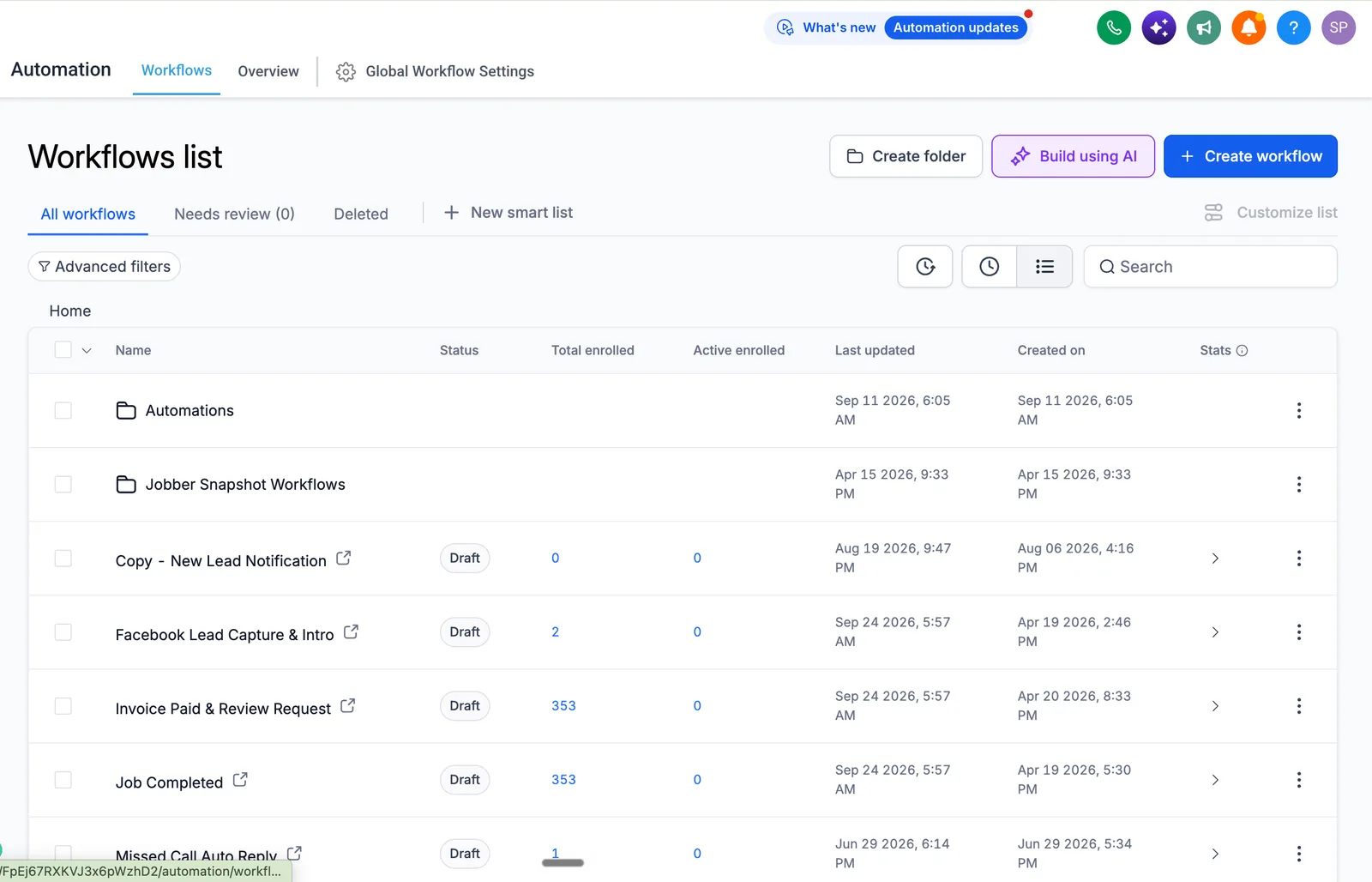
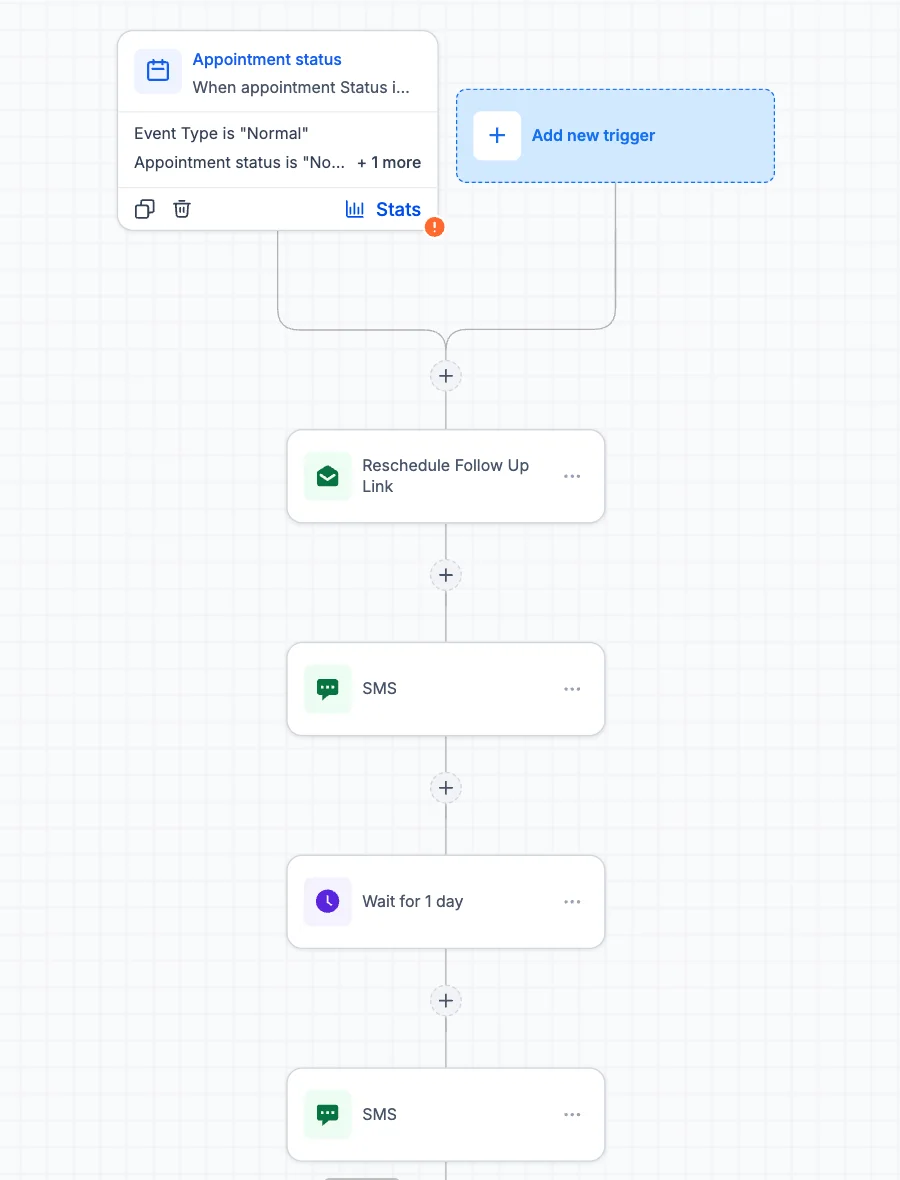
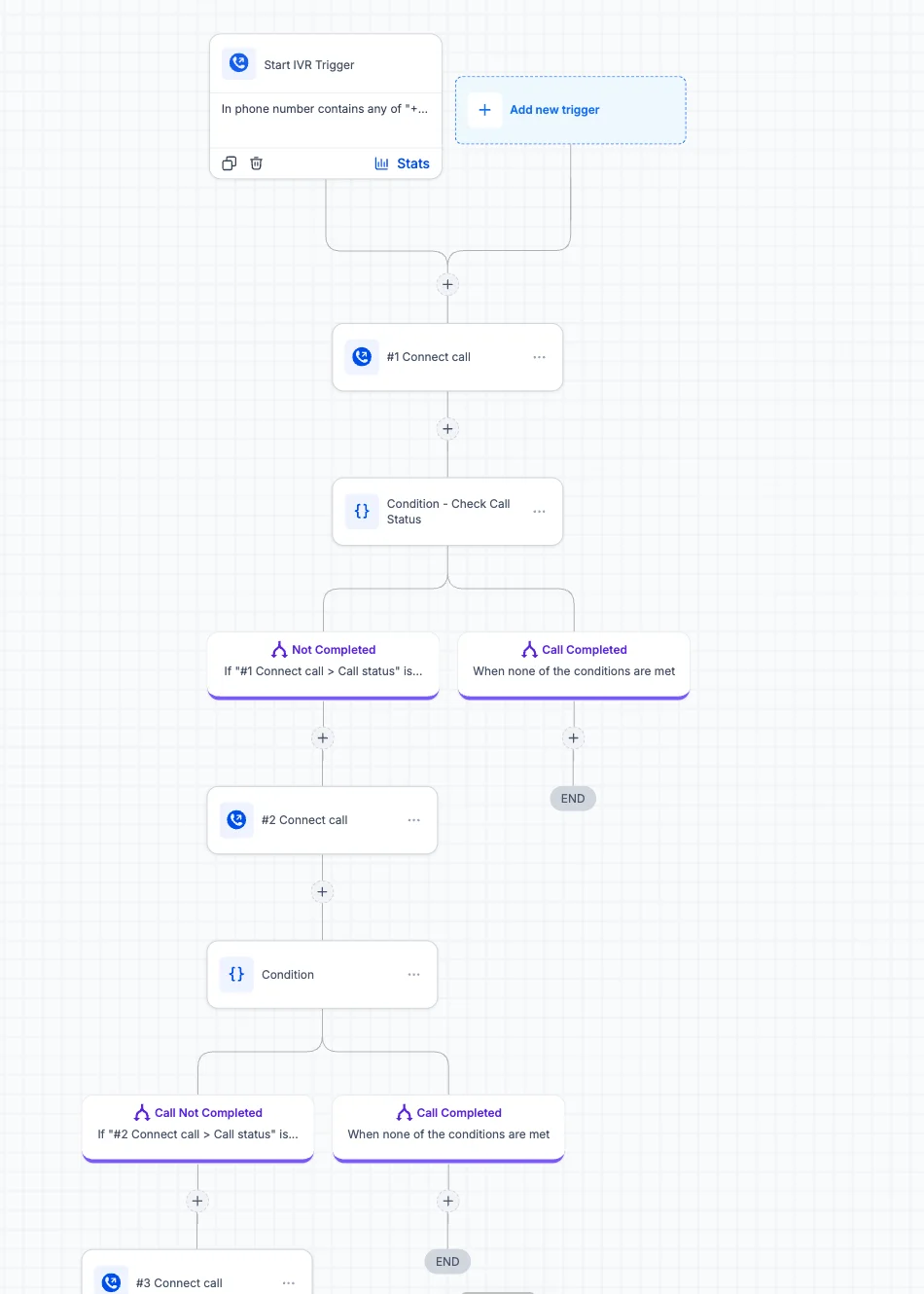
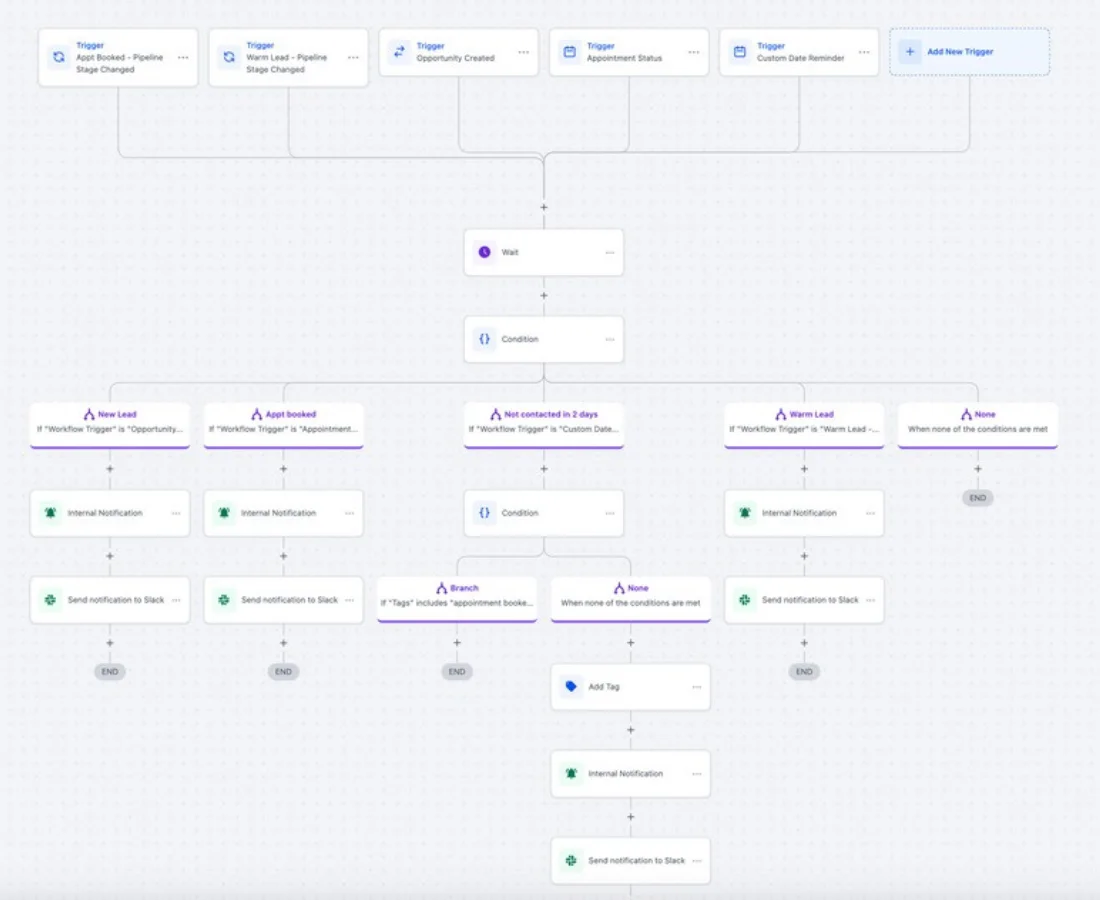
Named after its job, one job per workflow, exits on stage change.
Every moment from first contact to repeat purchase: message, channel, owner.
Workflow list with triggers, filters, exits and the exact copy for each message.
Workflows, custom values, templates, consent checks, quiet hours.
Test contacts through each scenario with Execution Logs open.
Lowest-risk workflows first, the rest over a week or two.
Logs and reply rates reviewed weekly for the first month.
We do not publish percentage promises. The case study shows a real build with the numbers the client reported.
| Workflow | Starts when | Stops when | Guide |
|---|---|---|---|
| Missed call text back | A call is missed | One text sent; a tag blocks repeats | Read |
| Speed to lead | A lead arrives | The lead replies or books | Read |
| Appointment reminders | An appointment is booked | It is cancelled or rescheduled | Read |
| No-show recovery | Status set to No-show | They rebook, or after about a week | Read |
| Review requests | A job is complete | The review link is clicked | Read |
GoHighLevel missed call text back: the exact menu path, the 10 to 20 second timeout, a workflow that stops duplicate texts,…
Read →GoHighLevel no show automation: the Appointment Status trigger, who marks a no-show, a two to three message sequence, exit…
Read →GoHighLevel speed to lead workflow: trigger, Assign to User, notification, instant text and opportunity, in the right order,…
Read →GoHighLevel appointment reminders: the booking trigger, Wait before appointment, message wording, past-due handling and why…
Read →GoHighLevel review request automation: the Send Review Request action, Reputation settings, the review link merge field, and…
Read →Checked October 19, 2026, at the time of writing; HighLevel changes prices, features and policies.
Yes, we list every workflow with what it does, find overlaps and conflicts, then rebuild or retire them. You get the audit report before anything changes.
New-lead response and the appointment lifecycle (confirmation, reminders, no-show recovery), because they affect revenue immediately. Then nurture and reactivation, then reviews and internal alerts.
Only if the sending domain, phone registration and consent were skipped. We set up a dedicated email domain with SPF, DKIM and DMARC and complete A2P 10DLC before any volume goes out.
Yes, workflows create tasks, notify the owner, and stop sending when the person replies or the stage changes. AI conversations hand off the same way.
A single-location build usually starts with six to twelve: lead response, reminders, no-show recovery, nurture, review request, missed-call text back and internal alerts. More is not better; each workflow has to solve a named problem.
We push test contacts through every path (form, missed call, booking, reschedule, no-show, won, lost) with the execution log open, and fix anything that does not behave as designed. A workflow is published only after the paths pass.
Open the workflow's enrolment history and execution log to see where contacts stopped. Common causes are the workflow being in Draft, a trigger filter that is too narrow or re-entry being off. Our support plan covers diagnosis and fixes.
Build the foundation: pipelines, fields, calendars, routing and reporting.
Read more →SaaS mode, plans, rebilling and snapshots for a branded software offer.
Read more →A branded HighLevel experience on your own domain, set up precisely.
Read more →Bring your account or your current CRM to a 30-minute call. We tell you what we would build first and quote the scope in writing.
Free 30-minute call with a free account audit. Every price is a custom quote in writing. No obligation.

Free GoHighLevel strategy call
Pick a day
You are booked.
With the HighLevel Automation Team
Before the call
Need a different time? Reschedule or cancel.
Free 30-minute call with a free account audit. Every price is a custom quote in writing.