Audit
Objects, fields, pipelines, automations, templates and integrations in the current system, and which ones are actually used.
When you migrate to GoHighLevel from HubSpot, Keap, ActiveCampaign, Zoho, Pipedrive or spreadsheets, the order of work decides whether follow-up survives the move. We audit what you have, map every field, rebuild the automations for GoHighLevel rather than copying them, import, test, and switch forms, numbers and domains on a schedule. The old system stays read-only until the new one has run a full week.
Free 30-minute call with a free account audit. Every price is a custom quote in writing. No obligation.
Contacts imported without a field and tag map, so segments and history are lost.
Workflows rebuilt step for step from the old tool instead of designed for GoHighLevel.
Email domain switched without warm-up, so deliverability drops the week of launch.
Both systems live with no cutover plan, and leads fall between them.
Objects, fields, pipelines, automations, templates and integrations in the current system, and which ones are actually used.
Field by field, source to GoHighLevel: what merges, what transforms, what is retired. You sign it off.
Pipelines and workflows designed for GoHighLevel, not a copy.
Contacts, opportunities and notes imported with a validation report; calendars, forms, templates and workflows rebuilt and tested.
A dated plan for forms, numbers, email domains and integrations, with both systems watched during the switch.
Team training on the new account and a support window after launch.
Screenshots from real accounts. Client names have been cropped out.
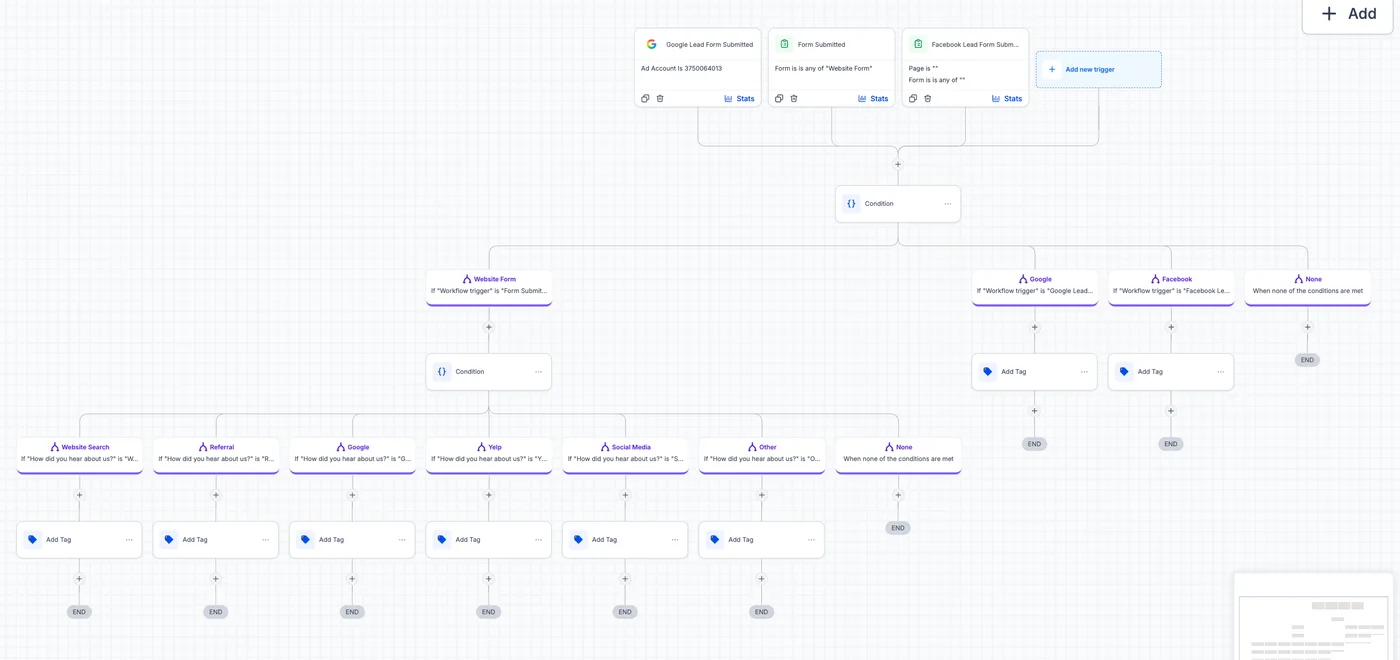
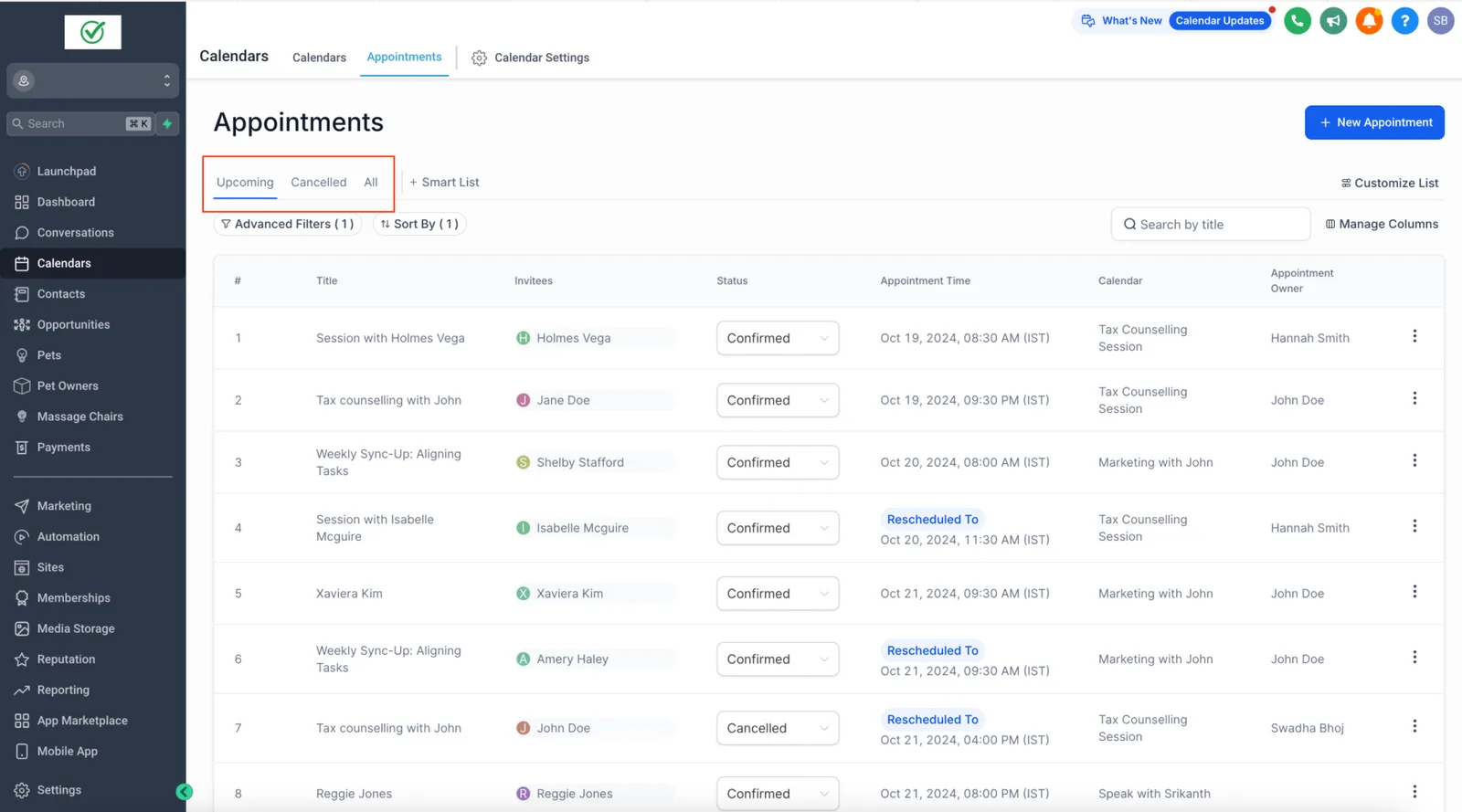
What exists, what is used, what the team avoids.
Fields, tags, stages and templates, signed off.
The new account, tested with a data sample.
Full import with validation counts.
Forms, numbers, domains and integrations switched on a schedule.
Daily checks the first week, weekly the first month.
We do not publish percentage promises. The case study shows a real build with the numbers the client reported.
| Item | How it moves |
|---|---|
| Contacts, companies and deals | Exported and imported against a field map you sign off, with validation counts |
| Workflows and automations | Rebuilt in GoHighLevel and tested; they cannot be imported as files |
| Email domain and phone numbers | Authenticated and registered again in the new account |
| Cutover | Scheduled, with the old and new systems watched side by side |
Platform facts are checked against the HighLevel help center and HighLevel pricing.
Source: the rollout plan described in this guide
Source: our process page
Checked October 19, 2026, at the time of writing; HighLevel changes prices, features and policies.
Yes, it is the most common source we see. Contacts, companies, deals, notes, lists and templates export and map; workflows are redesigned. The step-by-step guide on this site covers it in detail.
Four to eight weeks for most businesses: one to two of audit and mapping, two to four of build and import, then a cutover week and a month of support.
Field-mapped data (contacts, deals, notes, tags, custom fields) migrates. Full email threads and platform-specific objects migrate partly or not at all. The map lists every item and its treatment before we start.
HubSpot, Keap, ActiveCampaign, Zoho, Pipedrive and others, as well as spreadsheets. The method is the same: audit, field map, import with validation counts, rebuilt automations and a scheduled cutover.
Not if the import is validated. We reconcile record counts against the old system before cutover and keep the old system read-only until you sign off. Some objects, such as custom objects, need a redesign rather than a copy.
A standard migration takes two to four weeks, a basic one a week or two, and a complex one with many workflows and integrations longer. Data cleanliness and the number of automations to rebuild drive the time.
Build the foundation: pipelines, fields, calendars, routing and reporting.
Read more →Turn repetitive work into tested workflows: speed-to-lead, booking, nurture, reviews.
Read more →SaaS mode, plans, rebilling and snapshots for a branded software offer.
Read more →Bring your account or your current CRM to a 30-minute call. We tell you what we would build first and quote the scope in writing.
Free 30-minute call with a free account audit. Every price is a custom quote in writing. No obligation.

Free GoHighLevel strategy call
Pick a day
You are booked.
With the HighLevel Automation Team
Before the call
Need a different time? Reschedule or cancel.
Free 30-minute call with a free account audit. Every price is a custom quote in writing.