
GoHighLevel works for an HVAC contractor as a lead-response and scheduling layer: it texts back every missed call within seconds, books appointments, sends confirmations and reminders, recovers no-shows, requests reviews, follows up on invoices and runs seasonal maintenance reminders. It does not replace field-service dispatch, routing or job-costing software. Whether it pays off depends on your call volume, how fast you answer today and your no-show rate. This guide covers the job lifecycle, the CRM setup, nine workflows, seasonal maintenance automation, cost and a 30-day rollout.
Short answers
- Good for HVAC? Yes for lead response, reminders, reviews and maintenance-plan outreach.
- Replaces ServiceTitan, Housecall Pro or FieldEdge? No. Those handle dispatch, routing, pricebooks and job costing.
- Biggest early win: missed-call text-back, because a homeowner with no heat or cooling calls the next company if nobody answers.
- Cost: platform $97 to $497 a month plus usage; build quoted in writing.
Who this is for
- Independent HVAC contractors with one to five technicians.
- HVAC franchise owners running a local operation.
- Plumbing and HVAC or electrical and HVAC contractors who share one office line.
- Shops that schedule on paper or across a phone and text mix.
The guide assumes residential service calls rather than commercial design-build. The same speed-to-response pattern appears in roofing and other home services.
- Week 1Capture: missed-call text back and instant response
- Week 2Appointments and reminders
- Week 3After the job: reviews and invoices
- Week 4Seasonal reminders and win-back
Source: the rollout plan described in this guide
The HVAC job lifecycle and where GoHighLevel fits
| Stage | Trigger | What the automation does |
|---|---|---|
| 1. Inbound call or form to lead | Call, web form or missed call | Texts within seconds, asks emergency or routine, offers booking times |
| 2. Appointment booked to dispatch | Appointment booked | Sends the customer a confirmation and alerts the assigned technician with job details |
| 3. Service visit to job complete | Job marked complete | Sends the payment link and a satisfaction message |
| 4. Post-service review and upsell | Positive outcome | Requests a review and offers a maintenance plan |
| 5. Maintenance plan to seasonal recall | Season change or due date | Sends spring cooling and fall heating tune-up reminders to the plan list |
The result is that every lead gets a first response, every appointment gets reminders and every maintenance customer gets a seasonal prompt, without the office managing each one by hand.
GoHighLevel HVAC CRM setup
| Piece | What to set up |
|---|---|
| Pipeline | New lead, scheduled, dispatched, completed, maintenance plan |
| Job-type tags | Emergency, routine and maintenance, so each gets the right reminder pace |
| Custom fields | Equipment type and age, service area, maintenance-plan status, last service date |
| Calendars | Separate booking types for emergency and routine service |
| Inbox | One thread per customer so dispatch and the office see the same history |
| Reporting | First-response time, no-show rate and maintenance-plan conversion, by stage |
The job-type split is the part DIY builds skip. An emergency booking needs a faster, shorter message than a routine tune-up, and mixing them makes both worse.
Where HVAC revenue leaks
| Leak | Why it happens | What GoHighLevel does |
|---|---|---|
| Lost inbound leads | The phone is busy or nobody answers, and the customer calls the next company | Texts back within seconds with a booking link, before the technician sees any notification |
| No-shows | No reminder, or the customer forgot or is not sure the tech is coming | Confirmation, 24-hour reminder with a confirm or reschedule option, and a "technician on the way" message |
| Missed seasonal revenue | Customers forget tune-ups unless reminded | Seasonal reminders to the maintenance-plan list |
Published figures for lead loss and no-show cost vary by market and are mostly vendor estimates, so work out yours: calls per week, how many go unanswered, average job value and how many booked jobs do not happen. Multiply the unanswered share by your average job to see the weekly cost of a slow response.
Core HVAC workflows: nine to build
| # | Workflow | Trigger | Sequence | Exit |
|---|---|---|---|---|
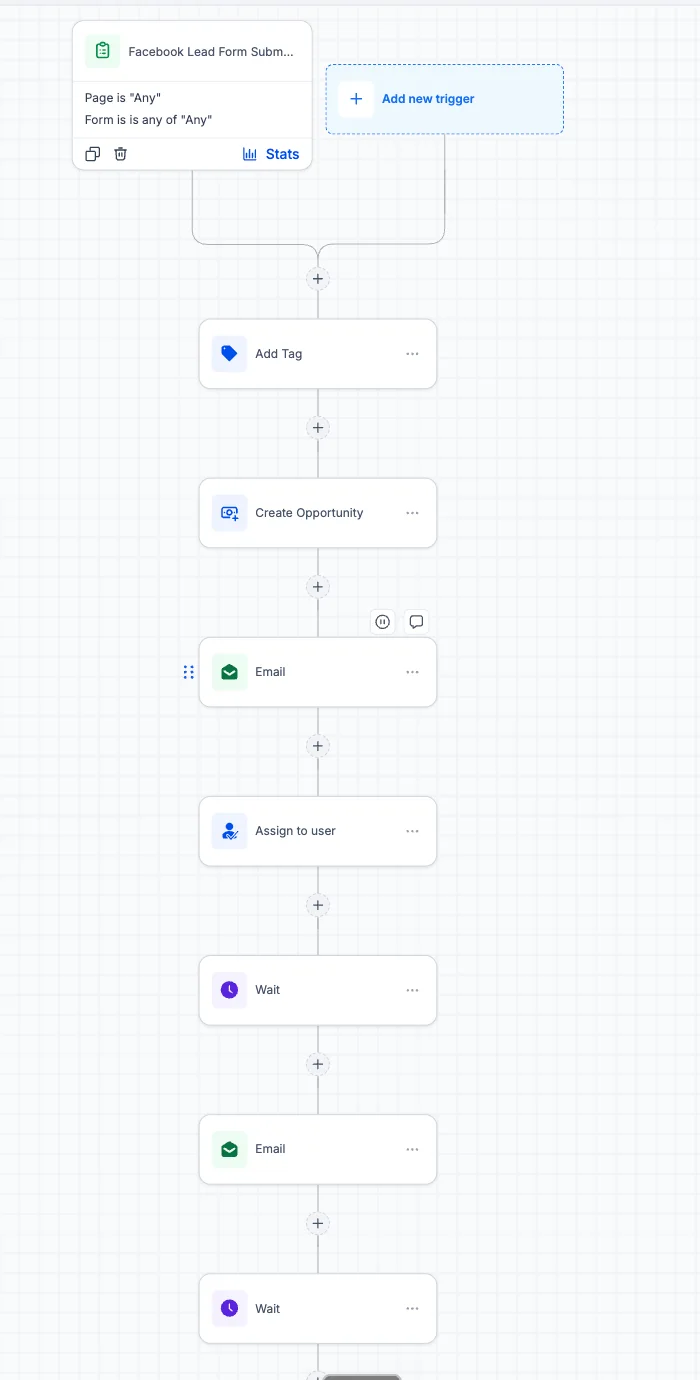
| 1 | Instant lead response | Call or web form | Text within seconds asking emergency or routine; emergency gets the next slot, routine gets the scheduling link | Booked |
| 2 | Confirmation and dispatch alert | Appointment booked | Customer confirmation with technician name and map link; technician alerted with job details and notes | Appointment starts |
| 3 | Pre-appointment reminders | Appointment scheduled | 24-hour reminder with confirm or reschedule; "on the way" message when the technician leaves | Appointment ends |
| 4 | Review request | Job marked complete | Satisfaction message within hours, then a review request for satisfied customers; unhappy customers go to a manager | Review link clicked |
| 5 | Maintenance-plan offer | Repair completed | Plan offer with what it saves, follow-up after a few days | Joined or declined |
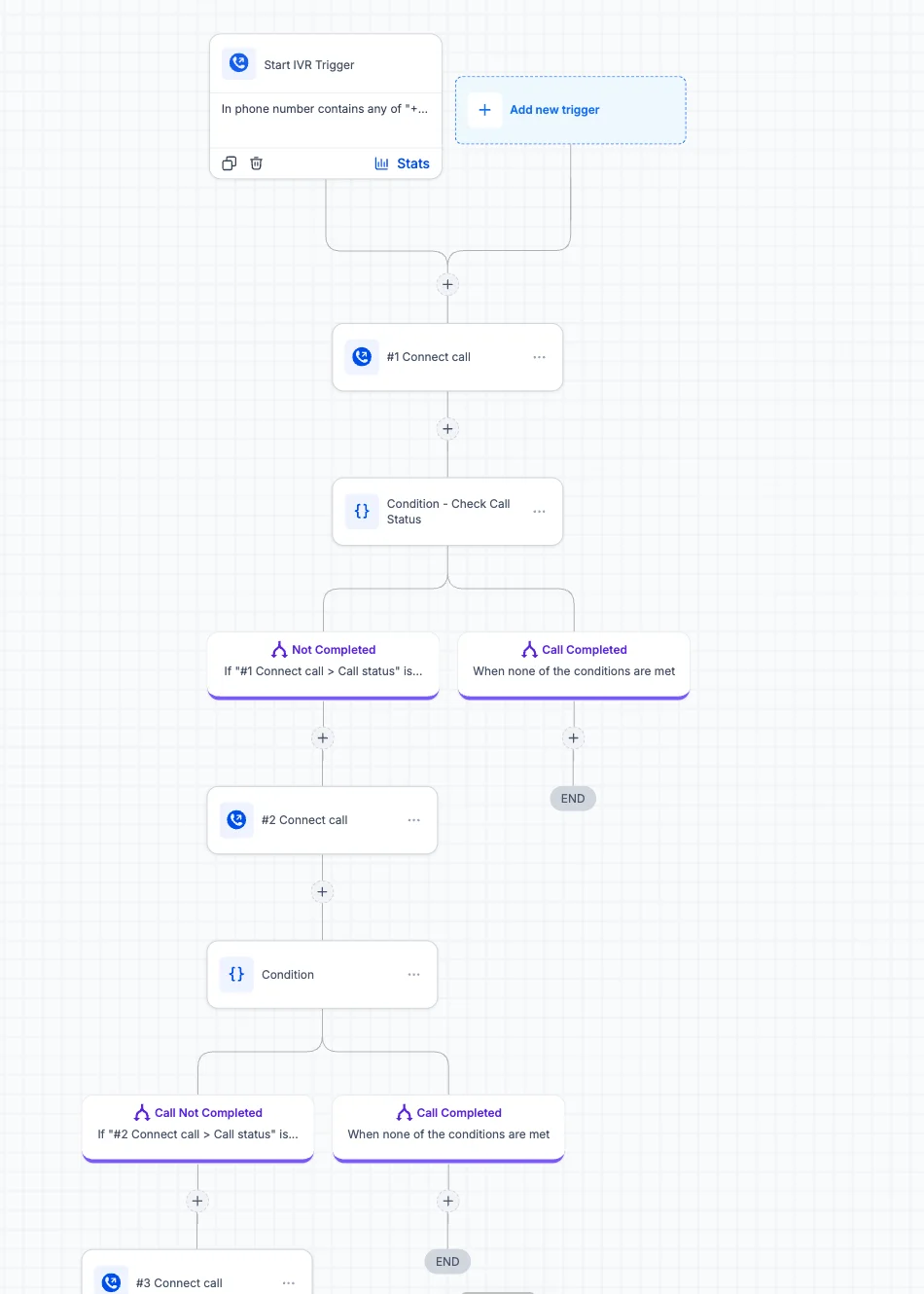
| 6 | Missed-call text-back | Inbound call unanswered | A text within seconds; logged as a new lead or an existing-customer question | Contact replies |
| 7 | Invoice and payment follow-up | Service completed | Invoice with payment link, reminder after a day if unpaid, a later reminder after that | Paid |
| 8 | Seasonal maintenance reminder | Maintenance due date | Seasonal booking reminder, call task if not booked after a few weeks | Booked |
| 9 | Lapsed-customer win-back | No service in a year or more | A message with an inspection offer, then several weeks of follow-up | Booked |
Start with workflows 6, 1 and 3. They protect the revenue you already generate. Add 4 and 5 next, then the seasonal and win-back workflows.
Seasonal maintenance plan automation
Maintenance plans turn one-off jobs into recurring revenue, if the outreach is systematic:
- Spring cooling check. Triggered several weeks ahead of peak cooling season.
- Fall heating tune-up. Triggered ahead of heating season.
- Filter reminders. Recurring reminders based on the equipment on record.
- Unused-visit tracking. For plan members with included visits, so unused ones do not expire unnoticed.
These workflows depend on accurate last-service dates and equipment fields, so import them from your field-service software or capture them on job completion.
What GoHighLevel does and does not replace
| System | Replaced by GoHighLevel? |
|---|---|
| CRM and customer management | Yes |
| Appointment reminders and no-show recovery | Yes |
| Review requests | Yes |
| Seasonal maintenance outreach | Yes |
| Route optimisation and multi-technician dispatch | No; basic assignment only, and it can connect to field-service software through Zapier |
| Pricebooks, job costing and parts inventory | No |
| Accounting and payroll | No |
GoHighLevel and HVAC field-service software
ServiceTitan, Housecall Pro and FieldEdge are built for dispatch, pricebooks and job costing, and their pricing depends on technician count and modules. Compare by function and check current prices with each vendor.
| Function | GoHighLevel | HVAC field-service software |
|---|---|---|
| Dispatch and routing | Basic | Core feature |
| Pricebook, estimates, job costing | No | Core feature |
| Lead response and missed-call text-back | Core feature, fully configurable | Basic or an add-on |
| Marketing, reviews and seasonal campaigns | Built in | Varies; often a paid module |
| Landing pages and funnels | Built in | Rarely included |
| Pricing model | Flat plan plus usage; contacts are unlimited on every plan | Often per technician or per module |
Verdict: a shop with several technicians usually needs field-service software for dispatch and costing. GoHighLevel adds the lead-response and marketing layer next to it, or covers the whole front office for a very small shop that does not need dispatch software yet.
What GoHighLevel costs an HVAC contractor
| Item | Cost at the time of writing | Note |
|---|---|---|
| Platform | $97, $297 or $497 a month (HighLevel pricing) | See the pricing guide |
| Texts, calls, email | Usage-based | Scales with call and message volume |
| Build | Basic setup $500 to $4,000; multi-location by custom quote after a free 30-minute call | See pricing |
To check the case: divide the monthly platform cost by your average job value to see how many extra booked jobs it takes to break even, then count how many calls you miss in a week.
The 30-day rollout
- Week 1: captureAccount, phone number and A2P registration, calendars for emergency and routine, missed-call text-back and instant lead response.
- Week 2: appointmentsConfirmation and dispatch alert, reminders, tested with test contacts.
- Week 3: after the jobReview request, invoice follow-up and the maintenance-plan offer.
- Week 4: seasonal and win-backImport service dates, build the seasonal reminders and win-back, then train the office.
When GoHighLevel is and is not a good fit
| Good fit | Poor fit |
|---|---|
| Calls go unanswered at busy times | You need dispatch, routing and job costing in one tool |
| No reminder system and visible no-shows | Your field-service software already handles lead response well |
| A maintenance-plan base with no seasonal outreach | No one will own the workflows |
| You pay for separate texting, review and marketing tools | You are not ready to register for business texting |
Call tracking just improved: see the number pool update, which labels calls by ad platform, and our missed call text back guide.
GoHighLevel for contractors: HVAC, electricians, construction and window installers
The same system serves most home-service trades. What changes is the job cycle, so the workflows are tuned per trade.
| Trade | What drives the follow-up | First workflow to build |
|---|---|---|
| HVAC | Emergency calls, seasonal tune-ups, maintenance plans | Missed call text back |
| Electricians | Quote requests and scheduled jobs | Instant response and booking |
| Construction and remodeling | Long estimates and several decision makers | Estimate follow-up with a capped sequence |
| Window installers | In-home consultations and seasonal demand | Appointment reminders and no-show recovery |
Sources and further reading
Checked at the time of writing; prices, features and policies change. Checked 2026-10-19. Facts about HighLevel features and prices on this page are checked against HighLevel's own help center and pricing pages. The sources used:
- HighLevel pricing page: $97, $297 and $497 plans, unlimited contacts, usage-based charges (read 2026-10-19)
- HighLevel: US Phone Number Registrations (A2P 10DLC required for US texts from standard local numbers)
- Google Business Profile Help: chat and call history features ended July 31, 2024
- HighLevel: Missed Call Text Back setup
- HighLevel: Assign To User workflow action
- HighLevel: How to send review requests
Frequently asked questions about GoHighLevel for HVAC contractors
Is GoHighLevel good for HVAC contractors?
Yes, for lead response, reminders, reviews and maintenance-plan outreach. It is not dispatch or job-costing software, so larger shops usually run it alongside ServiceTitan, Housecall Pro or similar.
Can GoHighLevel text back missed calls?
Yes, when an inbound call goes unanswered, a workflow can text the caller within seconds with a booking link and log them as a lead. It is usually the first workflow we build because a customer without heat or cooling will call the next company.
Will GoHighLevel replace ServiceTitan or Housecall Pro?
No, it does not do pricebooks, job costing, route optimisation or parts inventory. It adds lead response, reviews and seasonal outreach. A small shop may not need dispatch software yet, in which case GoHighLevel can cover the front office.
How much does GoHighLevel cost for an HVAC business?
The platform is $97, $297 or $497 a month at the time of writing, plus usage for texts and calls. Contacts are unlimited, so cost does not rise per technician. Basic setup runs $500 to $4,000, white label $3,500 to $5,000, and multi-location work is a custom quote after a free 30-minute call. See the pricing page.
Can it help with maintenance plans?
Yes, it can offer a plan after a repair, send seasonal tune-up reminders to plan members and track unused included visits. It needs accurate last-service dates, which come from your field-service software or are captured when a job closes.
How do reminders reduce no-shows?
A confirmation, a 24-hour reminder with a confirm or reschedule option and an on-the-way message keep the appointment fresh and give customers an easy way to change it. Measure your no-show rate before and after to see the effect for your shop.
Does it handle emergency calls differently?
The HVAC setup can handle emergency calls differently from routine calls. The first text asks whether the call is an emergency, and the emergency path offers the next available slot and alerts the on-call person, while the routine path sends the scheduling link. Anything urgent should still reach a human immediately.
How long does an HVAC setup take?
A scoped build typically takes about four weeks to cover capture, appointments, reviews and seasonal outreach. Phone registration and importing service history are the steps that most often add time.
Related guides
- GoHighLevel for roofing companies
- GoHighLevel for real estate agents: speed-to-lead model
- A2P registration rejected
- GoHighLevel setup guide
- GoHighLevel setup, done for you: built, tested and handed over for you
- GoHighLevel pricing