Pipelines and stages
One pipeline per sales process. Stages match decisions your team actually makes (Inspection booked, Estimate sent, Signed), with values and lost reasons.
A GoHighLevel CRM implementation is the account itself, set up properly: pipelines, custom fields, tags, calendars, forms, phone and email, lead routing and the first set of follow-up workflows. The work is scoped from how your business sells, written up before we start, and tested before it goes live.
Free 30-minute call with a free account audit. Every price is a custom quote in writing. No obligation.
A pipeline copied from a snapshot built for a different business. Stages like "Hot" and "Warm" that nobody updates.
No rule for tags and fields, so there are three versions of "source" and the smart lists are useless.
Calendars connected to one person's Google account, no round robin, no buffers, reminders off.
A sending domain never authenticated and A2P registration never finished, so email lands in spam and texts fail quietly.
Nobody who can say what each workflow does.
One pipeline per sales process. Stages match decisions your team actually makes (Inspection booked, Estimate sent, Signed), with values and lost reasons.
A short list of custom fields and a tag naming rule (source-, status-, service-) that the workflows and reports depend on.
Forms, surveys, the chat widget, missed-call text back, Facebook and Google lead forms, each writing a source and an owner to the contact.
The right calendar type for each appointment (round robin, service, class), buffers, Google or Outlook sync per user, confirmations and reminders.
LC Phone or ported numbers, A2P 10DLC brand and campaign registration, a dedicated sending domain with SPF, DKIM and DMARC.
Assignment rules, new-lead response, appointment reminders and no-show recovery, internal notifications. More workflows come under the automation service.
A dashboard for open opportunities, stage conversion, source performance and response time.
Screenshots from real accounts. Client names have been cropped out.
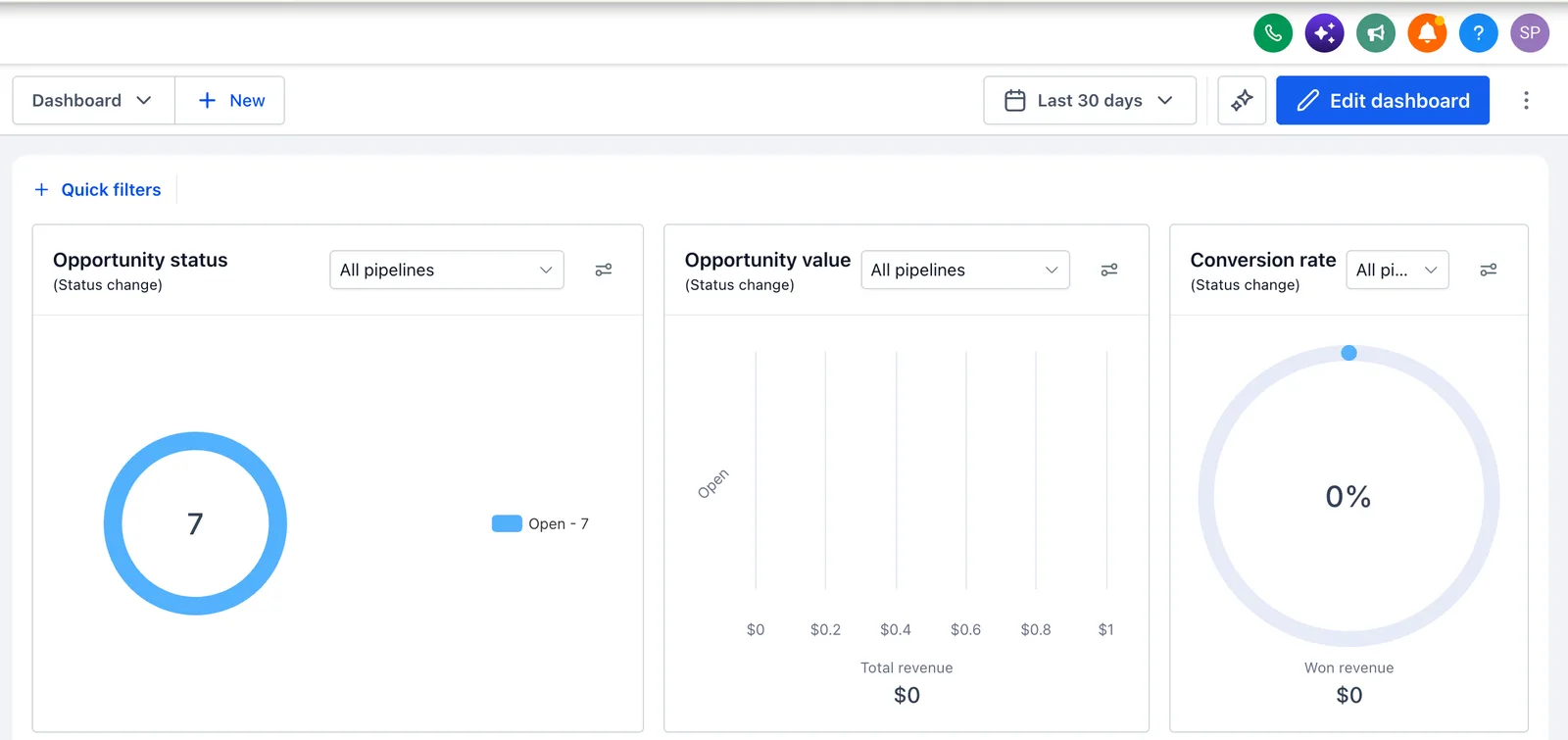
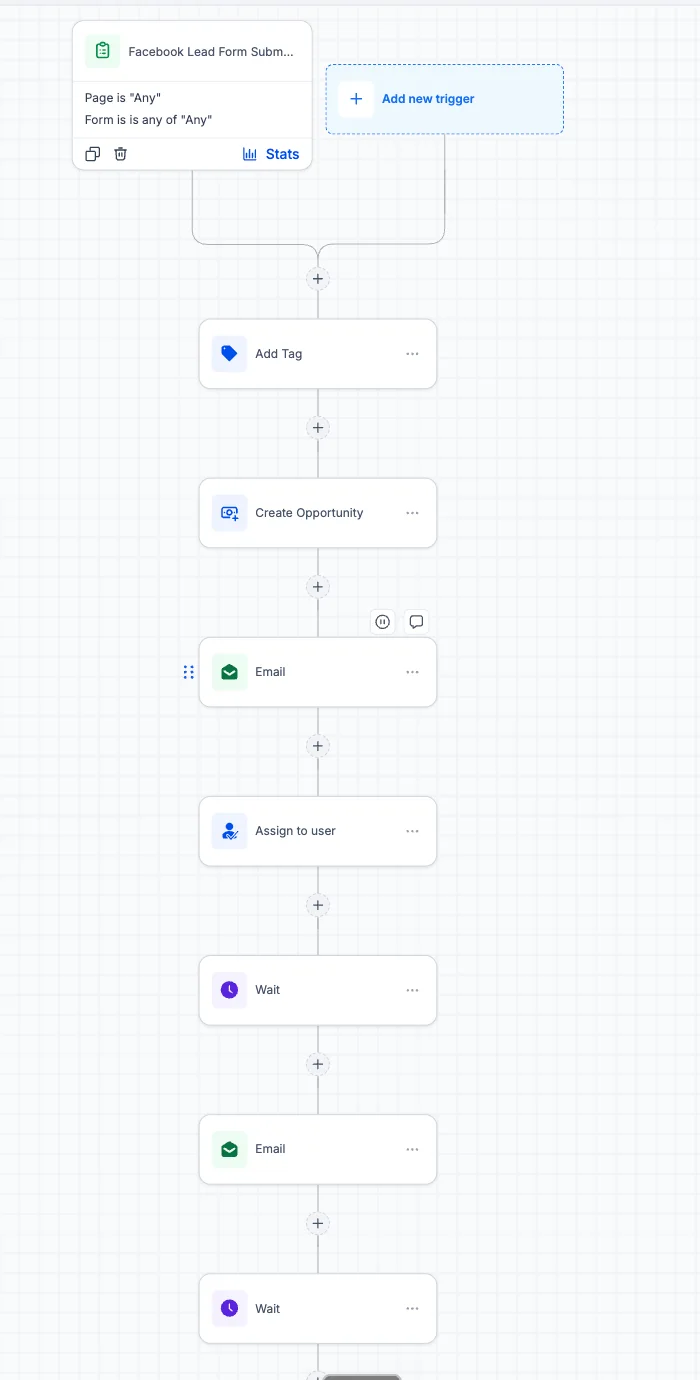
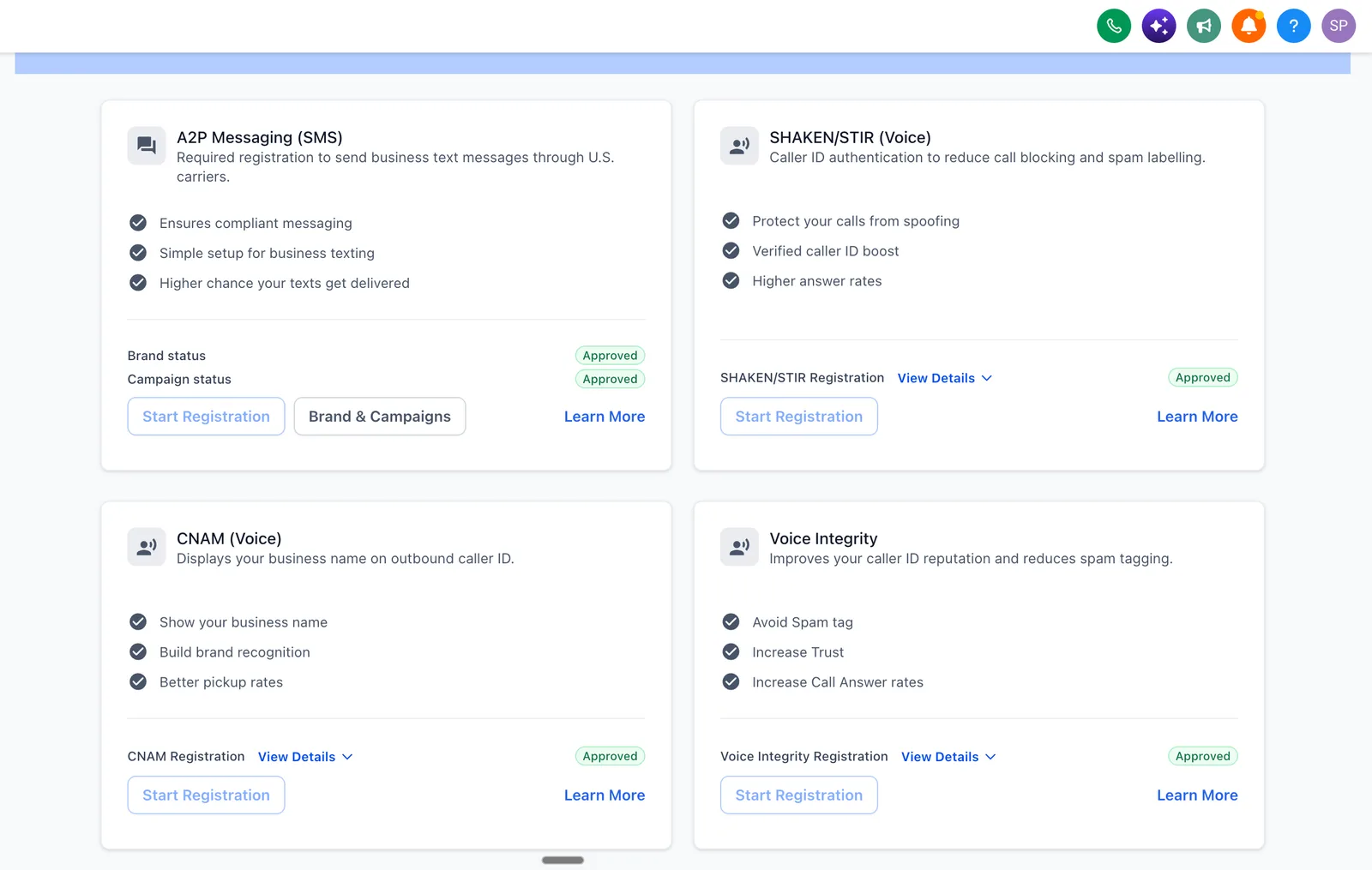
Workflows read and write the pipeline stage. Reports read the same stage. Keep that rule and the account stays understandable.
A working session: lead sources, who answers, what a sale is, which tools stay.
Pipelines, fields, tags, calendars and a workflow list, in a document you approve.
Configuration in your account, or in a staging sub-account first for risky changes.
Test contacts through each path: form, missed call, booking, cancellation, no-show.
Recorded walkthroughs per role and a written map of the account.
Response times, stage conversion and Execution Logs, then the first changes.
We do not publish percentage promises. The case study shows a real build with the numbers the client reported.
| Piece | The decision | Guide |
|---|---|---|
| Pipeline | One per sales process; stages as states | Pipeline setup |
| Fields and tags | Field, custom value or tag | Fields and tags |
| Routing | Round robin, weighted or by rule | Lead routing |
| Calendars | Service, round robin, class or collective | Calendar setup |
Platform facts are checked against the HighLevel help center and HighLevel pricing.
Source: the rollout plan described in this guide
Source: our process page
GoHighLevel lead routing with the Assign to User action: equal or weighted round robin, only-unassigned toggle, dynamic user…
Read →GoHighLevel pipeline setup step by step: where to create it, how to name stages, opportunity statuses, required lost reasons,…
Read →GoHighLevel custom fields hold data per contact, custom values are reusable placeholders, tags are labels. When to use each,…
Read →GoHighLevel calendar setup: service, round robin, class and collective calendars, availability, buffers, widget style, Google…
Read →Checked October 19, 2026, at the time of writing; HighLevel changes prices, features and policies.
Three to five weeks for one location with one sales process, including testing and training. Multi-location or multi-pipeline accounts take longer, mostly in discovery and testing.
Yes, we audit it first, keep what works, rebuild what does not, and document the result. We do not reset an account unless the data model cannot be saved, and never without your approval.
Either way. You can hold your own subscription and give us access, or we provision a sub-account under our agency with a written transfer path. Your contacts, numbers and data are yours in both cases.
Basic setup and single-location implementation run $500 to $4,000. Multi-location work is a custom quote that depends on the number of locations and how different they are. We confirm it in writing after a free 30-minute call, which also includes a free audit of any existing account.
A snapshot is a saved template of someone else's pipelines and workflows. An implementation starts from your sales process, builds only what you need, tests it with test contacts and documents it. A snapshot can be a starting point inside an implementation, but it is not the same thing.
That is the aim. Each role gets recorded training on the parts of the account it uses, and you get a written map of pipelines, fields, tags and workflows. Support is optional afterwards, not required to keep the account running.
Access to your current account or CRM if you have one, a description of how leads reach you and what happens to them, and someone who can approve the architecture document. Most delays come from slow approvals or access, not from the build.
Turn repetitive work into tested workflows: speed-to-lead, booking, nurture, reviews.
Read more →SaaS mode, plans, rebilling and snapshots for a branded software offer.
Read more →A branded HighLevel experience on your own domain, set up precisely.
Read more →Bring your account or your current CRM to a 30-minute call. We tell you what we would build first and quote the scope in writing.
Free 30-minute call with a free account audit. Every price is a custom quote in writing. No obligation.

Free GoHighLevel strategy call
Pick a day
You are booked.
With the HighLevel Automation Team
Before the call
Need a different time? Reschedule or cancel.
Free 30-minute call with a free account audit. Every price is a custom quote in writing.