Payments
- Stripe (native): invoices, order forms, subscriptions, SaaS rebilling
- PayPal, Authorize.net, NMI and Square through HighLevel's payment providers
- Workflows triggered by a payment: receipt, onboarding, review request
GoHighLevel integrations we set up most: Payments, calendars, lead sources, websites and internal tools. Native connectors where HighLevel has them, webhooks for most of the rest, the API when volume or a custom system calls for it. The choice is made in the architecture step, before the build.
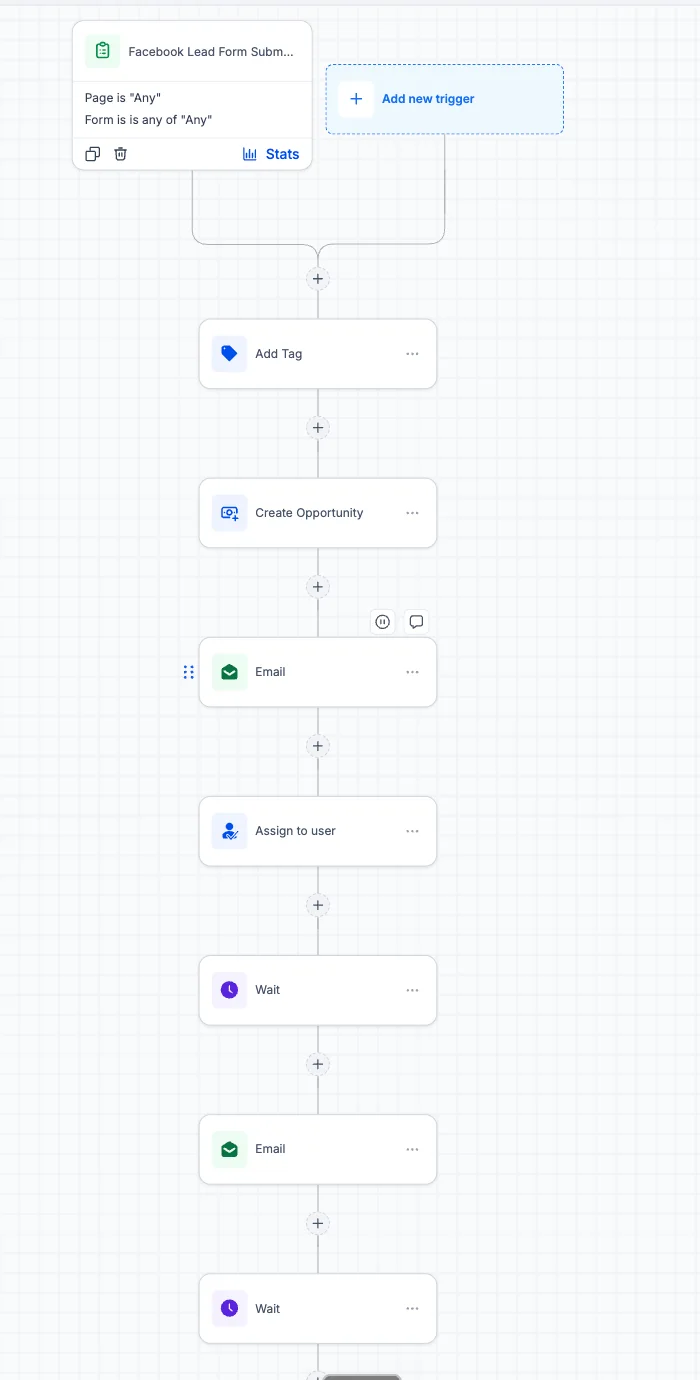
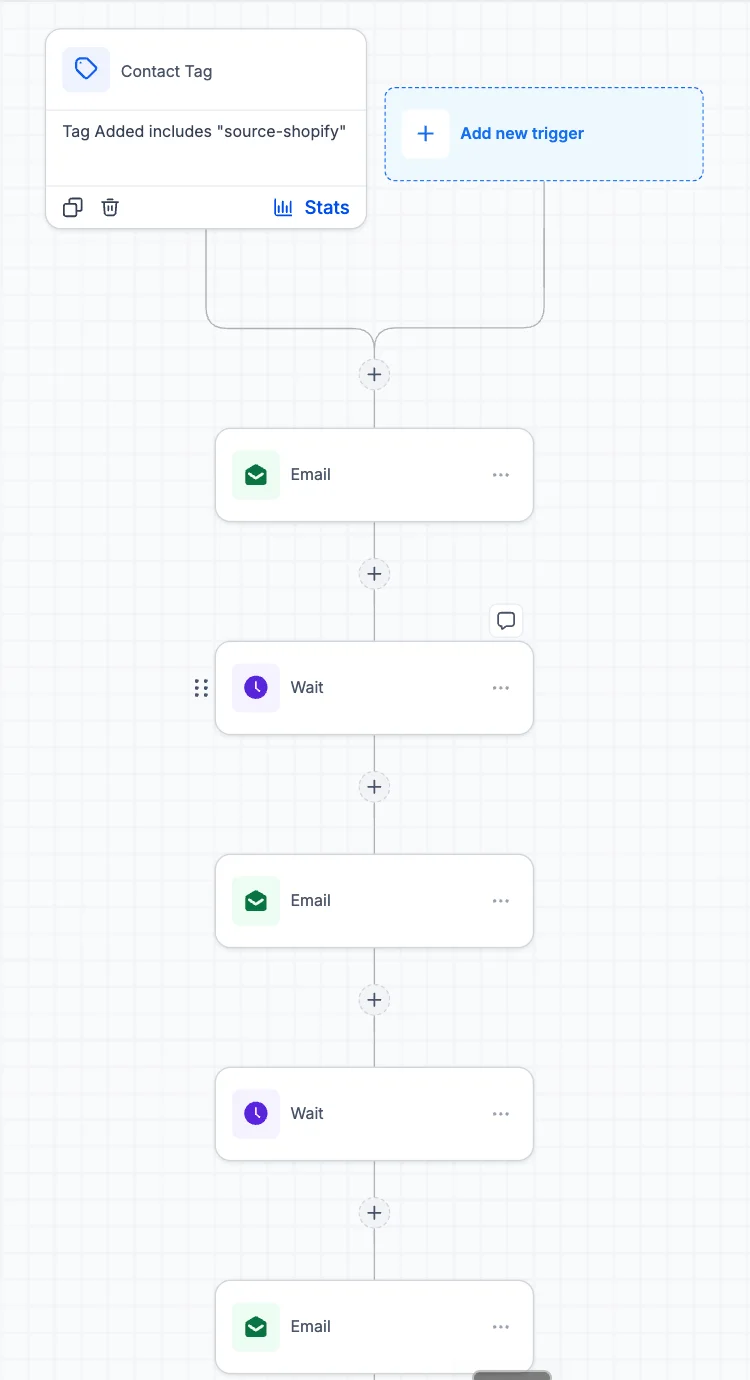
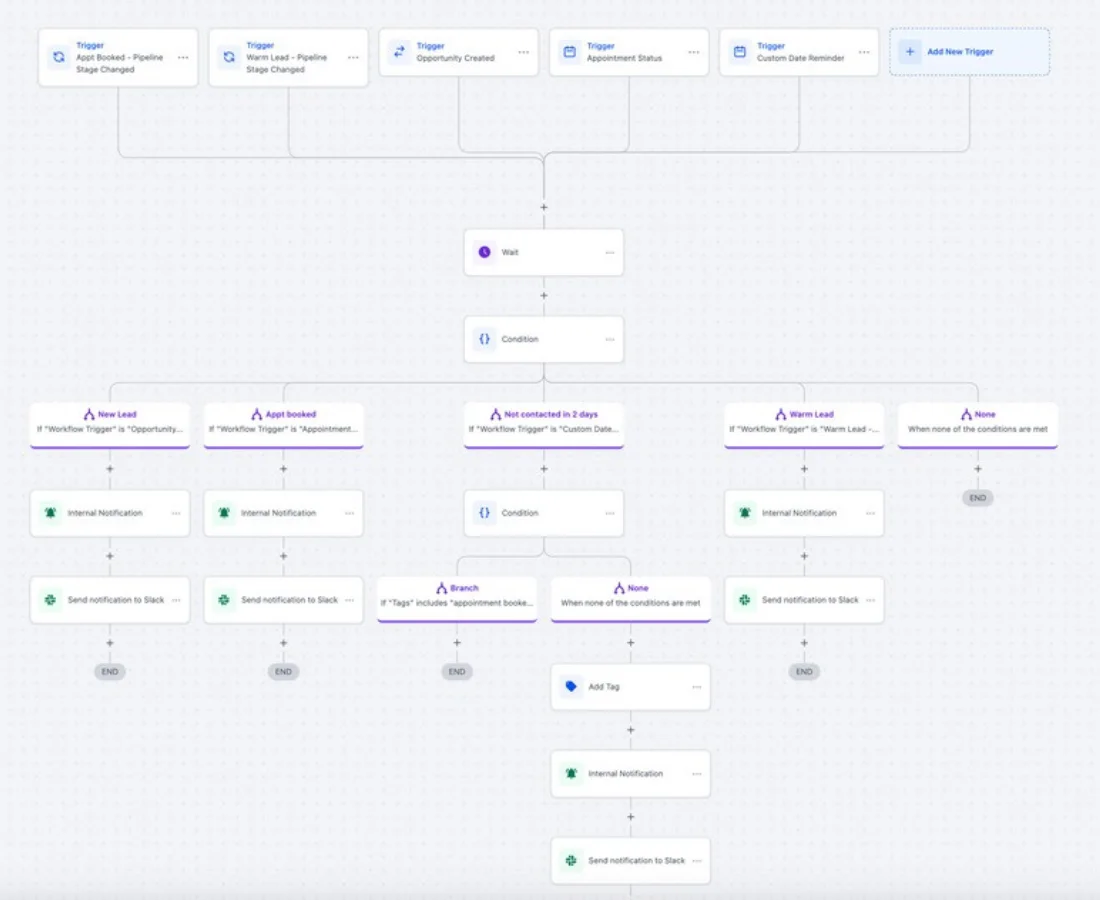
A native connector is the most stable option, so it comes first. Webhooks cover most of what is left and keep the logic visible inside the workflow. The API is for custom systems and high volume, where we build and document a private integration. Zapier and Make sit in between when a transformation or a third system is involved.
Moving data in from another CRM is a migration, not an integration →
| Route | Best for | Strengths | Watch out for |
|---|---|---|---|
| Native connector | Facebook and Instagram lead forms, Google Business Profile, Stripe, Google and Outlook calendars, Shopify | Maintained by HighLevel, no extra subscription, visible in the account settings | Only the fields HighLevel chose to map; check them before relying on one |
| Webhook | Any tool that can send or receive a URL call: booking tools, forms, internal apps | Fast, free, the logic stays inside the workflow where you can read it | No retries unless you build them; a renamed field breaks it silently |
| Zapier or Make | When data has to be reshaped, or a third system sits in between | Quick to build, hundreds of apps | A monthly fee, task limits, and another place where the logic can hide |
| HighLevel API v2 | Custom software, industry systems, high volume, two-way sync | Full control, OAuth, every object in the account | Needs a developer and documentation; rate limits apply, so bulk jobs are batched |
The sequence is the same whichever route we take. First we write down the data flow in one line: what event, in which system, creates or changes what in the other. Second we decide the route from the table above, native first. Third we map the fields, including the ones that look optional and turn out to matter, such as the lead source and the consent flag. Fourth we connect it in a staging sub-account where a mistake is cheap. Fifth we send test records through the whole path in both directions and read the workflow Execution Logs, because an integration that fails usually fails quietly. Sixth we document it on the integration map so the next person knows it exists.
Does GoHighLevel sync with Google Calendar both ways? Yes, per user. Each team member connects their own Google account and chooses the calendar to sync. Most "not syncing" tickets are a one-way setting or a calendar assigned to the wrong user. The fixes are here.
Webhook or Zapier? If both systems can send and receive a URL call and the data does not need reshaping, a webhook: it is free and the logic stays in the workflow. Zapier or Make earn their fee when a third system or a transformation is involved.
Can my website forms feed GoHighLevel without rebuilding them? Usually. WordPress has a HighLevel plugin, most form builders can post to an inbound webhook, and any site can embed a HighLevel form or the chat widget. We prefer the embedded form when the site allows it, because the consent language and the field mapping are then controlled in one place.
What about payments? Stripe is native and covers invoices, order forms, subscriptions and SaaS rebilling. A payment received can trigger a workflow, which is how a receipt, an onboarding sequence and a review request start without anyone pressing a button.
Platform facts: HighLevel developer FAQ (API limits and OAuth tokens) and the HighLevel help center.
| Native | Webhook | API | |
|---|---|---|---|
| Most stable | ✓ | ◐ | ◐ |
| Quick to set up | ✓ | ✓ | ✕ |
| Fits two-way sync or volume | ◐ | ◐ | ✓ |
| Needs code | ✕ | ✕ | ✓ |
Source: our integration rule: native first, webhook second, the API when it matters
The GoHighLevel API: documented rate limits (100 per 10 seconds, 200,000 a day), OAuth token lifetimes, a safe design…
Read →Yes, natively. Stripe handles invoices, order forms, subscriptions, payment links and, on the Agency Pro plan, SaaS rebilling. Other processors are supported through HighLevel's payment providers list, which changes over time.
Usually, through inbound and outbound webhooks, Zapier or Make, or the HighLevel API. We pick the simplest path that is reliable for the data volume and direction, and document it.
We add one when the integration is genuinely supported, people search for it, and we can explain the data flow, triggers, actions and limits. If yours is missing, ask; it may already be covered on a solution page.
Payments (Stripe), calendars (Google and Outlook), lead sources such as Facebook and Google forms, e-commerce stores, Slack notifications and anything routed through Zapier or webhooks. Each is mapped, tested and documented.
With test records through the full path in both directions: the event fires, the data lands in the right field, the workflow triggers and the execution log shows it. Integrations often fail silently, so we check the log, not just the result screen.
Native connections usually do not. Zapier, Make and some third-party tools charge their own subscriptions, and usage on either side can add cost. We list those in the scope so there are no surprises.
We will say which connections are native, which need webhooks and which need the API, before any build starts.
Free 30-minute call with a free account audit. Every price is a custom quote in writing. No obligation.

Free GoHighLevel strategy call
Pick a day
You are booked.
With the HighLevel Automation Team
Before the call
Need a different time? Reschedule or cancel.
Free 30-minute call with a free account audit. Every price is a custom quote in writing.