
GoHighLevel works for a law firm as the intake and client-communication layer: it captures the inquiry, responds in minutes, books the consultation, runs reminders and document requests, tracks each matter's intake stage in a pipeline, and asks for the review when the matter closes. It does not replace practice-management, trust accounting or billing software, and it must be configured around consent rules for texting and your state bar's advertising rules. This page describes how we structure GoHighLevel for firms, from solo practitioners to multi-attorney practices, and where the limits are.
What a law firm gets from a properly built GoHighLevel system
- Every inquiry (web form, call, chat, referral) answered within minutes, around the clock, with a consultation booked on the right attorney's calendar.
- An intake pipeline from inquiry to signed engagement, with conflict check and document steps visible to the whole team.
- Automated reminders, document chase and no-show recovery that staff no longer do by hand.
- Consent, quiet hours and opt-out handled in the workflows, with the records to prove it.
- Reporting on where consultations come from and where potential clients drop off.
The intake problem GoHighLevel solves
Most firms lose potential clients between the first contact and the consultation. The call goes to voicemail at 6 pm, the web form sits in an inbox until morning, the follow-up depends on whoever is free, and the person who needed a lawyer has hired one by lunchtime. The second loss happens after the consultation: the engagement letter and the intake documents go out, nobody chases them, and the matter never opens.
These are process failures, and GoHighLevel is built for exactly this kind of process: time-based, multi-channel follow-up tied to a stage in a pipeline, with tasks for people when a person is needed.
- 1Discovery
- 2Rules review with counsel
- 3Architecture
- 4Build and message copy
- 5Testing
- 6Staged launch
- 7Training
- 830-day review
Source: the rollout plan described in this guide
The client journey we automate
- Inquiry
- Instant response
- Qualification
- Consultation booked
- Reminders
- Consultation held
- Engagement sent
- Documents collected
- Matter opened
- Review request
Each step is a pipeline stage. Each stage has its own automation and its own exit, so a potential client who signs on day two is never sent the day-five "still interested?" message.
GoHighLevel architecture for a law firm
Pipelines
One intake pipeline per practice area when the stages differ (personal injury intake has a case-evaluation step; estate planning has a questionnaire step; family law has a conflict check that must happen before any detail is discussed). Stages typically run: New inquiry, Contacted, Qualified, Consultation scheduled, Consultation held, Engagement sent, Retained, Declined or Referred out. Lost reasons are recorded so the firm learns why potential clients do not sign.
Contact fields and tags
Practice area, matter type, referral source, consultation attorney, conflict check status and date, consent to text (with date and source), preferred contact method, and a "do not contact" flag that every workflow checks first. Nothing privileged goes into free-text fields that marketing staff can read.
Calendars
Consultation calendars per attorney or practice group, with buffers, intake-form questions on the booking page, and paid-consultation handling where the firm charges for initial consultations. Round-robin where any of several attorneys can take the matter type.
Conversations
One inbox for calls, texts, web chat and email per office, with assignment to the intake coordinator and a visible owner on every thread.
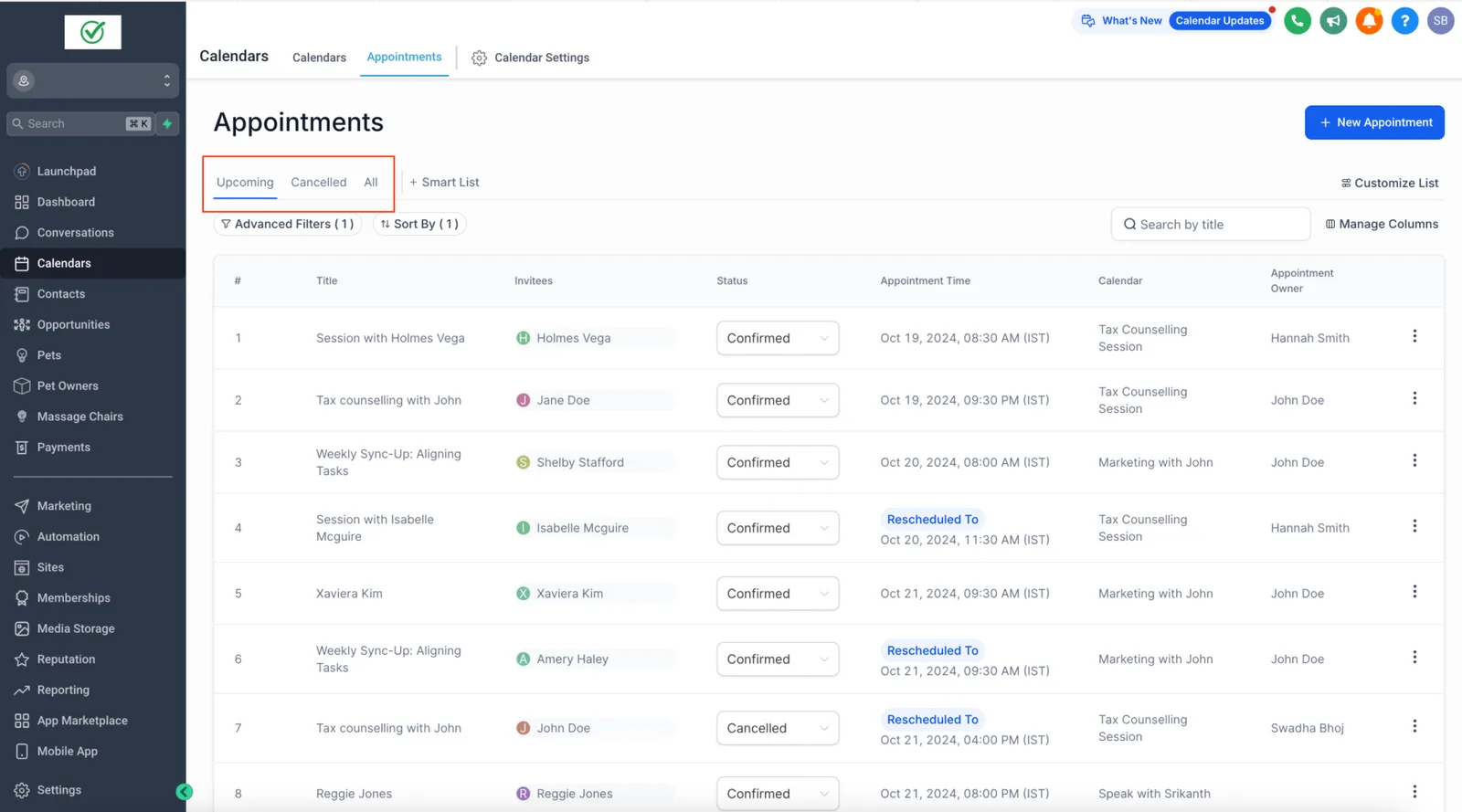
The automations that matter for firms
- Speed-to-lead. Web form or chat inquiry: an immediate text and email acknowledging the inquiry, a task for intake, and a booking link when the matter type qualifies for self-scheduling. Missed call: a text back within seconds offering a callback time or a booking link.
- Qualification. A short form or two-way text sequence that collects matter type, jurisdiction, urgency and how the person heard about the firm, so attorneys spend consultation time on matters they take.
- Consultation lifecycle. Confirmation, reminder at 24 hours and 2 hours with location or video link, preparation checklist, reschedule link, and no-show recovery that offers a new time twice and then closes with a courteous final message.
- Engagement and documents. After the consultation, the engagement letter is sent (from the firm's e-signature tool, triggered by the stage change), followed by a document checklist with reminders every few days until received, and a task for staff when a deadline approaches.
- Declined matters. A respectful decline-and-refer message, with the referral partner's details, and an opt-in to occasional firm updates where that is appropriate and permitted.
- Closed matters. A thank-you, a review request routed by the client's rating, and a periodic check-in for practice areas where repeat work is normal (business, estate planning).
Consent and advertising rules that shape the build
Three sets of rules change how a firm's GoHighLevel account is configured. We build to them and document the choices; your counsel or bar's ethics line is the authority.
- Texting consent (TCPA and state law). Informational texts tied to a request the person made, such as an inquiry confirmation or a consultation reminder, generally rest on the person having voluntarily provided their number for that purpose. Promotional texts need prior express written consent. Our workflows check a dated consent field before any marketing text, honour quiet hours, and process STOP automatically. The FCC's "one-to-one" consent rule for lead generators was vacated by a federal appeals court in January 2025, but state laws and the underlying TCPA still apply, so consent language should be reviewed by counsel before launch.
- What a TCPA case looks like in practice. A 2026 class action against a GoHighLevel user shows who carries the risk: see has GoHighLevel been sued.
- Solicitation rules (ABA Model Rule 7.3 and your state's version). Live person-to-person solicitation of potential clients for pecuniary gain is restricted in most states, and written or electronic solicitations often require specific labelling. Automated outreach to people who have not contacted the firm is where firms get into trouble; we build follow-up for people who inquired, not prospecting sequences to strangers.
- Confidentiality (Model Rule 1.6). Reasonable efforts to prevent unauthorized disclosure apply to the CRM. That means role-based access, MFA for every user, no privileged detail in text messages or free-text marketing fields, and retention settings agreed with the firm.
Firms with healthcare-adjacent practices (medical malpractice, disability) may also handle protected health information; see whether GoHighLevel is HIPAA compliant before intake forms ask medical questions.
What GoHighLevel does not replace at a law firm
| Function | Stays in | GoHighLevel's role |
|---|---|---|
| Matter management, documents, deadlines | Practice-management software (Clio, MyCase, PracticePanther, Smokeball and others) | Hands the retained client over, usually through the practice software's intake connector, Zapier or a webhook |
| Trust accounting and billing | Practice or accounting software | None. Consultation fees can be collected through GoHighLevel payments where the firm's rules allow |
| E-signature of engagement letters | The firm's e-signature tool, or GoHighLevel documents for simple agreements | Triggers the send and tracks the stage |
| Conflict checks | Practice software or the firm's procedure | A required stage with a checkbox field, before details are discussed |
| Marketing, intake, reminders, reviews | GoHighLevel | System of record for the pre-retention journey |
Integrations a firm usually needs
- Practice-management intake connector (native where offered by the practice software, otherwise Zapier, Make or a webhook) so a retained client is created once.
- Google Workspace or Microsoft 365 calendars for attorney availability.
- Phone: GoHighLevel's LC Phone or a ported number, with call recording settings that follow your state's consent law.
- Website forms and chat widget, with the intake questions mapped to fields.
- Referral sources: directories and lead vendors by webhook, each tagged so the reporting shows what they return.
Reporting the managing partner actually reads
Inquiries by source and practice area; time to first response; consultation booking rate; show rate; retention rate after consultation; and engagement-to-documents-complete time. These come from the pipeline being used consistently, which is why stage discipline and the automations that move stages automatically matter more than any dashboard setting.
Implementation for a law firm, step by step
- Discovery with the managing partner and the intake coordinator: practice areas, how inquiries arrive, who qualifies, what a signed engagement requires.
- Rules review: texting consent language, solicitation constraints, recording laws, confidentiality settings, with the firm's counsel.
- Architecture document: pipelines per practice area, fields, calendars, workflow list with triggers and exits, integration map.
- Build and message copy, written in the firm's voice and reviewed for compliance.
- Testing with test contacts through every path, including declined matters and STOP replies.
- Launch, staged: reminders first, then speed-to-lead, then document chase.
- Training for intake staff and attorneys, recorded; documentation of the account.
- 30-day review of response times, show rates and workflow logs, then monthly under support.
Related: law firm intake automation and speed to lead.
GoHighLevel for lawyers alongside MyCase, Clio and other practice software
MyCase, Clio and similar tools run matters, billing, documents and trust accounting, and GoHighLevel does not replace them. It handles the front door: intake, instant response, consultation booking, document chasing and reviews. People searching for a MyCase alternative CRM or for MyCase automation are usually asking for that front-door layer.
| Job | Practice management software | GoHighLevel |
|---|---|---|
| Matters, billing, trust accounting | Core job | Not its job |
| Documents and e-signature of engagement | Often included | Documents and contracts for the engagement step |
| Lead capture, instant reply, consultation booking | Limited or add-on | Core job. See law firm intake automation |
| Nurture of prospects who did not retain | Rarely | Core job, with consent rules |
Connections run through webhooks, Zapier or the API where the software offers them; confirm what your tool exposes before promising a sync. Rules on advertising and confidentiality are set by your state bar, with the ABA Model Rules as a starting point.
Sources and further reading
Facts about HighLevel features and prices on this page are checked against HighLevel's own help center and pricing pages at the time of writing, and can change. The sources used:
- HighLevel: A2P 10DLC campaign registration guide
- American Bar Association: Model Rules of Professional Conduct
- TCPAWorld: a 2026 TCPA class action against a GoHighLevel user
Frequently asked questions
Is GoHighLevel a good CRM for law firms?
For intake, follow-up, consultation scheduling and client communication, yes: it does those well in one account. It is not a legal practice-management system and should sit in front of one. Firms that expect it to handle matters, documents and billing will be disappointed; firms that use it for the pre-retention journey usually see consultations booked that were previously lost.
Can a law firm text potential clients through GoHighLevel?
Yes, a law firm can text potential clients through GoHighLevel, with consent and within the rules. Confirmations and reminders tied to a request the person made are generally permitted when the person provided their number for that purpose; promotional texts need prior express written consent. A2P 10DLC registration is required in the US, and STOP handling is automatic. Have counsel review the consent language before launch.
Does GoHighLevel integrate with Clio or MyCase?
Through Zapier, Make or webhooks, and through intake connectors where the practice software offers them. The usual pattern is that a contact reaching the Retained stage in GoHighLevel creates the client and matter in the practice software, so data is entered once. We map the fields and test the handoff as part of the build.
How much does GoHighLevel cost for a small law firm?
At the time of writing, HighLevel's plans start at $97 per month plus usage for texting, email and phone; a firm with a few attorneys usually lands between $100 and $300 per month in platform and usage cost before implementation. Our GoHighLevel cost guide breaks down the usage charges and the implementation ranges, and a done-for-you GoHighLevel setup covers the build itself.
Can the intake run outside office hours?
Yes, workflows acknowledge inquiries instantly at any hour, offer self-scheduling where the matter type allows it, and queue a task for the intake coordinator for the morning. Voice AI can answer after-hours calls and book consultations within rules you set; see our GoHighLevel AI implementation page for how we scope that.
Sources: ABA Model Rules of Professional Conduct 1.6 and 7.3 (ABA website); TCPA consent requirements as summarised by the FCC and legal-marketing compliance guidance, read October 16, 2026; HighLevel pricing page, same date. Platform costs and consent rules change and differ by state; this page describes implementation practice and is not legal advice.
Related guides
- GoHighLevel for professional services: the wider intake-automation pattern for firms outside law
- A2P registration rejected
- GoHighLevel setup guide
- done-for-you GoHighLevel setup: built, tested and handed over for you
- GoHighLevel pricing