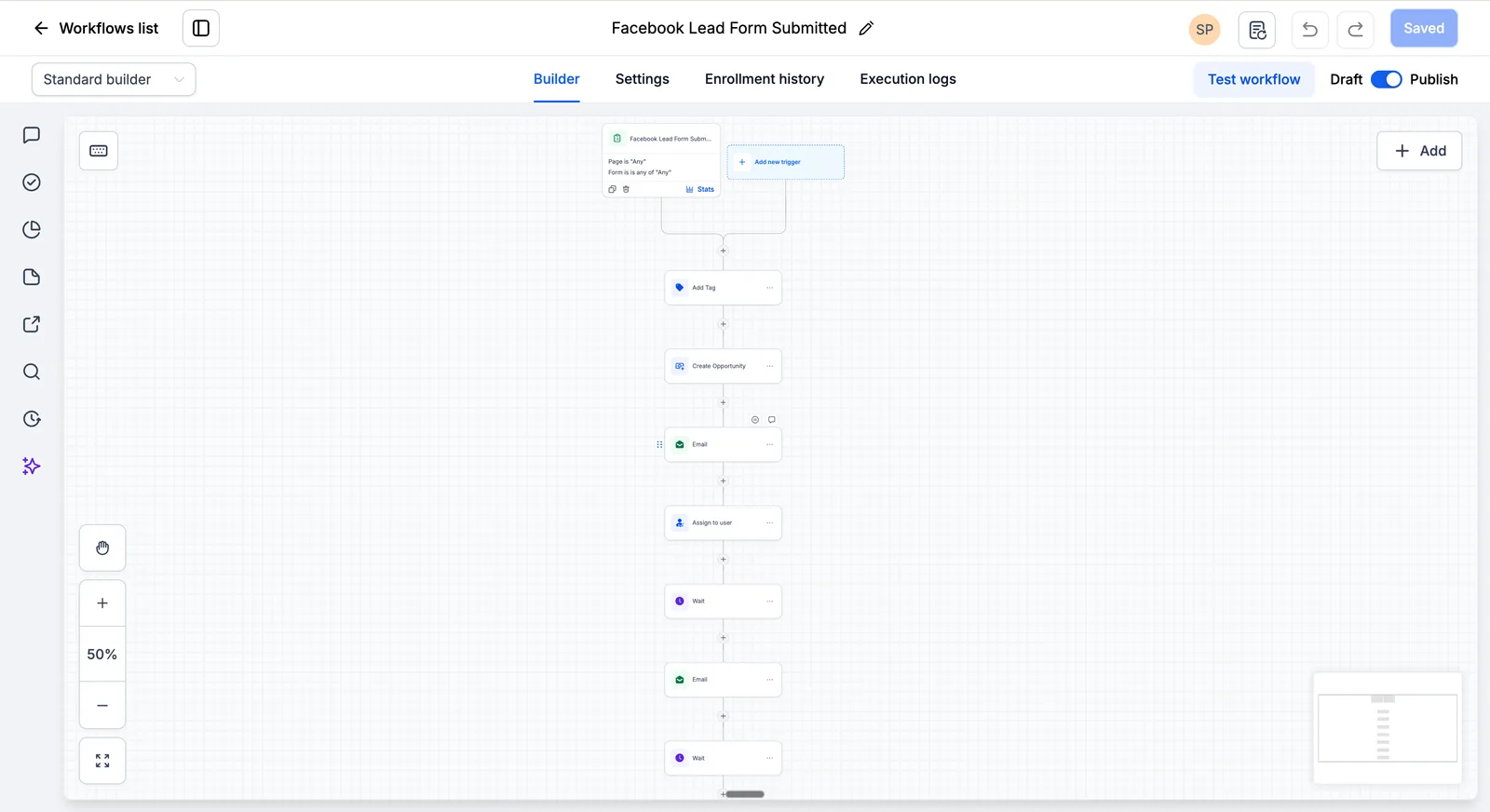
HubSpot to GoHighLevel migration workflow showing CRM data transfer, contact and deal migration, data cleanup, import, testing, and automation setup
HubSpot to GoHighLevel Migration: Follow a structured step-by-step process to move your CRM data, preserve customer information, configure automation, and transition to GoHighLevel with confidence.

HubSpot to GoHighLevel Migration: Complete Step-by-Step Guide

Yes, you can migrate from HubSpot to GoHighLevel while preserving the critical CRM data your business needs — but a successful migration requires field mapping, workflow reconstruction, validation, testing, and a controlled cutover. This guide covers the full migration lifecycle: what transfers, what doesn’t, how to handle the gaps, and the exact process to execute safely.

Quick Migration Summary: A standard HubSpot-to-GHL migration takes 2–4 weeks. Typical professional migration costs $2,000–$15,000+ depending on complexity. The process follows six phases: Discovery & Audit → Data Mapping → GHL Architecture → Migration & Rebuild → QA & Reconciliation → Cutover & Monitoring.

Migration ElementTypical OutcomePlanning Assumption
Contacts, companies, dealsGenerally transferable through export/importLow complexity — subject to field mapping, data quality, and validation
Notes, activities, documentsTransferable with varying degrees of fidelityMedium complexity
Workflows, sequences, automationsMust be rebuilt manually in GHLHigh complexity — budget the most time here
Forms, landing pagesMust be rebuilt in GHL form/funnel builderMedium complexity
Custom objectsNo direct 1:1 migration path — requires redesignCase-by-case planning required
Reporting dashboardsMust be rebuilt in GHL or connected via APIMedium complexity
Phone systemMigrated or replaced with GHL built-inLow–Medium complexity

HubSpot → GoHighLevel Migration at a Glance

QuestionAnswer
Direct one-click migration?No
CRM data transferable?Generally yes — subject to field mapping and validation
Workflows?Must be rebuilt
Forms?Must be rebuilt
Landing pages?Must be rebuilt
Custom objects?No direct 1:1 path — requires redesign
Typical timeline?1–8+ weeks depending on scope
Typical professional cost?$2,000–$15,000+ depending on complexity

Migration is not the same as rebuild. Migration means moving data. Rebuild means recreating workflows, forms, pages, pipelines, integrations, reporting, and communication infrastructure. This article covers both.

What Actually Migrates from HubSpot to GoHighLevel?

Not everything in HubSpot transfers automatically. Here’s the complete migration compatibility matrix.

What Transfers with Standard Export/Import

Data TypeTypical MethodMigration Complexity
Contacts (all properties)CSV export → importLow
CompaniesCSV export → import + association mappingLow–Medium
Deals (pipeline stages)CSV export → import + stage mappingMedium
Notes & activitiesCSV export → import/API/custom processMedium–High
Documents/filesDownload → re-uploadMedium

What Does NOT Migrate 1:1

Several HubSpot features have no direct equivalent in GoHighLevel. These require redesign decisions, not just data movement.

HubSpot FeatureWhy It Doesn’t TransferTypical Handling
Workflow automationsHubSpot uses proprietary workflow logic that GHL can’t importRebuild in GHL workflow builder — document triggers, conditions, and actions first
Email sequencesHubSpot stores sequence logic in a format GHL can’t readRebuild as GHL workflows
Reporting dashboardsHubSpot reporting is proprietaryRebuild in GHL reporting or connect via API
Lists (active/static)HubSpot list logic doesn’t map to GHLRebuild as GHL smart lists or filters
FormsHubSpot forms use proprietary embed codeRebuild in GHL form builder
Landing pagesHubSpot pages use HubSpot CMSRebuild in GHL funnel builder
Custom objectsThere is no direct 1:1 migration path for HubSpot custom objects into GHLEach object requires a redesign decision based on its business purpose, relationships, workflows, and reporting requirements
Attribution modelsHubSpot attribution is platform-specificRebuild or use external analytics
IntegrationsHubSpot ecosystem connections are platform-specificReconnect via Zapier, n8n, Make, or API
Permissions/rolesHubSpot permission model differs from GHLReconfigure in GHL

How Much Does HubSpot → GHL Migration Cost?

Typical planning range: $2,000–$15,000+, depending on complexity, workflow count, data volume, and whether you use DIY, freelancer, or agency support. Full cost breakdowns appear later in this article.

10 Things to Do Before Starting Your HubSpot Migration

Complete these steps before beginning any data movement:

  1. Audit and inventory the HubSpot environment — document what exists: contacts, companies, deals, workflows, integrations, custom objects, forms, pages.
  2. Identify what needs migration — not everything should move. Define what’s operationally required in GHL.
  3. Define system-of-record — decide what lives in GHL vs. stays in existing systems (billing, clinical, analytics).
  4. Document workflow and integration dependencies — list every active workflow’s triggers, conditions, actions, and every connected tool.
  5. Create field mapping — build a spreadsheet: HubSpot property name → GHL custom field name → data type.
  6. Clean your data — remove duplicates, invalid emails, invalid phone numbers, and bounced emails. Identify obsolete records and define an appropriate archive/retention policy.
  7. Export required data and create backups — export the data identified in steps 1–2. Verify export completeness before ending any subscription.
  8. Establish record-ID mapping — record HubSpot record IDs alongside GHL contact IDs so you can trace data lineage after import.
  9. Plan a test migration — decide on a subset (e.g., 50–100 contacts + 5 deals) to validate mapping before the full import.
  10. Define rollback criteria — specify what conditions trigger a rollback and who authorizes it.

HubSpot → GoHighLevel Data Mapping

Before importing any data, create a field mapping document. This is the most critical pre-migration step.

HubSpotGoHighLevelAction
Contact propertiesContact custom fieldsMap
Company recordsCompany recordsMap with association verification
Deal pipelineOpportunity pipelineMap stages
Lifecycle stageCustom field/tag/pipelineRedesign
Lead statusCustom fieldMap
ListsSmart filters/tagsRebuild
WorkflowsWorkflowsRebuild
SequencesWorkflowsRebuild
Custom objectsCase-by-case (no direct 1:1 mapping)Redesign
ReportsGHL dashboardsRebuild
FormsGHL formsRebuild
Landing pagesGHL funnelsRebuild

Record-ID Mapping: Traceability After Import

When you import contacts into GHL, the platform assigns new record IDs. To maintain traceability back to HubSpot:

  • Export HubSpot contact IDs as part of your CSV export
  • Create a custom field in GHL called “HubSpot ID” or “Legacy ID”
  • Populate this field during import so every GHL contact retains its HubSpot origin
  • Use this for post-migration reconciliation — you can cross-reference record counts and verify no records were lost or duplicated

This is especially important if you need to audit data integrity weeks after cutover, or if you discover a mapping error that requires selective re-import.

Duplicate Prevention During Migration

Duplicates are a common post-migration issue. Prevent them with this process:

  1. Before import: Export all HubSpot record IDs. In GHL, create a custom field “HubSpot Record ID” on contacts.
  2. During import: Include the HubSpot Record ID in your migration dataset and store it in a GHL custom field such as “HubSpot Record ID.” Use that field as your migration tracking key when reconciling records and controlling subsequent imports.
  3. After import: Run GHL’s built-in duplicate detection. Search for contacts with matching emails or phone numbers. Merge duplicates manually or via bulk action.
  4. For re-imports (e.g., delta sync): Compare the source HubSpot IDs against the IDs already recorded in GHL before importing the delta set. Do not assume the platform will automatically deduplicate based on a custom field.

Data Cleaning & Preparation

Do not migrate bad data simply because it exists in HubSpot. Migration is the best time to clean the database.

Pre-Migration Data Cleansing

  • Duplicate contacts: Identify and merge duplicate records before export
  • Invalid emails: Remove or flag records with invalid email formats
  • Invalid phone numbers: Standardize phone number formats
  • Obsolete records: Identify contacts that are no longer operationally or legally required and define an appropriate archive/retention policy
  • Inconsistent lifecycle stages: Standardize values before mapping
  • Blank custom properties: Decide whether to migrate empty fields or leave them out
  • Conflicting company associations: Resolve contacts linked to multiple companies
  • Unsubscribed contacts: Preserve opt-out states during migration
  • Bounced emails: Preserve the relevant suppression/invalid status where required and avoid importing hard-bounced addresses into active marketing workflows until their status has been reviewed

What System Owns Each Data Type

Don’t migrate everything just because you can. Define ownership first.

DataSystem of Record
ContactsGHL
OpportunitiesGHL
Clinical dataExisting clinical system
BillingBilling platform
WebsiteGHL / existing CMS (keep WordPress if not migrating website)
Email / sending infrastructureGHL or existing provider, depending on migration scope
AnalyticsDefined analytics platform
Historical HubSpot backupArchived export

6-Phase Migration Process

Phase 1 — Discovery & Audit

  1. Export required HubSpot data after the migration inventory and data-retention plan are approved
  2. Map custom properties to GHL custom fields
  3. Document every active workflow, its triggers, conditions, and actions
  4. List all connected integrations (Zapier, Salesforce, Slack, etc.)
  5. Identify custom objects and their business purpose
  6. Assess data quality and cleansing needs

Phase 2 — Data Mapping & Transformation

  1. Create field mapping spreadsheet (HubSpot property → GHL custom field → data type)
  2. Define pipeline stage mapping (HubSpot deal stages → GHL pipeline stages)
  3. Map lifecycle stages to appropriate GHL fields or tags
  4. Identify fields that need transformation (date formats, phone formats, etc.)
  5. Document which data stays in HubSpot vs. moves to GHL

Phase 3 — GHL Architecture

  1. Configure pipeline stages in GHL
  2. Create all custom fields matching mapped HubSpot properties
  3. Set up phone system (call tracking, recording, IVR)
  4. Configure email system (SPF, DKIM, DMARC for deliverability)
  5. Set up user roles and permissions

Phase 4 — Migration & Rebuild

This phase includes a test migration before the full import.

Test Migration (Sub-Phase)

Before migrating everything, validate your mapping with a small subset:

  1. Import 50–100 contacts with mapped properties
  2. Import 5–10 deals with pipeline stage mapping
  3. Verify field mappings are correct (check custom fields, tags, associations)
  4. Test one rebuilt workflow end-to-end
  5. Verify no duplicate records were created
  6. Document any mapping errors and correct your field map before proceeding

Full Migration

  1. Import contacts with mapped properties
  2. Import companies with association mapping, then reconcile record counts and relationship integrity after import
  3. Import deals with pipeline stage mapping
  4. Import notes and activities
  5. Rebuild workflows in GHL workflow builder
  6. Rebuild email sequences as GHL workflows
  7. Rebuild forms in GHL form builder
  8. Rebuild landing pages in GHL funnel builder
  9. Reconnect integrations (Zapier, n8n, Make)

Incremental Migration / Delta Sync (Sub-Phase)

For larger databases, consider an incremental approach rather than a single full import:

  1. Phase A — Initial bulk import: Import all existing records. Reconcile counts.
  2. Phase B — Delta sync (days 3–7): Export only records created or modified since the initial export. Import these incremental records. Verify no duplicates were created using your HubSpot ID mapping.
  3. Phase C — Final delta (cutover day): Export the final batch of records created between Phase B and cutover. Import. Run full reconciliation. Proceed with go-live.

This approach reduces the risk of data loss during the gap between initial export and cutover, especially for high-volume databases where records are created daily.

Phase 5 — QA & Reconciliation

Investigate every discrepancy before cutover. The table below is an example — your actual numbers will differ.

ValidationHubSpot (Example)GHL (Example)Difference
Contacts12,45012,447-3 (investigate)
Companies1,2451,2450
Deals2,1842,1840
Open opportunities3873870

Phase 6 — Cutover & Monitoring

  1. Update website/domain routing only if the website or landing pages are also moving to GHL. If you’re migrating CRM and automation only, keep the existing website infrastructure unchanged.
  2. Redirect phone numbers to GHL system
  3. Monitor closely for at least the first 72 hours and continue monitoring until critical workflows, communications, integrations, and reconciliation remain stable
  4. Validate all automations are firing correctly
  5. Confirm email deliverability is stable

How to Migrate HubSpot Workflows to GoHighLevel

HubSpot workflows cannot be exported as files that GHL imports. You must rebuild them manually in GHL’s workflow builder.

The workflow models are different, so a direct 1:1 conversion is usually not available. Rebuilding is an opportunity to simplify triggers, conditions, and actions around the business process rather than reproducing every legacy step. The goal is to reproduce the business outcome, not necessarily every technical step in the original HubSpot workflow.

Workflow Migration Example: HubSpot → GHL Side-by-Side

ElementHubSpot WorkflowGHL Workflow
TriggerForm submission on landing pageForm submission on GHL funnel page
DelayWait 5 minutesWait 5 minutes
ConditionIf lifecycle stage = “Lead”If contact tag = “Lead”
Action 1Send email templateSend email (GHL email action)
Delay 2Wait 3 daysWait 3 days
Condition 2Check email engagement conditionRecreate the equivalent engagement condition supported by the configured email system
Action 2 (matched)Create task for sales repCreate task in GHL
Action 3 (not matched)Send follow-up emailSend follow-up email

The logic is similar, but every step must be rebuilt manually. Document each HubSpot workflow’s trigger → condition → action chain before you start rebuilding.

Common Workflows to Rebuild

  1. Lead follow-up sequence: Respond within 60 seconds, qualifies via AI, books appointment
  2. Appointment reminder chain: Reduces no-shows with automated reminders
  3. Review request automation: Requests Google reviews after service completion
  4. Re-engagement campaign: Re-engages leads that have gone cold
  5. Client onboarding automation: Streamlines onboarding with sequenced steps

How to Handle HubSpot Custom Objects

If your HubSpot account relies on custom objects, don’t automatically convert each object into a custom field. First document what the object represents, its associations, lifecycle, reporting requirements, and workflow dependencies.

HubSpot custom objects do not have a direct 1:1 migration path into GHL. Each object requires a redesign decision based on its business purpose, relationships, workflows, and reporting requirements. Decide whether it should become a contact field, opportunity/pipeline structure, separate process, integration, or external data store in the new architecture.

Email Deliverability During Migration

Changing email infrastructure can affect deliverability because mailbox providers evaluate factors such as domain authentication, sending infrastructure, reputation, engagement, bounce rates, and complaint rates. Before sending campaigns from the new platform, configure SPF, DKIM, and DMARC as appropriate and validate sending gradually.

If your sending infrastructure or domain reputation requires a gradual ramp, increase volume progressively rather than immediately reproducing your full HubSpot sending volume. The appropriate ramp depends on your sending history, domain reputation, audience engagement, and infrastructure.

HIPAA / Sensitive Data Migration

If you’re migrating healthcare data (PHI), additional considerations apply:

  • Data inventory: Identify all PHI fields before migration. See GoHighLevel HIPAA compliance documentation for current details.
  • BAA: If PHI will be processed in GHL, configure the appropriate HIPAA offering and required safeguards before moving PHI into the platform
  • Third-party integrations: Verify all connected tools are also HIPAA-compliant
  • Access controls: Configure role-based access in GHL before importing PHI
  • Minimum necessary: Only migrate PHI fields that are operationally required
  • Audit logging: Verify GHL audit logging is enabled for PHI access
  • Testing: Validate PHI handling in GHL before production cutover

HIPAA penalties range from $100 to $50,000 per violation depending on severity, with a maximum of $1.5 million per violation category per calendar year (HHS.gov). The $297/month HIPAA package provides BAA coverage and HIPAA-related controls, but purchasing the package does not by itself make an organization’s entire operation HIPAA compliant. Compliance also depends on configuration, policies, workforce practices, integrations, and data handling. See our HIPAA compliance guide for healthcare-specific details.

Why Businesses Move from HubSpot to GoHighLevel

Software Cost Comparison

Important: At the time of writing, these figures are directional comparisons, not like-for-like product equivalents. HubSpot and GoHighLevel package features, users, contacts, automation, and add-ons differently. Actual costs depend on your specific configuration. (HubSpot official pricing · GoHighLevel official pricing)

ComponentHubSpot ProfessionalHubSpot EnterpriseGHL Unlimited
Base monthly price$890/mo$3,600/mo$297/mo
Included marketing contacts2,00010,000Unlimited
Required onboarding fee$3,000 (one-time)$7,000 (one-time)None
Sub-accounts/brandsHubSpot uses business units (Enterprise only); not available on ProfessionalBusiness units availableUnlimited on $297 plan
Phone systemCalling available through eligible HubSpot Sales Hub products; pricing and limits depend on plan/configurationCalling available through eligible HubSpot Sales Hub products; pricing and limits depend on plan/configurationAvailable within the platform; usage charges may apply
SMS capabilitiesUsage-based (separate pricing)Usage-based (separate pricing)Usage-based (separate pricing)
AI featuresAvailable; features and usage limits depend on HubSpot product/configurationAvailable; features and usage limits depend on HubSpot product/configurationAI Employee add-on ($50–$97/mo per sub-account)

Potential software savings can be substantial for agencies already paying for higher-tier HubSpot products, but the actual difference depends on contacts, seats, products, usage, and the GHL services/add-ons you require. The $297 plan is used as an example for agency-style migrations; smaller implementations may use a different plan.

Feature Advantages

  • Unlimited sub-accounts: HubSpot’s pricing model varies by product tier and contract. GHL gives you unlimited sub-accounts on the $297 plan.
  • Built-in phone system: HubSpot requires Sales Hub Pro for calling. GHL includes call tracking, recording, and routing. Phone system pricing varies — see official pricing pages for current rates.
  • AI Employee: HighLevel offers AI-powered conversation, voice, and workflow capabilities that may be attractive to agencies looking for an integrated automation stack. See GoHighLevel AI pricing documentation for current usage limits. HubSpot also offers AI features, so compare the specific capabilities and usage limits relevant to your workflow.
  • HIPAA compliance: HighLevel offers an optional HIPAA package for $297/month. It supports HIPAA-related controls and BAA handling, but purchasing the package does not by itself make an organization’s entire operation HIPAA compliant. See our HIPAA compliance guide for healthcare-specific details. Compliance also depends on configuration, policies, workforce practices, integrations, and data handling.

See our full GoHighLevel cost breakdown for detailed pricing comparisons. Read our GoHighLevel for Med Spas guide for healthcare-specific implementation details.

HubSpot to GoHighLevel Migration Timeline

Note: The timelines and costs below are planning estimates based on typical migrations. Your actual timeline and cost depend on workflow count, data volume, integration complexity, and team availability.

Migration ScopePlanning Estimate (Timeline)Planning Estimate (Cost Range)
Basic (contacts + deals + simple workflows)1–2 weeks$2,000–$3,500
Standard (full CRM + 10–20 workflows + integrations)2–4 weeks$3,500–$6,000
Complex (20+ workflows + HIPAA + custom integrations)3–4 weeks$5,000–$8,000
Enterprise (multi-domain + data cleanup + training)4–8+ weeks$8,000–$15,000+

HubSpot to GoHighLevel Migration Cost

Note: The costs below are planning estimates. Actual costs depend on your specific data volume, workflow complexity, integration requirements, and whether you choose DIY, freelancer, or agency support.

Cost ComponentDIYFreelancerAgency (HAT example)
GHL platform (monthly)Depends on selected planDepends on selected plan$297/mo (Unlimited example)
Data export/mappingInternal labor$500–$1,000$1,000–$2,000
Data import/cleanupInternal labor$500–$1,500$1,500–$3,000
Workflow rebuildInternal labor$1,000–$3,000$2,000–$5,000
Integration setupInternal labor$300–$800$500–$1,500
TrainingSelf-guided$500–$1,000$1,000–$2,000
Total one-time costPlatform cost + internal labor (varies by complexity)$2,800–$7,300$6,000–$13,500

Migration Rollback Plan

Before cutover, define:

  • Rollback decision criteria: What conditions trigger a rollback?
  • Last successful HubSpot backup: When was the final export completed?
  • Responsible decision-maker: Who authorizes the rollback?
  • Fallback communication process: How do you notify the team?
  • DNS rollback: If website is moving, how do you revert?
  • Workflow disable/enable procedure: How do you pause automations during rollback?
  • Data reconciliation process: How do you align data between systems?

Go-Live Acceptance Criteria

Migration isn’t complete until:

  • ☐ Contact counts reconcile between HubSpot and GHL
  • ☐ Company associations reconcile
  • ☐ Pipeline stages reconcile
  • ☐ Critical custom fields reconcile
  • ☐ All workflows pass trigger tests
  • ☐ Forms submit correctly
  • ☐ Emails deliver and track
  • ☐ Phone calls route correctly
  • ☐ Integrations pass end-to-end testing
  • ☐ Unsubscribe/consent states are preserved where required
  • ☐ Team permissions work
  • ☐ Reporting is validated

What to Do With HubSpot After Migration

  1. Keep HubSpot active during a validation window: If budget and contract terms allow, consider keeping HubSpot available during a defined validation window rather than cancelling immediately after the first successful import.
  2. Confirm export completeness: Verify all data and content your subscription allows you to export before ending the subscription.
  3. Archive exported data: Keep an appropriate archival copy of your exported data according to your company’s retention, legal, and compliance requirements.

Real Migration Case Studies

Case Study 1: Med Spa Agency (25 clients)

  • Client type: Marketing agency serving medical spas
  • Migration scope: Full CRM + 15 workflows + phone system
  • Starting stack: HubSpot Professional ($890/mo) + CallRail ($200/mo) + Calendly ($150/mo) = $1,240/mo
  • After migration: GHL Unlimited ($297/mo) + AI Employee Growth ($50/mo × 5 sub-accounts) = $547/mo
  • Monthly software savings: $693/mo
  • Migration cost: $5,500
  • Estimated software-cost payback: ~8 months
  • Measurement period: 6 months post-migration
  • Verification method: Compared HubSpot billing statements (3 months pre-migration) against GHL invoices. Savings calculated as pre-migration software cost minus post-migration software cost. Migration cost verified via HAT invoice.
  • Scope notes: 15 workflows rebuilt; no custom objects; no HIPAA requirements; CallRail replaced by GHL built-in phone system.

Case Study 2: Real Estate Brokerage (50 agents)

  • Client type: Real estate brokerage with 50 agents
  • Migration scope: Full CRM + 25 workflows + multi-account setup
  • Starting stack: HubSpot Enterprise ($3,600/mo) + Zapier ($50/mo) + CallRail ($100/mo) = $3,750/mo
  • After migration: GHL Agency Pro ($497/mo) + AI Employee Growth ($50/mo × 10 sub-accounts) = $997/mo
  • Monthly software savings: $2,753/mo
  • Migration cost: $8,000
  • Estimated software-cost payback: ~3 months
  • Measurement period: 4 months post-migration
  • Verification method: Compared HubSpot Enterprise billing (3 months pre-migration) against GHL Agency Pro invoices plus AI Employee add-on costs. Migration cost verified via HAT invoice.
  • Scope notes: 25 workflows rebuilt; multi-account setup with 10 sub-accounts; no custom objects; Zapier replaced by GHL native integrations.

Case Study 3: Dental Practice (Single Location)

  • Client type: Single-location dental practice
  • Migration scope: CRM + HIPAA compliance + AI lead handling
  • Starting stack: HubSpot Starter ($20/mo) + SimpleTexting ($29/mo) + Calendly ($12/mo) = $61/mo
  • After migration: GHL Unlimited ($297/mo) + HIPAA ($297/mo) + AI Employee Growth ($50/mo) = $644/mo
  • Monthly cost increase: $583/mo
  • Migration cost: $3,500
  • Key outcome: Gains access to HIPAA-related platform controls and a BAA-enabled configuration, subject to proper implementation and organizational compliance requirements. This example illustrates that moving to GHL is not automatically cheaper for every business. For healthcare organizations, compliance requirements and additional functionality can materially change the economics.
  • Verification method: Compared pre-migration software costs (HubSpot Starter + SimpleTexting + Calendly billing statements) against post-migration GHL + HIPAA + AI Employee invoices. Migration cost verified via HAT invoice.
  • Scope notes: HIPAA BAA required; 8 workflows rebuilt; AI Employee for after-hours lead handling; no custom objects.

See our case studies for more real-world migration results. Read our GoHighLevel for Optometrists guide for optometry-specific implementation details.

Common Migration Pitfalls

Pitfall 1: Not Exporting Before Cancellation

The problem: Don’t wait until after cancellation to plan your export. Confirm what data and content your subscription allows you to export, complete the exports while you still have the required permissions, and verify the files before ending the subscription.

The fix: Export everything before initiating cancellation. Verify file counts and record counts. Store exports in a safe location.

Pitfall 2: Ignoring Custom Property Mapping

The problem: HubSpot custom properties don’t automatically map to GHL custom fields. If you skip this step, your data lands in GHL with missing or mismatched fields.

The fix: Create a mapping spreadsheet: HubSpot property name → GHL custom field name → data type. Configure all custom fields in GHL BEFORE importing data.

Pitfall 3: Not Rebuilding Workflows

The problem: HubSpot workflows can’t export as files that GHL imports. You MUST rebuild them manually.

The fix: Document every active HubSpot workflow before migration. Rebuild each one in GHL’s workflow builder. Use this as an opportunity to modernize and simplify your automations.

Pitfall 4: Forgetting About Email Deliverability

The problem: Changing email infrastructure can affect deliverability because mailbox providers evaluate domain authentication, sending infrastructure, reputation, engagement, bounce rates, and complaint rates.

The fix: Configure SPF, DKIM, and DMARC before sending campaigns from the new platform. Validate sending gradually rather than immediately reproducing your full HubSpot sending volume.

Pitfall 5: Not Training Your Team

The problem: GHL’s interface is different from HubSpot. Without training, your team will struggle to use the new system, leading to dropped leads and broken automations.

The fix: Budget dedicated hands-on training time based on team size, role complexity, and the number of workflows/features being introduced. For many implementations, this can be completed in a focused 2–4 hour session.

HubSpot to GoHighLevel Migration Checklist

Before Migration (Discovery + Backup + Data Governance)

  • ☐ Audit and inventory all HubSpot data (contacts, companies, deals, activities)
  • ☐ Identify what needs migration and what stays in HubSpot
  • ☐ Define system-of-record for each data type
  • ☐ Document all active workflows and their logic
  • ☐ Document all integrations and connections
  • ☐ Create field mapping spreadsheet
  • ☐ Clean duplicate and invalid records
  • ☐ Export required data with record-ID mapping
  • ☐ Establish rollback plan and decision criteria

During Migration (Mapping + Transformation + Build)

  • ☐ Set up GHL account
  • ☐ Configure pipeline stages
  • ☐ Create all custom fields
  • ☐ Configure phone system (call tracking, recording)
  • ☐ Configure email system (SPF, DKIM, DMARC)
  • ☐ Run test migration with 50–100 contacts
  • ☐ Validate test migration mapping
  • ☐ Import contacts with mapped properties
  • ☐ Import companies with association mapping
  • ☐ Import deals with pipeline stage mapping
  • ☐ Import notes and activities
  • ☐ Rebuild workflows in GHL
  • ☐ Rebuild email sequences as workflows
  • ☐ Rebuild forms in GHL form builder
  • ☐ Rebuild landing pages in GHL funnel builder
  • ☐ Reconnect integrations (Zapier, n8n, Make)

Before Cutover (Reconciliation + Acceptance + Rollback)

  • ☐ Verify contact counts reconcile
  • ☐ Verify company associations reconcile
  • ☐ Verify pipeline stages reconcile
  • ☐ Verify critical custom fields reconcile
  • ☐ Test all rebuilt workflows
  • ☐ Test phone system (make test calls)
  • ☐ Test email sending and tracking
  • ☐ Test all integrations
  • ☐ Verify unsubscribe/consent states preserved
  • ☐ Train team on GHL interface
  • ☐ Validate reporting is accurate
  • ☐ Confirm rollback plan is documented
  • ☐ Monitor closely for at least the first 72 hours post-cutover

Frequently Asked Questions

Can HubSpot migrate directly into GoHighLevel?

Not as a complete one-click migration. Core CRM records can generally be exported and imported, but successful migration depends on field mapping, data quality, associations, import configuration, and post-import validation. Workflows, sequences, dashboards, forms, pages, integrations, and other platform-specific configurations generally require rebuilding or redesigning.

How long does a HubSpot to GoHighLevel migration take?

A standard migration takes 2–4 weeks. Basic migrations (contacts + deals + simple workflows) take 1–2 weeks. Complex migrations (20+ workflows, HIPAA compliance, custom integrations) take 3–4 weeks. Enterprise migrations with multi-domain setups take 4–8+ weeks. These are planning estimates — actual timelines depend on your specific data volume, workflow count, and team availability.

Will I lose my HubSpot contacts during migration?

Core CRM records can generally be exported and imported, but successful migration depends on field mapping, data quality, associations, import configuration, and post-import validation. Before importing, clean your data to remove duplicates, invalid emails, and obsolete records. After import, reconcile record counts to verify integrity. Use record-ID mapping to trace data lineage.

Can I migrate HubSpot workflows to GoHighLevel?

HubSpot workflows cannot be exported as files that GHL imports. You must rebuild them manually in GHL’s workflow builder. The workflow models are different, so a direct 1:1 conversion is usually not available. Rebuilding is an opportunity to simplify triggers, conditions, and actions around the business process.

Can I migrate HubSpot custom objects to GoHighLevel?

HubSpot custom objects do not have a direct 1:1 migration path into GHL. Each object requires a redesign decision based on its business purpose, relationships, workflows, and reporting requirements. Common approaches include converting to contact fields, opportunity structures, separate integrations, or external data stores.

Should I migrate all of my HubSpot data to GoHighLevel?

Not necessarily. Before migration, audit what exists in HubSpot and identify what is operationally required in GHL. Some data may stay in HubSpot (or another system) as the system of record. Migration is the right time to clean, deduplicate, and define retention policies rather than moving everything by default.

How much does a HubSpot to GoHighLevel migration cost?

Typical planning range: $2,000–$15,000+ depending on complexity. Basic migrations cost $2,000–$3,500. Standard migrations with 10–20 workflows cost $3,500–$6,000. Complex migrations with HIPAA, custom integrations, and training cost $5,000–$8,000. Enterprise migrations cost $8,000–$15,000+. Actual costs depend on your specific requirements.

What happens to my HubSpot data after I cancel?

Confirm what data and content your subscription allows you to export, complete the exports while you still have the required permissions, and verify the files before ending the subscription. Keep an appropriate archival copy of your exported data according to your company’s retention, legal, and compliance requirements.

Will my email deliverability be affected by the migration?

Changing email infrastructure can affect deliverability because mailbox providers evaluate domain authentication, sending infrastructure, reputation, engagement, bounce rates, and complaint rates. Configure SPF, DKIM, and DMARC before sending campaigns from the new platform and validate sending gradually.

Can I keep my website on WordPress after migrating?

Yes. If you’re migrating CRM and automation only, keep the existing website infrastructure unchanged. Update website/domain routing only if the website or landing pages are also moving to GHL.

Should I clean my HubSpot data before migration?

Yes. Migration is the best time to clean the database. Remove duplicate contacts, invalid emails, invalid phone numbers, and bounced emails. Identify obsolete records and define an appropriate archive/retention policy rather than automatically migrating everything.

How do I validate that all HubSpot data migrated correctly?

After import, create a reconciliation report comparing record counts between HubSpot and GHL for contacts, companies, deals, and open opportunities. Investigate every discrepancy before cutover. Use record-ID mapping to trace individual records. This is the most important QA step in the migration process.

Should I keep HubSpot after moving to GoHighLevel?

If budget and contract terms allow, consider keeping HubSpot available during a defined validation window rather than cancelling immediately after the first successful import. This gives you a fallback if issues emerge during the post-migration monitoring period.

Need the Migration Handled for You?

Get a Free HubSpot → GoHighLevel Migration Assessment

We’ll review:

  • CRM structure and contact/property volume
  • Workflows and automation dependencies
  • Integrations and custom objects
  • Forms, pages, and data quality
  • Compliance requirements

You’ll receive:

  • Migration complexity rating
  • Recommended architecture
  • Recommended migration approach
  • Data-mapping considerations
  • Estimated timeline
  • Estimated migration cost
  • Major migration risks

Contact us for a free migration assessment. We’ll review your setup and provide a migration assessment and recommended next steps.

About the Author

Yash Patel is the founder of HighLevel Automation Team (HAT), a specialized GoHighLevel agency that has helped 450+ businesses implement and optimize their CRM systems across 25+ industries. HAT’s 14-person team of CRM architects, automation engineers, and integration specialists has completed 120+ HubSpot-to-GHL migrations using a structured audit → mapping → transformation → rebuild → reconciliation → cutover methodology.

Connect with Yash Patel on LinkedIn.

Scroll to Top