
Five GoHighLevel pipeline mistakes account for most stalled deals we see in audits: stages that describe tasks instead of decisions, no lead-routing rules, automations disconnected from stage changes, no pipeline metrics, and a structure that cannot grow past one salesperson. Each one has a specific fix inside Opportunities and Automation, covered below.
Most businesses building their first GoHighLevel pipeline hit the same wall: the demo looked great and the real results were quiet.
The problem isn’t GoHighLevel. The platform is powerful. The problem is how pipelines get structured, what stages get created, and how automation triggers connect to real-world sales processes.
Across the accounts we have audited and built, from clinics to SaaS companies, we have identified the exact pipeline mistakes that cost businesses the most leads, the most revenue, and the most sanity.
This guide walks through every critical mistake we see repeatedly, and how a GoHighLevel expert fixes each one.
Why Most GoHighLevel Pipelines Fail at the Design Stage
Every failed GoHighLevel pipeline starts the same way: someone opens the dashboard, clicks “Add Pipeline,” and creates stages that sound reasonable. New, Contacted, Qualified, Proposal, Won, Lost.
Sound familiar? It should. HighLevel's getting-started article on pipelines suggests example stages such as New Lead, Hot Lead and Booked Call, and says your stages should reflect the actual steps in your sales process.
The problem isn’t that these stage names are wrong. The problem is that they’re generic. They don’t reflect any actual sales process. They don’t account for how your leads actually move through your business. They don’t trigger the right actions at the right moments.
A GoHighLevel expert doesn’t start by opening the platform. They start by mapping your actual customer journey, every touchpoint, every decision point, every moment where a lead either advances or disappears.
Only after that mapping do they touch the software.
The design stage determines whether your pipeline will support your sales process or fight against it. Get this wrong, and you’re fighting a losing battle with automation that triggers at the wrong times, leads that fall through gaps between stages, and a team that eventually stops trusting the system.
Each mistake is described below with what it looks like and how it is fixed.
- 1Name stages as states, not tasks
- 2Add lead routing
- 3Connect automation to stage changes
- 4Add the metrics
- 5Design it to scale
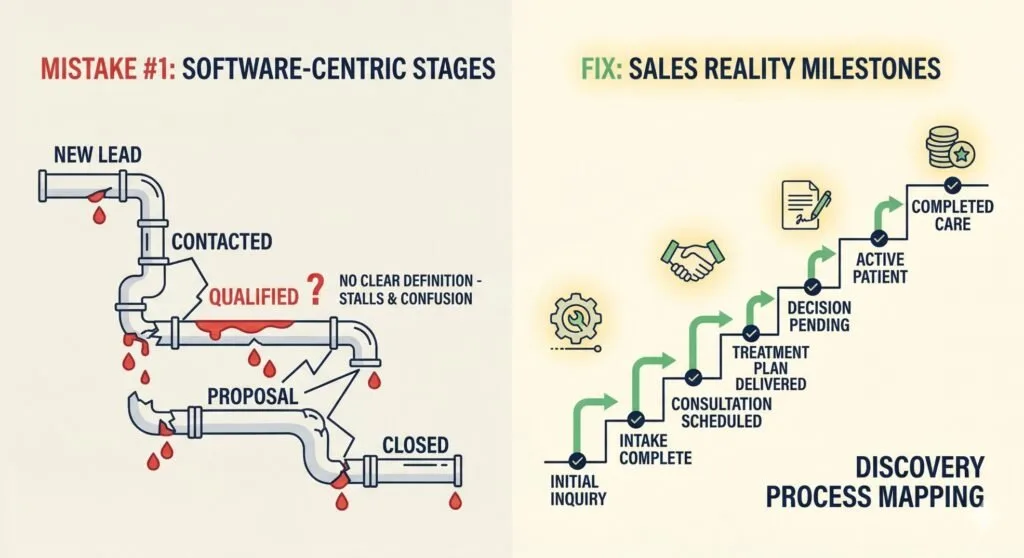
Mistake #1: Building Stages Around Software Instead of Sales Reality
The most common pipeline mistake is using generic example stages or creating stages that sound logical but don’t match how your business actually operates.
What We See Constantly
- “New Lead” → “Contacted” → “Qualified” → without any definition of what “qualified” actually means
- Stages named after internal team roles instead of customer milestones
- Pipeline stages that assume all deals follow the same path (they never do)
- Stages that represent activities instead of outcomes
Why It Kills Sales
When your pipeline stages don’t reflect reality, your team doesn’t know what to do with deals. Do I move this lead to “Qualified” after one email or three? What qualifies them, budget, timeline, authority, need?
Without clear definitions, deals stall. Leads sit in ambiguous stages while your competition closes them.
How a GoHighLevel Expert Fixes This
We start every pipeline design with a discovery process. We map your actual sales process:
- Where do leads come from? (Website form, referral, cold outreach, advertising)
- What’s the first meaningful action? (Booking a call, requesting a quote, downloading a resource)
- What qualification criteria matter for your business? (Budget range, timeline, service type, decision-maker status)
- What touchpoints must happen before a deal closes? (Discovery call, proposal delivery, negotiation, contract signing)
- What are the real exit paths? (Won with specific reasons, Lost with specific reasons, Referrals)
Then we build stages that reflect these actual milestones, not generic stages.
For example, a healthcare clinic we worked with initially had stages like “Lead,” “Appointment,” “Consultation,” “Treatment Plan,” “Closed.” After discovery, we rebuilt it to reflect their actual patient journey: “Initial Inquiry,” “Intake Complete,” “Consultation Scheduled,” “Treatment Plan Delivered,” “Decision Pending,” “Active Patient,” “Completed Care.”
The difference? Their team now knows exactly what stage a patient should be in and what actions should trigger stage changes.
Learn how we approach healthcare clinic automation →
Mistake #2: Missing Automation Triggers Between Every Stage Transition
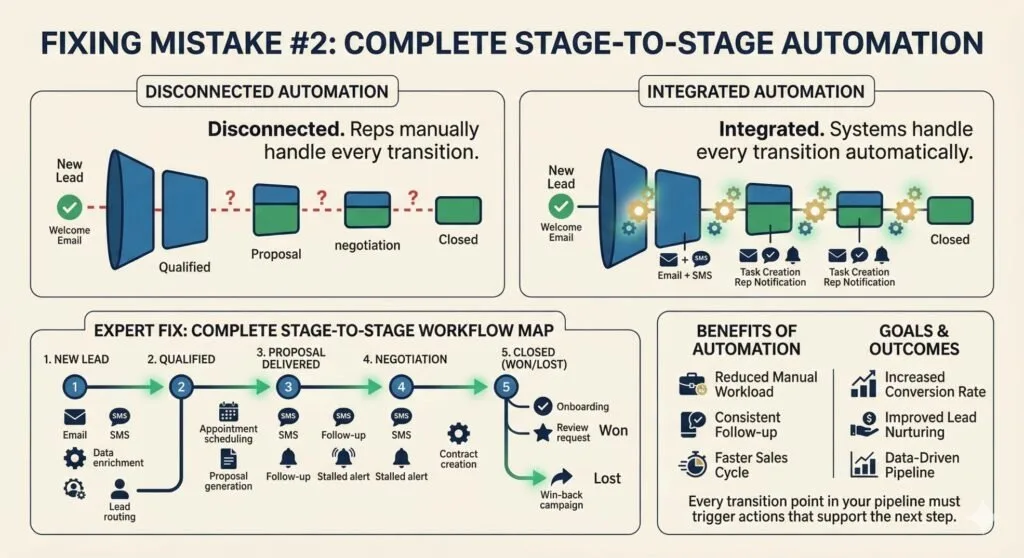
Most pipelines have automation… somewhere. Usually, someone set up a welcome email when a lead enters the system and maybe a task creation when a deal moves to a new stage.
That’s not a pipeline. That’s a series of disconnected automations.
What We See Constantly
- Automations that trigger only at the first stage (new lead entry)
- No automation when a deal moves from Stage 3 to Stage 4
- Follow-up sequences that stop after one email
- No SMS or voicemail drop sequences to support email follow-up
- Missing task creation for manual touchpoints that should happen between stages
- No notifications to sales reps when deals need attention
Why It Kills Sales
Your team can’t manually handle every touchpoint for every lead. That’s exactly why you’re investing in GoHighLevel. But if automation only triggers at entry, you’re still doing manual work for everything that happens afterward.
And manual follow-up fails consistently. Sales reps get busy. They forget. Leads go cold. Deals die.
How a GoHighLevel Expert Fixes This
We map every stage transition and identify what should happen automatically:
Entry automation triggers:
- Welcome sequence (email + SMS)
- Lead routing and assignment (see the Add Owner to Opportunity action and round-robin assignment in workflows)
- Initial task creation for manual follow-up
- CRM data enrichment triggers
- Notification to sales rep with lead details
Stage transition triggers (using the Pipeline Stage Changed trigger):
- Automated follow-up sequences specific to each stage
- Task creation for required manual actions
- Notification alerts for deals that need attention
- Internal handoff communications when leads transfer
- Customer communication at milestone moments (appointment confirmed, proposal delivered, etc.)
Exit automation triggers:
- Post-win sequences (onboarding automation, review requests, upsell sequences)
- Post-loss nurture sequences (win-back campaigns, referral requests)
- Internal notifications and reporting updates
- CRM cleanup automation
Every transition point in your pipeline should trigger automated actions that support the next step in your sales process.
Discover how we build complete automation workflows →
Mistake #3: No Lead Routing or Assignment Rules
You have a pipeline. Leads are entering. They’re moving through stages (sometimes). But who’s responsible for each lead?
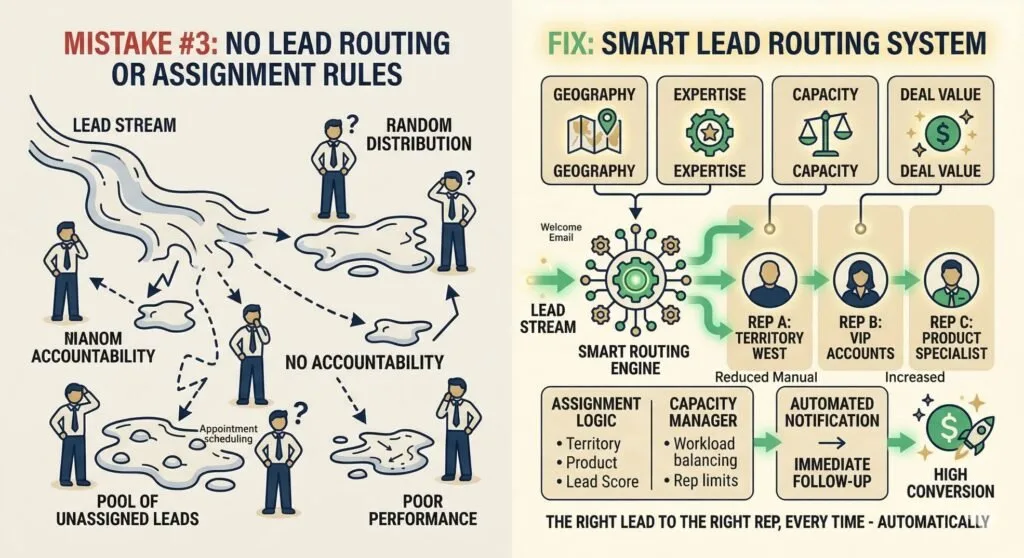
Without proper routing and assignment rules, you get one of two failures:
- Everyone’s leads, no one’s leads. Leads enter but no specific rep is assigned. They float in a pool until someone grabs one, usually whoever is paying attention at the right moment.
- Random distribution. Leads get assigned randomly or in rotation without accounting for territory, expertise, workload, or deal value. Your best rep handles low-value leads while your newest rep gets your biggest opportunity.
What We See Constantly
- No assignment rules configured
- Manual lead assignment by admin
- Round-robin distribution without exception handling
- No consideration for rep capacity or current workload
- No rules for high-value lead prioritization
Why It Kills Sales
Speed to first response is one of the largest things you control in lead conversion, and an unassigned lead cannot be answered by anyone. If your routing is broken, your first response times are broken. Measure the time from lead creation to first human or automated reply in your own account before and after you fix it.
Beyond speed, proper routing ensures the right rep handles the right lead. A real estate agent specializing in luxury homes shouldn’t be assigned starter-home leads, even if they’re next in the rotation.
How a GoHighLevel Expert Fixes This
We build routing logic that considers multiple factors:
Assignment factors:
- Territory or geographic region
- Product or service category
- Lead source (some reps handle referrals better, others handle cold leads)
- Current workload (capacity balancing)
- Historical performance with similar leads
- Deal value or lead score
Exception handling:
- VIP or high-value lead overrides to senior reps
- Time-based routing (after-hours leads to on-call team)
- Reassignment triggers for stalled deals
- Escalation rules for specific scenarios
Capacity management:
- Maximum active deals per rep
- Workload-based distribution
- Time-zone awareness for distributed teams
A properly configured routing system ensures every lead reaches the right person in the right time frame, automatically.
See our GoHighLevel setup agency service →
Mistake #4: Ignoring Pipeline Metrics That Actually Matter
You’ve built your pipeline. Automations are working. Leads are moving. But how do you know if it’s actually working?
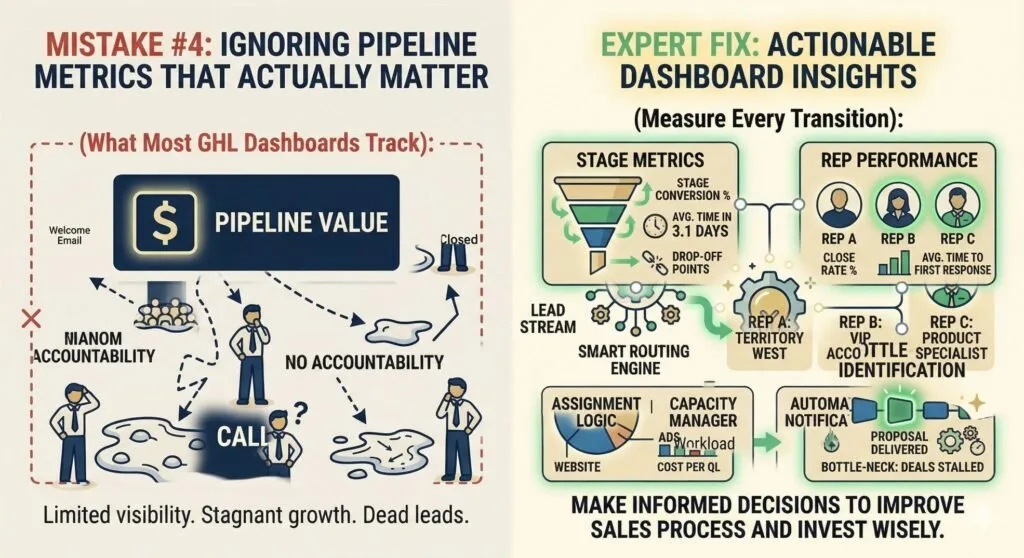
Most businesses using GoHighLevel stare at a dashboard that shows pipeline value and call it a day. That’s like driving a car while only looking at the fuel gauge.
What We See Constantly
- No tracking of stage-specific conversion rates
- No measurement of average time in each stage
- No visibility into bottleneck stages (where deals get stuck)
- No rep performance comparison
- No lead source analysis by pipeline stage
Why It Kills Sales
You can’t improve what you don’t measure. If deals are stalling in a specific stage, you need to know which stage and why. If one rep consistently closes at higher rates, you need to know what they’re doing differently.
Without proper metrics, you’re flying blind. You might celebrate increased lead volume while missing that most of those leads stall in your second stage.
How a GoHighLevel Expert Fixes This
We build dashboards and tracking that give you actionable insights:
Stage-level metrics:
- Conversion rate from each stage to the next
- Average time spent in each stage
- Drop-off points where leads exit the pipeline
- Volume trends over time by stage
Rep performance metrics:
- Deals handled per rep
- Close rate by rep
- Average time to first response
- Pipeline velocity (how fast deals move through)
- Stage-specific performance
Lead source analysis:
- Which sources generate the most leads
- Which sources generate the highest-converting leads
- Cost per qualified lead by source
- Attribution by pipeline stage
Bottleneck identification:
- Where deals get stuck
- Why deals stall (timeout, no response, competitor, budget)
- Comparison to historical performance
With these metrics, you can make data-driven decisions about where to invest: improving your sales process, adjusting follow-up sequences, or shifting budget to higher-performing lead sources.
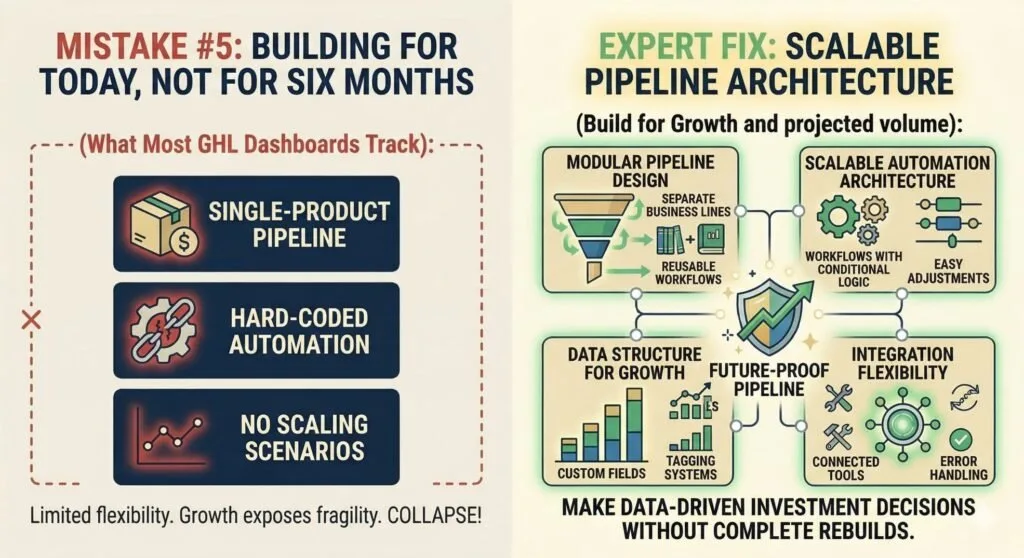
Mistake #5: Building for Today, Not for Six Months from Now
Your business is small. You have one product, one service, one team. Your current pipeline handles everything you need.
Then you launch a second product. Then you expand to a second location. Then you hire three more salespeople.
And your pipeline, the one that worked perfectly six months ago, starts breaking.
What We See Constantly
- Single-product pipelines that can’t handle new offerings
- Hard-coded automation that breaks when processes change
- No naming conventions or organization systems
- Stage structures that don’t account for growth scenarios
- Integrations built for current tools that will need replacing
Why It Kills Sales
Growth exposes pipeline fragility. What worked for 50 leads per month collapses at 500 leads per month. What handled one product line can’t accommodate five. What your two-person team managed becomes impossible for your ten-person team.
Every rebuild costs time, money, and data integrity. A properly designed pipeline from day one avoids this entirely.
How a GoHighLevel Expert Fixes This
We build with scalability principles:
Modular pipeline design:
- Separate pipelines for separate business lines (allows independent tracking and reporting)
- Reusable workflow components that can be copied and modified
- Consistent naming conventions across all automation elements
Scalable automation architecture:
- Workflows designed with conditional logic for multiple scenarios
- Easy-to-adjust timing and threshold settings
- Template libraries for new product launches or seasonal campaigns
Data structure for growth:
- Custom fields that accommodate future data needs
- Tagging systems that scale with complexity
- Pipeline views that stay clean as deal volume increases
Integration flexibility:
- Connected tools that can be swapped without rebuilding automation
- API-based integrations over point-to-point connections
- Error handling that prevents cascade failures
We design every pipeline to handle your current volume and your projected growth, without requiring a complete rebuild when your business evolves.
What a broken pipeline costs you
You can put a number on this for your own business instead of relying on a benchmark. Count the leads that entered the pipeline last quarter, the share that never reached the second stage, and the value of an average won deal. Even a modest share multiplied by that value is usually larger than the cost of fixing the structure.
| Cost | What it looks like in the account |
|---|---|
| Lost leads | Opportunities sitting in a stage with no task, message or owner |
| Wasted marketing spend | Ad leads that enter the system and never get a first reply |
| Team inefficiency | Reps chasing manually and keeping spreadsheets because the CRM does not show what they need |
| Bad decisions | Reports that cannot say which source or stage is the problem |
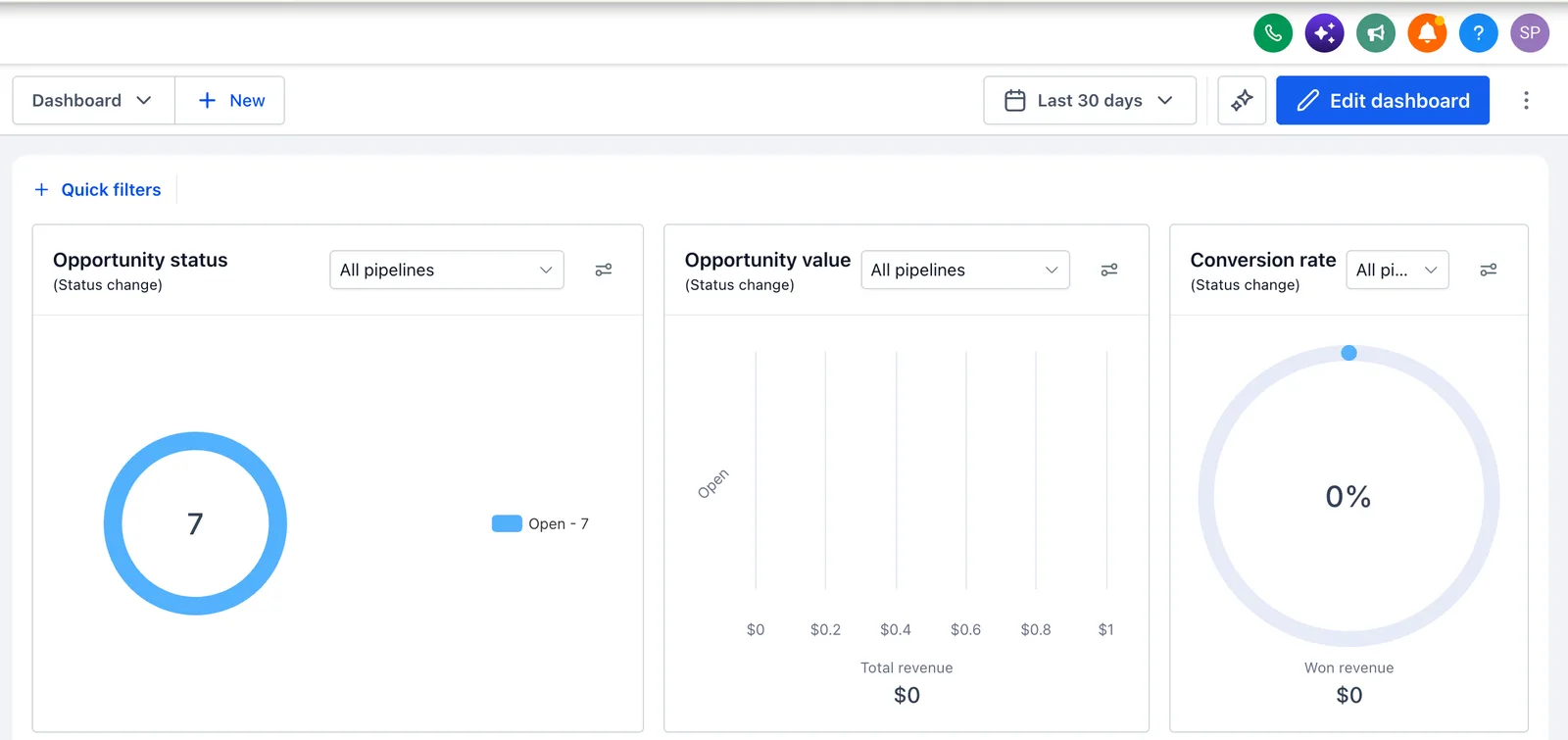
How a GoHighLevel expert fixes these pipeline problems
The fix follows the same order each time, and nothing is built until the design is approved.
- Discovery before designMap the customer journey, qualification criteria, touchpoints and who does what.
- Architecture firstWrite the stage definitions, transition rules, routing and automation specifications. You approve this before building.
- Build to the specificationStages with clear definitions, automation triggers and sequences, routing, dashboards and integrations.
- TestRun test leads through every path with the execution log open, so problems show up in testing rather than in production.
- TrainRole-specific training on your pipeline, not generic platform training.
- Monitor and adjustWatch performance, find bottlenecks and change the system as the business grows.
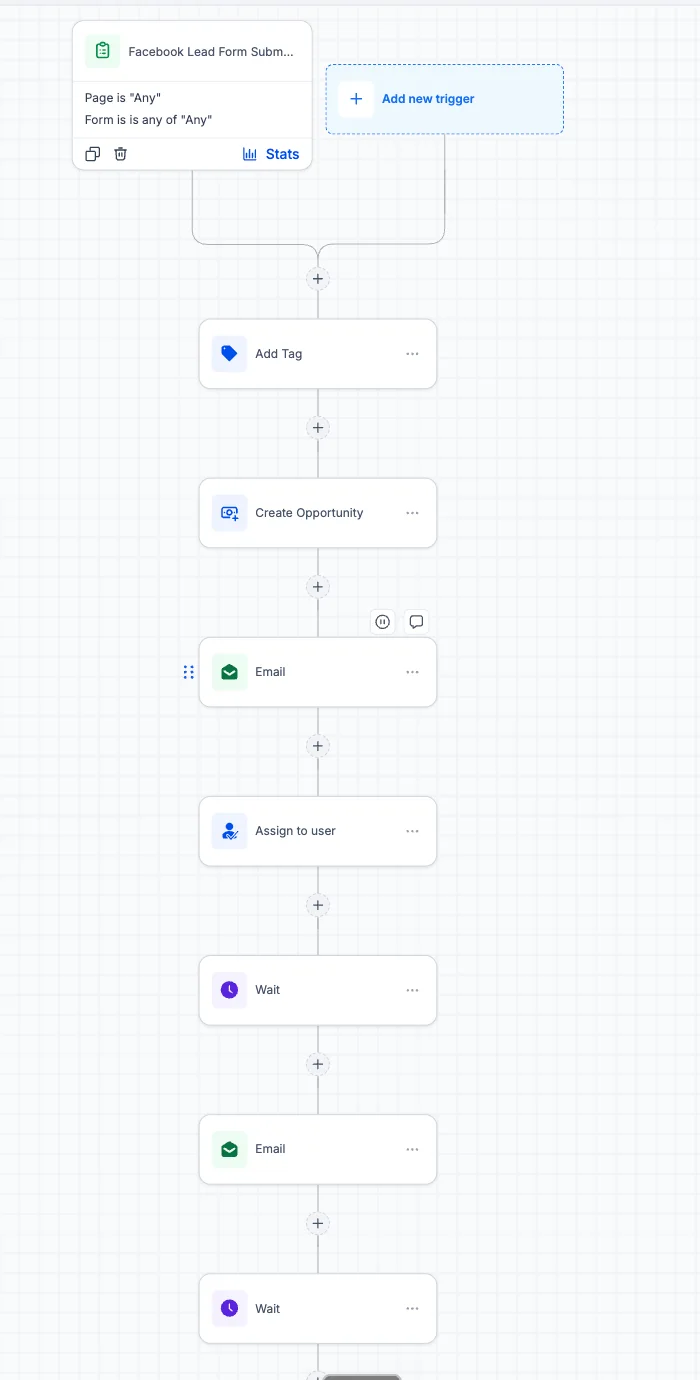
What a working pipeline delivers
| Outcome | How the structure produces it |
|---|---|
| Faster first response | Routing assigns an owner at once and the first message goes out automatically |
| Fewer stalled deals | Each stage has a rule to enter, an automation and a task, so a stalled deal is visible |
| Scalability | Stages describe decisions, so adding a rep or a location does not need a redesign |
| Accountability | Clear stage definitions and tasks show each rep what to do next |
| Better decisions | Metrics show which stage and which source are losing leads |
We do not quote an average improvement, because results depend on your starting point. What we can promise is that the structure makes the problem visible and fixable.
Want a second pair of eyes on your pipeline? Our free GoHighLevel audit, done on a 30-minute call, reads your pipelines, workflows and routing and ranks what to fix first. The consultant page explains how an engagement is scoped.
For the build steps and stage templates, see GoHighLevel pipeline setup.
Sources and further reading
Checked at the time of writing; prices, features and policies change. Checked 2026-10-19. This page is mostly our practice and opinion; the HighLevel feature statements are checked against these help articles:
- HighLevel: Getting started, set up pipelines and opportunities (help article, modified August 24, 2026) for creating pipelines and stages and the stage examples
- HighLevel: Workflow trigger, Pipeline Stage Changed (modified February 26, 2026) for firing automations on stage moves
- HighLevel: Workflow action, Add Owner to Opportunity for assigning owners in workflows
- HighLevel: Automatically assign users to leads in workflows for round-robin assignment
Frequently asked questions about GoHighLevel pipeline mistakes
How long does it take to fix a broken GoHighLevel pipeline?
Fixing a broken GoHighLevel pipeline depends on complexity, and a basic fix can take one to two weeks. A complete rebuild with automation triggers, routing rules and dashboards usually takes three to five weeks. Testing and validation matter more than speed. We won’t launch a pipeline that hasn’t been tested thoroughly, even if it takes a few extra days.
What’s the difference between a GoHighLevel pipeline and a funnel?
A pipeline manages your sales process after a lead is captured, tracking deals through stages, automating follow-ups, and measuring conversion. A funnel captures leads and guides them to a specific action (like booking a call or making a purchase). Pipelines and funnels work together: funnels bring leads in, pipelines manage what happens after. Most businesses need both, configured to connect seamlessly.
Can you fix an existing GoHighLevel pipeline without rebuilding everything?
Sometimes an existing GoHighLevel pipeline can be fixed without rebuilding everything. If your current pipeline has good underlying data and reasonable structure, we can often optimize it, adding missing automation triggers, fixing routing rules, and improving stage definitions. However, if your pipeline was built completely wrong from the start, a partial fix won’t deliver results. We’ll audit your current setup first and give you an honest recommendation.
How much does GoHighLevel pipeline setup cost?
Pipeline setup is usually part of a CRM implementation, which runs $500 to $4,000 for basic and single-location setups, with multi-location work as a custom quote. Fixing an existing pipeline is often a smaller job than a rebuild. We quote in writing after a call; see the pricing page for bands.
Do I need GoHighLevel if I’m already using another CRM?
You do not necessarily need GoHighLevel if you already use another CRM that works. If your current CRM is working well and your team is using it consistently, switching costs time and money. However, if you’re paying for multiple tools (separate CRM, email marketing, SMS, scheduling, landing pages) that don’t integrate well, GoHighLevel can often replace several of them and reduce complexity. We help you evaluate whether a switch makes sense for your specific situation.
How do you test GoHighLevel pipelines before launching?
We run extensive testing on every GoHighLevel pipeline before it launches. This includes: running test leads through every stage transition, verifying all automation triggers fire correctly, checking data accuracy in all fields, confirming notifications reach the right people, testing edge cases and error scenarios, and validating integrations sync data properly. We use our own test accounts and simulate real-world conditions. Your pipeline only goes live when everything passes our quality checklist.
What metrics should I track in my GoHighLevel pipeline?
Track five pipeline metrics in GoHighLevel: stage conversion rates, average time in each stage, lead response time, pipeline velocity and close rate by source. Together they show where deals drop off, where they stall, how fast reps contact new leads, how quickly deals move and which leads convert best. Most businesses track none of these initially. We build dashboards that make all of these metrics visible from day one.
Can I manage my GoHighLevel pipeline myself after you build it?
Yes, we design pipelines that your team can manage independently. We provide role-specific training on how to move deals through stages, adjust automation sequences, add new team members, and interpret dashboard data. However, complex technical changes, like modifying integration connections or rebuilding automation logic, typically still require our assistance. We also offer ongoing support plans if you prefer to have us handle updates and optimizations.