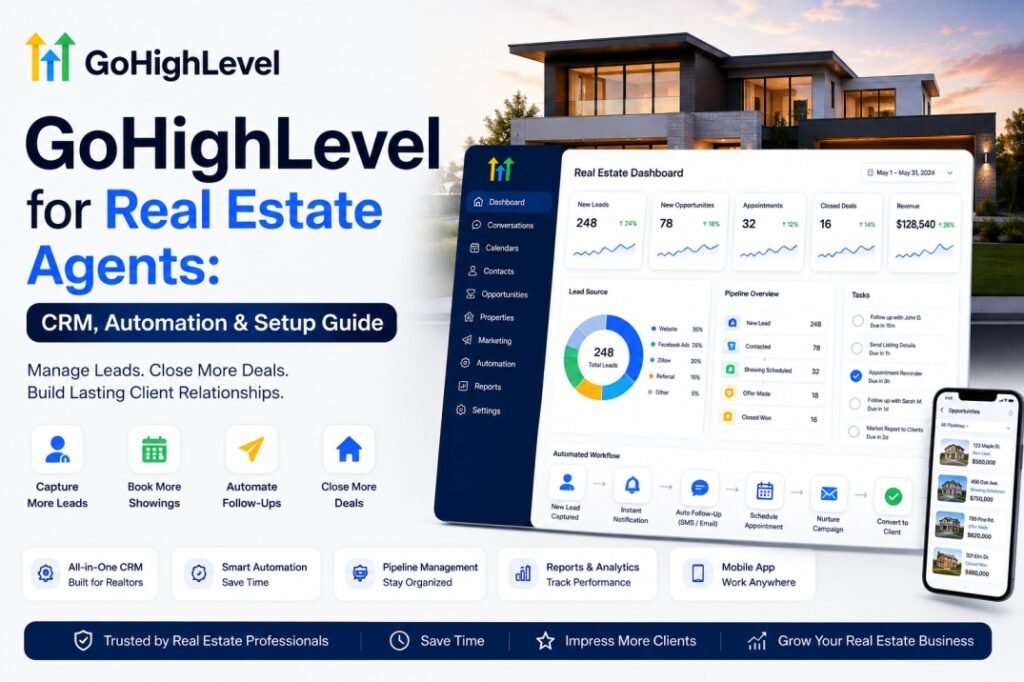
GoHighLevel for Real Estate Agents: CRM, Automation & Setup Guide (2026)
Last updated: August 10, 2026 · Last reviewed: August 10, 2026
Yes. GoHighLevel (GHL) is a strong option for real estate agents in 2026 who want one platform for their CRM, lead capture, automated follow-up, appointment scheduling, review requests, and AI-powered communication. GoHighLevel is an all-in-one marketing and CRM platform built originally for marketing agencies; real estate agents adopt it because the lead capture, instant follow-up automation, SMS marketing, pipeline management, and review-generation features map directly onto how a buyer or seller inquiry actually becomes a closed deal. Depending on how it is configured, it can consolidate a large share of an agent’s marketing and follow-up stack into one subscription — though exactly which standalone products it replaces depends on the tools you already use and how you wire them together.
The real value is not the individual features — it is how they work together. AI can handle initial intake and qualification, workflows can route and nurture the lead, calendars can convert intent into appointments, and the human agent takes over when the conversation requires judgment or relationship-building. Properly configured, GoHighLevel becomes an automated lead-to-closing operating system: capture the lead, respond instantly, qualify the buyer or seller, route the opportunity, book the showing, move the deal through the pipeline, recover stale leads, and continue the relationship after closing. This guide covers exactly how that architecture fits together — not just what GoHighLevel can send or store, but where AI, automation, and humans each belong in the flow.
Quick answer:
- Is GHL good for real estate? Yes. GoHighLevel is a strong option for agents who need CRM, lead capture, automated follow-up, appointment scheduling, reputation management, and AI-powered communication in one platform. Most agents start with three to five automations: instant lead response, missed-call text-back, buyer/seller nurture sequences, post-closing review requests, and appointment booking.
- What does it replace? GoHighLevel can consolidate much of an agent’s marketing and follow-up stack into one platform — CRM, landing pages, email/SMS, scheduling, review requests, and AI voice. It often replaces Calendly, a basic CRM, an email tool, a landing-page builder, and a review tool; coverage depends on your current setup.
- How much does it cost? At the time of writing, the Starter plan is $97/month, the Unlimited plan is $297/month, and Agency Pro is $497/month (see the official pricing page). AI add-ons and SMS/phone usage are billed on top.
- Who is GoHighLevel best for? GoHighLevel is best for solo agents, small teams and brokerages that want CRM, lead capture, follow-up automation and marketing workflows in one system.
- Can you do it yourself? Yes — but if you want pipelines, automations, and IDX/lead sources wired correctly the first time, a GoHighLevel professional can build it for you, which many real estate teams choose.
Key takeaways
- Leads contacted within 5 minutes are about 21x more likely to qualify than leads contacted after 30 minutes (lead-response research by Dr. James Oldroyd, sponsored by InsideSales.com). Lead response time is one of the most important controllable factors in follow-up, and automation is how real estate teams make it consistent.
- Most agents get the most value from five automations: instant SMS, missed-call text-back, buyer/seller nurture, post-closing review & referral, and an AI voice agent for after-hours calls.
Who This Guide Is For
This guide is for real estate agents, brokers, teams, and property managers who want to know how GoHighLevel works for real estate, what to set up first, what it really costs (plan plus usage plus AI), and how it compares to tools like Follow Up Boss and kvCORE. We end with DIY vs. professional setup and the most common agent questions.
What Is GoHighLevel?
GoHighLevel is an all-in-one SaaS platform designed for service businesses, agencies, and their clients. For a real estate agent, it means managing the buying and selling journey in one place:
- CRM and pipelines: Track every buyer and seller through stages such as New Lead, Qualified, Under Contract, Closed, and Past Client.
- Lead capture: Landing pages, forms, appointment booking widgets, and Facebook/Instagram ads can feed leads straight into the CRM.
- Automation: Workflows that send instant SMS/email, assign leads, set reminders, and follow up on a schedule without you typing anything.
- Reviews and reputation: Automatically request Google reviews after closing and track them in reporting.
- Reporting: Dashboards for pipeline value, lead sources, conversation activity, and campaign performance.
- AI tools: An AI voice agent for inbound calls, an AI assistant that drafts replies, and more (metered separately).
Why Real Estate Agents Use GoHighLevel
Real estate is a follow-up business, and the speed of the first response is strongly correlated with whether a lead becomes a conversation. GoHighLevel is built around that workflow and it consolidates tools: instead of paying separately for a CRM, a funnel builder, an email platform, a scheduler, and a reputation tool, an agent works in one system where the data moves automatically. That consolidation is the main reason teams switch.
GoHighLevel Real Estate Use Cases
Here is how a GHL build typically maps onto a brokerage or team’s day-to-day workflow:
| Use case | How GoHighLevel helps |
|---|---|
| Buyer leads | Instant response plus automated qualification (budget, timeline, area) |
| Seller leads | Consultation booking and long-term price/activity nurture |
| Open houses | Follow-up automation after every visitor registers |
| Zillow / portal leads | Lead routing into the CRM through an integration layer |
| Website leads | Form → CRM → SMS/email in one workflow |
| Missed calls | Automatic text-back with a booking link |
| Past clients | Referral campaigns and yearly “sphere of influence” nurture |
| Reviews | Post-closing Google review requests and tracking |
| Team leads | Assignment, round-robin routing, and ownership tags |
| After-hours | AI voice agent that answers, qualifies, and books when the team is offline |
The Speed-to-Lead Problem: Lead Response Time Wins Real Estate Deals
Most agents already know they should respond fast, and most still do not. The evidence consistently shows three things — and these come from three separate studies with different baselines, so they should be read independently rather than ranked against each other:
- The 5-minute window. Research from Dr. James Oldroyd’s lead-response analysis, sponsored by InsideSales.com (100,000+ leads), found that vendors responding within 5 minutes are about 21 times more likely to qualify the lead than those responding after 30 minutes.
- Within an hour is already a differentiator. A Harvard Business Review study of 2,241 U.S. companies found that contacting a lead within one hour made qualification nearly 7 times more likely than waiting one additional hour — and only 37% of companies responded within an hour, with an average first response of 42 hours.
- Agents still respond hours late. Mike DelPrete’s “secret shopper” study of 100+ inquiries across more than 25 U.S. brokerages found the average agent took 8 hours and 17 minutes to respond to an online inquiry — and 47% of online property inquiries were never answered at all.
Independent research: these figures come from separate published studies with different baselines — read each finding on its own rather than across studies.
higher odds of qualifying a lead contacted within 5 minutes vs. one contacted after 30 minutes.
Lead-response research by Dr. James Oldroyd / InsideSales.com
higher qualification odds contacting a lead within 1 hour vs. waiting one hour later.
Harvard Business Review, 2011 (2,241 companies)
average agent response to an online inquiry in DelPrete’s secret-shopping study — and 47% never answered.
Mike DelPrete, 2024 (100+ secret shops)
What this means in practice: response time is one of the most important controllable factors in lead follow-up. Automation closes that gap: a workflow can send a personalized SMS in seconds, assign the lead to the right agent, and book a slot on the calendar.
Most Buyers Interview Only One Agent
In the 2025 Profile of Home Buyers and Sellers, 74% of home buyers said they interviewed only one real estate agent during the entire buying process — 67% of first-time buyers and 76% of repeat buyers. The data does not prove that response speed caused the buyer to choose that agent.
Why this matters: a fast, professional first interaction may be strategically important when many buyers ultimately work with only one agent. The statistic does not prove that response speed caused the choice — it describes what buyers report about the process, not why they picked that agent.
GoHighLevel Real Estate Workflow
Here is the end-to-end flow a real estate team typically runs in GoHighLevel once the build is complete:
- Lead in — captured from a Facebook ad
- CRM — lead is stored
- Route — assigned to an agent
- Instant reply — SMS sent within seconds
- Qualify — budget, timeline, area
- Book or nurture — qualified leads book a slot; others enter a nurture sequence till they engage
- Agent — notified and holds the appointment
- Closed — deal won
- Review + referral — requested after closing
Each step is a separate, testable workflow action in GoHighLevel. Qualification at step 5 can be rule-based (budget, timeline, area) or AI-assisted: automation creates the speed-to-lead value, with AI as an optional layer on top. The rest of this guide covers what to build first — and the next two sections explain the architecture those workflows live inside.
The AI Architecture Behind a Real Estate GoHighLevel System
The 12-step flow above is the day-to-day system. Underneath it sits an architecture with distinct layers — and the clearest way to explain a GoHighLevel build for real estate is layer by layer, because each one answers a different question: what data came in, what the system knows about it, what it decides, and who acts on it. Here is that structure:
- Lead sources — website, ads, IDX, phone
- Data + integration — normalize, deduplicate, tag source
- AI intake — capture buyer/seller, budget, timeline, intent
- CRM + decision engine — store profile, score the lead, route with an SLA
- Automation engine — follow-up, booking, and routing run in parallel
- Human agent — showing, negotiation, closing
- Pipeline — qualified → showing → offer → contract → closed
- Review + referral — turn the transaction into referrals and repeat business
Read this diagram top to bottom and it is a map a broker, owner, or C-suite leader can sign off on in a minute: leads enter, AI intake captures what each person wants, the CRM stores it, the decision engine scores and routes, the automation engine handles follow-up, booking, and routing in parallel, a human agent owns the high-judgment moments, the deal moves through the pipeline, and the review + referral loop keeps clients coming back. The two layers that create most of the value are the automation engine and the post-closing review loop — and both are built from the workflows described in this guide.
How the AI Decides What Happens Next
Inside the decision engine, every new lead is run through the same question tree. This is the logic your team is already (hopefully) running manually — the difference is that GoHighLevel makes the decision in milliseconds and never skips a silent lead. Walk the tree top to bottom:
NEW LEAD
   │
   ▼
AI INTAKE
   │
   ▼
Buyer or Seller?
 ┌─┴─────────────┐
 ▼               ▼
BUYER           SELLER
 │               │
 ▼               ▼
Budget?         Property?
 │               │
 ▼               ▼
Timeline?       Timeline?
 │               │
 ▼               ▼
Location?       Motivation?
 │               │
 ▼               ▼
INTENT          INTENT
 └───────┬───────┘
         ▼
   QUALIFICATION
         │
    ┌────┼────┐
    ▼    ▼    ▼
   HOT  WARM  COLD
    │    │     │
    ▼    ▼     ▼
 AGENT  NURTURE LONG-TERM
 NOW             NURTURE
    │
    ▼
BOOKING
    │
 ┌──┴───────┐
 ▼          ▼
BOOKED    NOT BOOKED
 │          │
 ▼          ▼
REMINDERS  FOLLOW-UP
 │          │
 ▼          ▼
SHOWED?   RESPONDED?
   │          │
 ┌──┴───┐   ┌─┴───┐
 ▼      ▼   ▼     ▼
YES     NO  YES   NO
 │      │   │     │
 ▼      ▼   ▼     ▼
DEAL  REBOOK HUMAN NURTURE
 │
 ▼
CLOSED
 │
 ▼
REVIEW
 │
 ▼
REFERRAL
Reading it top to bottom, three branch points matter most. First, buyer vs. seller determines which pipeline and which qualification questions apply. Second, hot vs. warm vs. cold decides whether the lead reaches an agent now, enters SMS nurture, or goes into long-term follow-up — and it feeds directly into the weighted round-robin routing covered later. Third, booked vs. not booked and showed vs. no-show hand the lead to the reminder and recovery automations from the workflow above. Every one of these branches is a workflow trigger in GoHighLevel; the decision tree is simply how the system — and the build you hand an expert — keeps them connected.
7 GoHighLevel Automations That Help Real Estate Teams Capture and Convert Leads
These are the high-ROI workflows we commonly see in real estate builds. Each follows the same pattern: the problem it solves, what GoHighLevel does, an example, and the business benefit.
1. Speed-to-lead: instant SMS on every new lead
Problem: Leads that sit for hours lose momentum, and most agents still respond late.
What GHL does: A workflow fires when a lead enters: it assigns the lead to the listing or source owner, sends a personalized text within seconds, and adds a call task or same-day calendar invite.
Example: A buyer submits a form at 9:02pm and within 15 seconds receives: “Hi Maria, thanks for asking about 2410 Birch Lane. I can show it this week — what days work?” with a booking link.
Business benefit: First-response speed strongly influences whether a lead becomes a conversation, and automation makes it consistent.
2. Missed-call text back
Problem: An unanswered call is normally a dead lead, and agents are often in showings or on another line.
What GHL does: When a call to your GoHighLevel number goes unanswered, the system automatically sends a text with a booking link so the caller can convert instantly.
Example: “Hi Sarah, you just called our office. I’m currently with a client, but I can help you with the property you’re asking about. Would you like to book a quick call?”
Business benefit: Calls that once ended at voicemail become booked conversations, even mid-showing.
3. Buyer and seller nurture sequences
Problem: Not every lead is ready this week, and buyers you never contact are gone for good.
What GHL does: A drip sends new-listing alerts, market reports, and mortgage-rate updates on a schedule (day 1, 3, 7, 14, then monthly); replies are tagged and routed to a live agent.
Example: A seller lead receives a local price-and-activity report on day 3 with a “book a free 15-minute review” link.
Business benefit: Deals that close in 90–180 days keep moving. Keep rentals in a separate pipeline — renters need different messaging.
4. Post-closing review and referral requests
Problem: Happy past clients are the cheapest source of new business, but reviews and referrals rarely happen on their own.
What GHL does: At closing, a workflow sends a thank-you, a Google review request, and a referral ask.
Example: “Congrats on the close! Two quick things: leave us a Google review, and if you know anyone buying or selling, we’d love an introduction.”
Business benefit: One workflow compounds into review volume and next-year business automatically.
5. AI voice agent for inbound and after-hours calls
Problem: Evening and weekend calls ring out, at the exact times buyers and sellers are searching.
What GHL does: Configured as the answering system for your number, it answers in a natural voice, qualifies buyers on budget/timeline/zip, books showings, and transfers to a live agent on request.
Example: An after-hours caller is qualified, a showing is booked on the real calendar, and a summary reaches the agent the next morning.
Business benefit: AI voice is particularly useful during evenings, weekends, and other periods when a team cannot answer every call — turning them into bookable conversations instead of voicemail. It is a metered add-on billed on top of the plan. For a deeper look at how the AI voice agent and AI assistant are configured and priced, see our GoHighLevel AI features guide.
6. Appointment reminders that reduce avoidable no-shows
Problem: A booked call or showing that nobody is reminded about is the most expensive kind of lead loss: the buyer was engaged enough to book, then simply forgot or got busy. No-shows have many causes, including forgotten appointments, schedule conflicts, changed plans, and lost interest. A well-timed reminder sequence can reduce avoidable no-shows and make it easier for buyers to reschedule.
What GHL does: A workflow triggers the moment an appointment is booked and runs a multi-touch reminder sequence on the calendar: an instant confirmation with the address and a reschedule link, a 24-hour email or SMS reminder, and a final text 2 hours before the appointment. GoHighLevel can send reminders by email, SMS, or even a pre-recorded voicemail drop, and a two-way reply lets the buyer confirm with “YES” or reschedule with “RESCHEDULE.”
Example: A buyer books a Saturday 10:00 showing. They immediately get a confirmation; Friday at 10:00 a text reminds them; Saturday at 8:00 a final one-line text arrives with the address and a one-tap reschedule link.
Business benefit: The same lead that booked is far more likely to show up, and a buyer who replies “RESCHEDULE” stays in the pipeline instead of silently disappearing. HighLevel’s own help docs describe building these as dynamic, multi-channel reminder campaigns from the Automation tab.
7. No-show recovery: the follow-up that rebooks the missed showing
Problem: Even with reminders, buyers miss appointments — traffic, another agent, a change of plans. Most teams mark it lost and move on. Many no-shows are recoverable: the buyer still had intent, they just did not make it to that slot.
What GHL does: An appointment-status trigger watches for the calendar being marked No-show (or Cancelled). A recovery workflow then sends a low-pressure text with a rebooking link, waits a short window so it doesn’t look robotic, and if there is still no reply, follows up by email and surfaces the lead to the assigned agent for a manual call.
Example: A buyer misses a 2:00 consultation. Fifteen minutes later they receive: “Hey Marcus, looks like we got disconnected — no problem at all. Want to grab another slot this week? [booking link].” If they rebook, the recovery sequence stops and the pipeline continues.
Business benefit: Recovery quietly rebooks appointments that would otherwise be written off. Two details make it work: give the buyer a one-tap rebooking link, and use a reply handler so the moment they respond, the robots step back and a human takes over.
Additional workflows worth building
Beyond the core seven, a mature real estate setup adds a few smaller workflows that reuse the same building blocks. These stay deliberately light — they extend the loops above instead of adding new systems:
- Open-house registration: an SMS confirmation on sign-up, a reminder before the event, and a post-event follow-up (“Would you like a private showing?”) that segments interested attendees into buyer nurture.
- Listing-appointment recovery: when a seller consultation is booked and then cancelled, a short window with one rebooking link, then a manual follow-up — the same recovery pattern as no-shows, scoped to seller listings.
- Stale-opportunity timeline: an opportunity sitting in one stage with no activity for days triggers a task, then an SMS, then an AI or agent reactivation — for example 3 days → task for the agent, 7 days → automated SMS, 14 days → AI or agent reactivation call.
These first seven cover most of the value. If you want to see them wired to your exact pipelines and lead sources, a GoHighLevel specialist can map your setup and show where each workflow fits.
Advanced AI Automations for Real Estate
The first seven automations handle the core loops. The six below handle the decisions between them — the logic that routes, escalates, and hands off. These are the systems that turn GoHighLevel from a marketing dashboard into an operating system for a team.
8. AI lead qualification & routing
When a lead enters, an AI conversation asks the questions a good agent leads with — budget, location, timeline, property type, financing — before anything else happens.
Lead
 ↓
AI asks: Budget? Location? Timeline? Property type? Financing?
 ↓
Intent detected
 ↓
Hot  → call/route to agent immediately
Warm → SMS + nurture + agent task
Cold → long-term nurture
Why it matters: agents spend their time on the leads most ready for a human, and every lead still gets qualification — not just the ones someone got around to.
9. Agent SLA escalation
After assignment, an SLA timer starts. If the assigned agent doesn’t respond inside the window (commonly 5–15 minutes), the lead automatically escalates.
NEW LEAD
   ↓
ASSIGN AGENT
   ↓
5-MINUTE SLA
   ↓
Agent responded?
  ├── YES → continue
  └── NO  → notify agent
             ↓
            WAIT
             ↓
        responded?
        ├── YES → continue
        └── NO  → escalate to manager
                 ↓
                 REASSIGN
Why it matters: this turns speed-to-lead from a hope into a tracked, enforced metric — and it uses the same workflows HAT checks under “round-robin assignment” and “human handoff” in the pre-launch checklist.
10. Property inquiry AI
Buyers rarely describe what they want in structured fields — they say “I’m interested in 2410 Birch Lane.” The AI extracts the property reference and the buyer’s intent, then handles availability.
"I'm interested in 2410 Birch Lane"
              ↓
      IDENTIFY PROPERTY
   (address, listing, intent)
              ↓
        AVAILABLE?  ──────── NO ──────→ similar property → nurture
              │
             YES
              ↓
        QUALIFY BUYER
   (timeline, budget, pre-approval)
              ↓
       SHOWING REQUEST
              ↓
      AI / CALENDAR ROUTING
              ↓
   BOOKED ──────────────┬── NO SLOT
   (slot + confirmation)│      ↓
              ↓         │  ALT TIMES / WAITLIST
       REMINDER         │  → agent follows up
   (24h, 2h before)     │
              ↓         │
   SHOWING COMPLETED    │
       feedback SMS     │
              ↓         │
     OFFER / NURTURE    ┘
Why it matters: the system reacts to a real, property-specific question instead of treating it as a generic lead — the difference between “AI answers questions” and “AI handles a showing request like a human would.”
11. New listing → buyer matching
When a new or updated listing enters GoHighLevel, it’s matched against stored buyer preferences — budget, area, bedrooms, property type — and matching buyers are notified automatically.
NEW LISTING
   ↓
PROPERTY DATA
   ↓
Match against buyer profiles
   ↓
Match? → YES → AI SMS: "New property matching your preferences…"
       → NO  → ignore
               ↓
        Interested? → YES → book showing
                    → NO  → keep alerts running
Why it matters: this is a competitive advantage in hot markets where buyers who see the listing first win it. Note that matching is usually built as an integration plus workflow (profile fields + listing feed + filter), not a single native “match” button — the architecture matters more than the label.
12. Seller AI qualification
Sellers get less automation attention than buyers, but they are the higher-value lead. A seller intake workflow collects the essentials before a human ever calls.
SELLER LEAD
    ↓
AI INTAKE
    ↓
Address · Property type · Timeline · Reason for selling · Condition
    ↓
Ready to list? → YES → book consultation → listing pipeline → agent
              → NO  → nurture (price/activity updates)
Why it matters: listing consultations arrive pre-qualified, and not-ready sellers stay warm month after month with market updates — the advice sellers actually respond to.
13. AI human-handoff system
AI should never be positioned as replacing the agent. A handoff rule decides when a conversation needs a person, then transfers it cleanly with full context.
AI CONVERSATION
       ↓
Can AI safely handle this? → YES → continue
                           → NO  → human handoff
                                   ↓
                            Agent or manager
                                   ↓
                            CRM updated
                                   ↓
                            Workflow continues
Handoff triggers: negotiation, contract or legal questions, an angry or upset client, complex property issues, pricing disputes, high-value sellers, explicit “I want to speak to an agent,”—or any topic the AI isn’t configured to answer. When triggered, the bot stops, a task is created, the conversation history follows the lead, and the deal keeps moving. This is how automation feels competent instead of annoying.
AI Context, Knowledge & the Memory Layer
The most common failure in AI setups for real estate is treating every conversation as brand-new — the AI re-asks the budget it was already told last week. GoHighLevel’s AI answers are built on more than the current message; they draw from the context that already exists in the account.
AI
                     │
        ┌────────────┼────────────┐
        ▼            ▼            ▼
 Contact Profile  Conversation  Property
        │           History       │
        ▼            ▼            ▼
 Budget          Previous       Listing
 Timeline        Questions      Details
 Location        Replies        Status
        └────────────┼────────────┘
                     ▼
              CURRENT RESPONSE
The result is the combination that matters: CRM context + conversation history + configured knowledge. In practice that means the AI can reference a buyer’s saved budget and the property they asked about in the same reply. Precisely: when the relevant information has been stored in contact fields, conversation history, appointment data, or configured AI knowledge, the AI can use that context when responding — it is not recalling a limitless memory of every past interaction.
One honest limitation: don’t promise “unlimited AI memory.” The AI is as good as the fields, tags, and knowledge base you configure — nothing more. A well-built system deliberately limits what AI improvises: legal advice, contract interpretation, guaranteed availability, or financing guarantees should always route to a human, because the automation layer knows its boundaries. That’s exactly the kind of limitation a professional build sets up on day one, and it’s why the knowledge base (brokerage FAQs, service areas, office hours, showing process) is part of the setup, not an afterthought.
Advanced Reputation Management in GoHighLevel
Reviews are the closest thing real estate has to a compounding marketing asset — and most agents collect almost none of them. Reputation management in GoHighLevel is a full loop: request the review at the right moment, monitor what comes in, respond fast (including to negatives), and route happy clients into referrals. Here is the advanced version of automation #4 above.
Time the review request to the milestone, not the calendar
The single biggest reason agents under-collect reviews is timing. A review request that fires at closing or right after a successful showing lands while the experience is fresh; a generic end-of-month email lands flat. In GoHighLevel, the review trigger lives inside a workflow, so it can fire on a specific deal-stage change (Closed, or an accepted offer) rather than on a date. HighLevel’s real estate page describes it directly: automatically request reviews after successful closings and monitor feedback from one dashboard.
Send it on the channel the client actually reads
Review requests can go out by SMS, email, or WhatsApp. For most real estate clients, SMS gets the highest reply rate and WhatsApp often does even better in markets where it is the default messaging app. GoHighLevel can also generate a QR code for in-person moments — the classic one being at the closing table or handing over keys, where a happy client will happily scan and post.
Route feedback honestly — and stay Google-compliant
Many guides suggest a “review funnel” that sends happy clients to Google and unhappy ones to a private form. That works, but Google’s policies discourage selectively soliciting only positive reviews, and it can put a Google Business Profile at risk. The safer pattern is to ask every client for a public review, then respond quickly and genuinely to the occasional negative — a resolved negative review is often more convincing than a wall of perfect fives. Route feedback for follow-up, but don’t gate who can review.
Respond to every review, with AI doing the first draft
Reviews AI in GoHighLevel drafts responses in suggestive mode (you approve before it posts) or auto-pilot mode. Recommended practice is to use suggestive mode: the AI writes the first pass in your voice, a human reviews it, and every review — good or bad — gets an answer within a day. Never offer discounts or gifts in exchange for reviews; that is a direct Google violation and can remove your review profile.
Show the reviews you’ve earned
A review nobody sees is wasted social proof. GoHighLevel’s review widget pulls your latest Google reviews and displays them on your website in real time — on your home page, your landing pages, and your contact page — so the reviews do the selling while you’re out showing homes.
Feed reputation back into referrals
The loop closes when reviews and referrals are the same workflow. A post-closing sequence asks for the review, then runs a referral ask a few weeks later, then moves the client into a yearly “sphere of influence” nurture. Reviews build the public trust that makes the referral ask land.
Advanced GoHighLevel Features for Your Real Estate CRM
GoHighLevel can be configured as much more than a real estate CRM. A properly designed setup can connect lead capture, phone calls, AI conversations, qualification, agent assignment, appointment booking, follow-up, pipeline management, and post-closing marketing into one workflow. The important distinction is that not every feature should be automated the same way: some activities are best handled by AI, some by workflows, and some should always remain with a human agent. This section maps the advanced features real estate teams actually use, with a quick note on how and why each is configured.
| Step | Primary owner | Description |
|---|---|---|
| First response | AI / Workflow | Instant SMS or AI message within seconds of a new lead |
| Qualification | AI | Captures buyer/seller, budget, timeline, area, intent |
| Routing & SLA | Workflow | Weighted round-robin assignment and priority escalation |
| Booking & reminders | AI / Workflow | Schedules showings on real calendars; sends confirmations |
| Showing | Human | Physical showing — stays with the agent |
| Negotiation | Human | Offers and counteroffers — stays with the agent |
| Contract & closing | Human | Paperwork and legal steps — stays with the agent |
| Follow-up | AI / Workflow | Nurture sequences, stop-on-response, re-engagement |
| Review request | Workflow | Timed post-closing review request on the client’s channel |
| Referral | Workflow | Past-client referral and repeat-business nurture |
The mix reflects HighLevel’s capabilities at the time of writing. Qualification, booking, and follow-up are strong AI/workflow candidates; anything involving judgment, money, or legal decisions stays human.
Power Dialer for real estate prospecting
For teams doing outbound prospecting, HighLevel’s Power Dialer / Manual Actions system creates call tasks that agents work through from Conversations → Manual Actions, with the contact record beside the dialing workflow. A brokerage can run separate queues for buyer leads, seller leads, expired listings, FSBO prospects, open-house attendees, past clients, unresponsive leads, and referral prospects.
Custom call dispositions
After each call, agents select a disposition — Qualified, Requested Appointment, Showing Requested, Seller Consultation, Not Interested, No Answer, and more — and that disposition can trigger a workflow: create an opportunity, move a pipeline stage, send a confirmation SMS, schedule an appointment, or re-enqueue the lead. This cleanly connects phone activity to CRM automation.
AI outbound calling
HighLevel’s Voice AI outbound calling lets a workflow start an AI-powered call based on a form, appointment, tag, or pipeline change — for new-lead follow-up, old-lead reactivation, or appointment confirmation. At the time of writing, HighLevel’s documentation states that eligible locations can place up to 1,000 outbound Voice AI calls per day, max 10 calls per minute per location, subject to its requirements and safeguards. This is not unlimited cold-calling: HighLevel requires KYC and location eligibility, imposes calling-hour limits, same-country domestic calling, per-number limits, and AUP protections, and businesses remain responsible for consent and applicable law. Keep that compliance framing anytime you describe AI outbound in an article.
AI voice agent for inbound calls & booking
Configured as the answering system for your number, the inbound AI voice agent collects name, phone, intent, budget, area, timeline, and property of interest — and HighLevel’s Voice AI can book appointments directly on the real calendar during the conversation, respecting availability, buffers, minimum notice, and conflict settings. It can also work with multiple calendars and use conversational intent to route a lead to the right team calendar (buyer, seller, commercial — or by office/team location).
Conversation AI across channels — including voice notes
Conversation AI covers SMS, email, WhatsApp, Facebook, Instagram, the chat widget, and live chat, so the conversation does not have to stay on the original channel — a buyer can qualify over Facebook and continue the same conversation by text. It can also process recorded voice notes on WhatsApp, Messenger, Instagram, and SMS/MMS: the audio is transcribed and handed to the AI for a contextual reply, which means a buyer can hold their phone up and say “I’m looking for a 3-bedroom around $500k, somewhere near downtown” without typing anything.
AI image conversations
Real-estate conversations are often visual: a buyer screenshots a listing they saved on another app and asks, “Is this still available? What’s the HOA?” On channels where image understanding is available, the AI can recognize that a screenshot is a property rather than a document or an unrelated photo, paraphrase the context in its reply, and ask the missing qualification questions — property interest, budget, and timeline — before updating the CRM and booking a showing or handing the lead to an agent.
Keep promises accurate: image handling varies by channel and plan, and the AI should not claim to calculate valuations, assess condition, or inspect a property from a photo. The value is closing the follow-up loop quickly and moving the buyer toward a showing — not performing a property analysis a licensed agent is responsible for.
Missed-call → instant SMS → AI conversation
Missed Call Text Back sends an automatic SMS when an inbound call goes unanswered — ideal after hours. The stronger architecture is to route that text into Conversation AI so the reply becomes a qualification conversation (“Sorry we missed you. Buying, selling, or looking at a property?”), not a dead-end one-way message.
Inbound call
Outbound prospecting
Weighted round-robin lead assignment
GoHighLevel’s Assign-to-User action rotates leads across agents and supports weighted distribution — for example Agent A 50%, Agent B 30%, Agent C 20% — or rule-based routing (luxury → luxury agent, commercial → commercial team, buyer → buyer team, etc.). This is the engine behind the “Agent routing” layer in the architecture diagram above.
Automatic pipelines, stage changes & stale-lead recovery
Workflows can create opportunities in a specific pipeline and stage, and react automatically when stages change — from a booked showing moving the deal to “Showing Scheduled,” to a completed showing asking whether the buyer wants to make an offer. HighLevel also supports automation around stale opportunities: an opportunity sitting in one stage with no activity for days can trigger a task, an SMS, and an agent notification instead of quietly decaying. Two settings make this safe: Stop on Response (a contact leaves the workflow once they engage, so a human conversation is never crossed by a nurture message) and post-booking bot sleep (after a showing is booked, the AI stops asking to book, and confirmations/reminders take over).
Call transcription & recording for call quality
HighLevel’s Voice Intelligence add-on transcribes recorded inbound and outbound calls, giving managers a text record of what buyers wanted, their objections, and agent performance. Be accurate about what this is: transcription is an add-on, and results feed the CRM only when you build that workflow — don’t claim every call automatically becomes perfect CRM data. Call-recording laws vary by jurisdiction; configure required notices and consent, and mention that in any article.
Open-house automation
Open-house registrations flow through their own loop: immediate SMS, a reminder before the event, post-event follow-up (“Would you like a private showing?”), and attendee segmentation (interested vs. buyer nurture). It reuses the same booking and nurture logic as general leads, scoped to the event.
The complete feature map
| HighLevel capability | Real-estate use | Automation level |
|---|---|---|
| CRM & pipelines | Buyers, sellers, past clients | High |
| AI Voice Inbound | Call answering & qualification | High |
| AI Voice Outbound | Lead follow-up / reactivation | High |
| Conversation AI | SMS / social / web conversations | High |
| Missed Call Text Back | Recover missed leads | High |
| Voice Notes (Audio AI) | Let buyers qualify by speaking | High |
| Power Dialer / Manual Actions | Prospecting & follow-up queues | Human-assisted |
| Voicemail Drop | Pre-recorded follow-up calls | High |
| Call Dispositions | Track call outcomes & trigger workflows | High |
| Call Transcription | Coaching & call intelligence | Medium/High |
| Round-Robin / Weighted Assignment | Agent lead distribution | High |
| Calendar / Multi-Calendar Booking | Showings & consultations | High |
| AI Lead Qualification | Budget / timeline / intent capture | High |
| Opportunity / Stage Automation | Pipeline movement | High |
| Stale Opportunity Recovery | Re-engage forgotten leads | High |
| Open-House Workflows | Event registration → follow-up | High |
| Review Requests | Social proof | High |
| Referral Workflows | Past-client growth | High |
| AI Knowledge Base | FAQs & team information | High |
| Mobile App (LeadConnector) | Agent response on the go | Human-assisted |
Capability and automation-level notes reflect HighLevel’s support documentation at the time of writing; verify current feature availability before purchasing.
One terminology correction that protects your build: HighLevel does not ship a fully automatic predictive dialer. It provides a Power Dialer / Manual Actions workflow for agent-assisted outbound calling, while Voice AI provides automated outbound calls through workflows. When you describe prospecting, use “Power Dialer / Manual Actions for agent-assisted calling, with Voice AI for automated outbound” — that matches the official documentation and keeps product claims accurate.
How to Set Up GoHighLevel for Real Estate
When an agent or team starts with GoHighLevel, the setup that matters most in the first week is small: a few pipelines, a handful of custom fields, and the first two automations. Here is the order that works — eight steps from blank account to a tested build:
Step 1 — Set up your pipelines (the core of your CRM)
Create one pipeline per deal track rather than one giant pipe: Buyers (New Buyer → Qualified → Showing Scheduled → Offer → Under Contract → Closed), Sellers (New Seller → Consultation Booked → Pricing Agreement → Listed → Pending → Closed), plus optional Leads and Rentals pipelines. If you are new to HighLevel, start with our complete GoHighLevel setup guide before building workflows.
Step 2 — Add custom fields that predict buying intent
Capture budget range, buying timeline (0–3 / 3–6 / 6+ months), property type, target neighborhoods, whether they have a house to sell, and preferred contact time. These fields personalize follow-up and flag buyers who are ready to move now.
Step 3 — Wire up lead capture
Leads should enter GoHighLevel automatically from every source:
- Website and IDX: If your site is WordPress, the GoHighLevel form or a plugin sends leads straight in. IDX providers can push registration leads via webhook.
- Facebook/Instagram ads: GoHighLevel’s ad integrations and webhooks pull in lead form submissions instantly.
- Zillow / third-party portals: With a connected integration layer, inquiries can route into the CRM as new leads.
- Calls: GoHighLevel issues phone numbers per sub-account, and a missed call can trigger an automatic SMS text-back.
Step 4 — Build your booking page
Embed GoHighLevel’s calendar on your site and in your nurture sequences so a qualified lead can book a call or showing without email ping-pong. New leads are assigned to the calendar automatically by the same workflow that sends the first text.
Step 5 — Set up routing and SLA rules
For solo agents, route every lead to yourself. For teams, configure weighted round-robin assignment (e.g. Agent A 50%, B 30%, C 20%) and add an SLA escalation so a lead that is not responded to within a set window is flagged or reassigned instead of going cold.
Step 6 — Build AI and communication automations
Wire the speed-to-lead SMS, the missed-call text-back, the qualification conversation, and the appointment reminders — the follow-up layer from the automation list above. Decide which step the AI owns (first response, qualification, booking) and where a human takes over.
Step 7 — Add recovery and nurture sequences
Set up no-show recovery, stale-opportunity re-engagement, and post-closing review and referral workflows so the system keeps working after the first touch, not only on day one.
Step 8 — Test before launch
Submit a real test form, call the number and hang up, then verify the SMS fires, the lead lands on the right pipeline stage, and the booking link works. Test every path and every failure: a missed call, a lead that cannot book, an IDX and a form firing on the same person, and a handoff to a human. Most build mistakes — duplicate triggers, wrong assignment, overlapping sequences, silent failures — are caught in this step. See the common GoHighLevel pipeline mistakes to avoid before you scale.
What We Check Before Launch
Before any real estate automation goes live, a build should pass a pre-launch review. This is the checklist HAT runs through:
- Lead-source attribution tags on every workflow trigger
- Duplicate prevention — no double texts when IDX and a form fire on the same lead
- Round-robin assignment working correctly for team accounts
- SMS and email deliverability — numbers verified, opt-outs honored
- Calendar timezone and availability synced to the real schedule
- Pipeline stage movement fires on the correct triggers
- Workflow stop conditions — sequences stop after booking or close
- Missed-call automation fires on “no answer,” not on every call
- AI voice transfer rules — handoff to a human when requested
- Human handoff path for qualified leads is live
- Test leads submitted from every lead source
- Test calls placed to verify the voice agent end to end
- Fallback on step failure — no silent lead drops
What happens when something breaks: every critical path should end in an explicit recovery step, not in a silent stop. In practice this means a workflow step that fails on an API or calendar call retries, then falls back to a simpler action, then alerts a human — and every error is logged so a setup can be fixed instead of guessed at.
WORKFLOW STEP FAILS
          ↓
     RETRY (2-3x)
          ↓
   STILL FAILING?
   ┌─────┴──────┐
   │            │
 FALLBACK     ALERT
 (simpler action   (agent notified
  still runs,       with lead + error)
  e.g. plain SMS)
   │            │
   └────┬───────┘
        ↓
   ERROR LOGGED
        ↓
   HUMAN REVIEWS
   + FIXES CAUSE
        ↓
   LEAD NEVER DROPS SILENTLY
This is the pattern behind the “Fallback on step failure” checklist item above: a lead that cannot book through the calendar should still receive a text, the agent should still be told, and the failure should be visible in an error log — not disappear into a dead workflow.
GoHighLevel vs. Follow Up Boss vs. kvCORE for Real Estate
Short answer: it depends on whether you want a purpose-built real estate database (Follow Up Boss, kvCORE) or an all-in-one marketing-plus-CRM engine (GoHighLevel). Both approaches are valid — the choice is about where your stack’s center of gravity should be.
| Capability | GoHighLevel | Follow Up Boss | kvCORE (Inside Real Estate) |
|---|---|---|---|
| Starting price | From $97/mo* | Varies by plan | Contact provider |
| Marketing automation (email/SMS campaigns) | Built-in, unlimited workflows | Follow-up automation plus integrations | Built-in, with drip |
| Dedicated real estate CRM | Customizable pipelines | Purpose-built for agents | Purpose-built for brokerages |
| Landing pages & funnels | Built-in builder | External tool needed | Optional add-ons |
| Booking calendar | Built-in | External tool typically | Add-on/integration |
| AI voice agent | Yes (metered add-on) | Via integrations | Third-party integrations |
| IDX ecosystem | Via webhooks/integrations | Via integrations | Deep built-in IDX + website tools |
| Review & reputation requests | Built-in | Integrations | Built-in (team) |
| Best fit | Agents/teams who want one platform for marketing + CRM | Teams that want a clean, dedicated real estate CRM | Brokerages needing IDX + website + CRM depth |
* GoHighLevel pricing shown at the time of writing; verify current pricing before purchasing. Competitor pricing changes frequently — confirm current plans and rates with each provider.
The fair summary: Follow Up Boss and kvCORE are excellent real estate databases and routing tools, while GoHighLevel wins on breadth (marketing, funnels, review automation, AI voice) in one subscription. If your team is already happy on Follow Up Boss, the switching cost may not be worth it; if you’re a solo agent or small team looking for one platform instead of several, GoHighLevel is usually more cost-effective. For a fuller comparison, see our best CRM software roundup.
Not sure which CRM fits your team? If you’re comparing GoHighLevel with Follow Up Boss, kvCORE, or another CRM, we can map your current lead workflow and show where automation would fit before you commit.
Who Should Use GoHighLevel for Real Estate
Best for
- Solo agents who want an all-in-one system
- Small teams that need one source of truth
- Lead-generation-heavy agents (ads, portals, IDX)
- Teams running paid ads who want leads routed automatically
- Teams that need consistent automated follow-up
- Brokerages that want centralized workflows and white-label access
Consider another CRM if…
- You only need a dedicated real estate database and routing, and your team is already happy
- Your brokerage already mandates a specific platform
- Your workflow depends heavily on specialized IDX functionality that a specialist handles better
- Your team does not need marketing automation at all
How Much Does GoHighLevel Really Cost for Real Estate?
Short answer: from $97/month for the Starter plan, plus usage-based SMS, phone, and AI costs on top. At the time of writing, HighLevel lists the following pricing on its official pricing page:
| Capability | Included in base plan |
|---|---|
| Real estate CRM & pipelines | Included |
| Landing pages & funnels | Included |
| Email automation & sequences | Included |
| SMS automation | Included (usage billed on top) |
| Booking calendar & reminders | Included |
| Review / reputation management | Included |
| AI voice & AI Employee | Add-on (billed separately) |
GoHighLevel pricing shown at the time of writing; verify current pricing before purchasing.
| Plan | Price / month | Best for |
|---|---|---|
| Starter | $97 | Solo agents and small businesses: 3 sub-accounts, unlimited users and unlimited contacts |
| Unlimited | $297 | Agent teams: unlimited sub-accounts, basic API access, white-label, advanced reporting |
| Agency Pro (SaaS) | $497 | Brokerages and agencies managing many agent/team sub-accounts, SaaS resale mode |
Usage costs most agents underestimate: SMS, phone, and email are billed on top of the plan. At the time of writing, published rates run about $0.0079–$0.015 per SMS, $0.03 per MMS, and ~$0.028/minute for outbound calls. Sending roughly 1,000 messages a month adds about $15–$30/month; active agents often land between $30 and $80/month. Rates shift periodically — verify current pricing on the official page before you buy.
AI pricing (Voice AI and AI Employee) at the time of writing: HighLevel’s AI products are available through pay-per-use or AI Employee subscriptions and are billed separately from the base plan. At the time of writing, AI Employee subscriptions start at $50 per enabled location, with an Unlimited option at $97 per enabled location; phone and other usage charges can apply separately. See HighLevel’s official AI product pricing page for current rates.
One clarification agents often get wrong: the AI voice agent does not simply “answer missed calls.” It is configured as the answering system for your number — it answers inbound calls, qualifies, books, and transfers. Phone minutes are billed as phone usage, and the Voice AI layer (engine, speech, model tokens) is billed through the AI/Employee product on top. Budget for both a plan and phone/AI usage.
What Does a Real Estate GHL Setup Include?
A professional real estate build typically covers more than the platform itself. Here is what a complete setup includes:
- CRM configuration and existing-contact import
- Buyer, seller, and rental pipeline design mapped to your deal stages
- Lead routing and assignment rules (including round-robin for teams)
- SMS speed-to-lead automation
- Appointment booking, confirmation, and multi-channel reminder workflows (email, SMS, voicemail drop)
- No-show and missed-call recovery sequences with one-tap rebooking links
- Review request automation (post-closing), review widgets, and reputation monitoring
- Email nurture sequences per lead type
- Booking calendar embedded on your site and in sequences
- Missed-call text-back
- Lead-source integrations (website, IDX, Facebook/Instagram, portals)
- AI voice agent configuration if part of the build
- Reporting dashboards and lead-source tracking
- End-to-end testing before launch
- Team training on the new system
Real Estate GHL ROI: An Illustrative Example
Here is an illustrative example — assumptions to show how the math works, not a promise of results. A 3-agent team runs a buyer lead campaign (Facebook + website forms) producing 40 inquiries a month. Every inquiry receives an instant SMS with the agent’s name pre-filled, a booking link, automatic assignment, and round-robin routing; missed calls get an automatic text-back, and manual steps like copying contact details are handled by the workflow.
Set against about $297/month (Unlimited) plus roughly $30–$80/month in SMS/phone usage. The economics can become favorable if automation recovers even one otherwise-lost transaction, but the actual ROI depends on commission, lead cost, conversion rate and market. An example of a full build structure is in the GoHighLevel business operations structure guide.
How Much Does Professional GHL Setup Cost?
Professional setup is quoted by scope rather than posted as a single price. Cost depends on the number of pipelines and sub-accounts, how many lead sources and integrations need connecting (IDX, portals, ad accounts, call tracking), whether AI voice is part of the build, and how much post-launch support and tuning you want included.
The practical question to ask any provider is: what exactly is included, who tests it, and what happens after launch? A written scope with a tested handover beats a low quote with no QA.
For a specific quote for your brokerage or team, tell us your lead volume and current setup and we’ll map the right build and pricing.
DIY vs. Done-For-You Setup
You can absolutely set up GoHighLevel yourself — the platform has a strong academy and a large library of training. But real estate teams commonly hit the same three problems in the first month:
- Structure: Building clean pipelines and automations that separate a busy team’s work (and don’t double-text leads).
- Integrations: Connecting IDX providers, third-party lead sources, and ad accounts via webhooks requires technical steps, and an error silently drops leads.
- Time: A proper build takes hours; every unanswered lead during the delay is costing money. Many teams decide the setup cost is cheaper than the delay.
That is why a large segment of real estate teams hire a GoHighLevel professional to build and maintain the system. If you would rather hand this to a specialist, our how to choose a GoHighLevel expert guide covers what to look for.
How We Build Real Estate GHL Systems
HighLevelAutomationTeam (HAT) sets up and maintains GoHighLevel systems for service businesses and real estate teams. Rather than just describing the software, this is how a real estate build actually happens at HAT:
- Audit current lead sources and measure current response times
- Map buyer and seller pipelines to the team’s actual deal stages
- Configure lead routing and assignment (including round-robin for teams)
- Build speed-to-lead workflows (instant SMS, missed-call text-back)
- Configure SMS/email nurture sequences per lead type
- Connect calendars and embed booking pages
- Test inbound calls and form submissions end to end
- Set lead attribution tags so every source is measurable
- Run end-to-end QA on automations before launch
- Launch and monitor, with follow-up tuning
This is one reason teams trust a specialist build: the process is systematic rather than a one-off setup. You can view HAT’s real estate GHL case studies to see past implementations.
What We Learned From Real Estate GHL Builds
After building and maintaining GoHighLevel systems for real estate teams, a few patterns come up often enough that they are worth calling out before you build your own. None of these are theoretical — they are the issues we regularly fix on incoming accounts:
- Test leads are not a nice-to-have; they are how you prove round-robin works. On more than one team, the first real lead went to the wrong agent because routing was configured but never tested with a real test lead. Always send a few test form submissions and calls through every pipeline before launch.
- Lead-source attribution must be set before the first lead, not after. It is easy to tag sources during setup and painful to reconstruct them later. If the first lead enters untagged, every downstream report is unreliable from day one.
- Duplicate detection needs a trigger, not just a field. A common inbound problem is the same buyer filling out two landing pages in one afternoon. Without a duplicate workflow, both entries sit in the pipeline and one gets double-texted. Configuring a match rule on email or phone and routing the duplicate to an existing contact prevents that.
- Calendar timezones cause silent no-shows. The most common reason a booked showing never happens is that the buyer’s timezone is interpreted differently by the booking page. Setting the calendar timezone explicitly on the booking form prevents most of these misses.
- Every automation needs a stop condition. A reminder sequence that keeps firing after an appointment is booked, changed, or cancelled is how buyers get annoyed. Adding clear trigger and exit conditions (what stops a sequence when the deal stage changes) keeps automation feeling helpful instead of nagging.
If these sound like the kind of setup mistakes you want to avoid on day one, a specialist build that includes routing tests, attribution tags, and QA before launch is worth considering.
Real Estate Automation Mistakes to Avoid
- Responding slow in the first 5 minutes. Your automation exists to be instant; if the workflow waits, you lose the entire point. Test your speed-to-lead workflow with a real submission before launch.
- Texting like a robot. Generic “Hi {first_name}, I’m your agent” scripts get ignored. Use the buyer’s inquiry topic (e.g., the listing address) in the first message and swap templates per lead source.
- Ignoring the nurture tier. If most buyers speak to only one agent, buyers you never contact are gone for good. The nurture sequence is where many deals actually live; do not delete it to save steps.
- Double automation. If your IDX tool also sends a copy of the same lead email, the buyer can be texted twice in one minute. Deduplicate your triggers before launch.
- Forgetting usage and AI costs. SMS, phone, and AI usage add on top of the base plan. Budget for it so the “$97/month” number does not surprise you at billing.
The Complete Real Estate AI System
Here is the whole article in one diagram: how every section — lead capture, integration, AI intake, CRM, qualification, routing, appointment booking, the deal pipeline, recovery, reviews, and referrals — connects into a single real estate operating system. This is what a fully built GoHighLevel account looks like when every layer above is wired correctly:
LEAD SOURCES (Website · Meta Ads · Google Ads · IDX / Portals · Phone)
        │
        ▼
INTEGRATION + NORMALIZATION (webhooks · feeds · source tags)
        │
        ▼
DEDUPLICATION (no double texts on the same lead)
        │
        ▼
CRM / CONTACT
        │
        ▼
AI QUALIFICATION (buyer / seller / other)
        │
        ▼
LEAD SCORING (hot · warm · cold)
        │
        ▼
ROUTING / ASSIGNMENT (weighted round-robin · SLA · escalations)
        │
        ▼
AI / SMS  ────────────────────  HUMAN AGENT
        │                            │
        ▼                            ▼
APPOINTMENT BOOKING (AI books → reminders → bot sleep)
        │
        ▼
SHOWING / CONSULT (dispositions → pipeline stage changes)
        │
        ▼
DEAL PIPELINE
        │
   ACTIVE ────────────────▶ STALE (recovery workflows)
        │
        ▼
CLOSED
        │
        ▼
REVIEW + REFERRAL → PAST-CLIENT NURTURE → FUTURE TRANSACTION
Two things make this architecture — not any single feature — the reason teams choose a professional build. First, every box above is a decision the manual process was already making; the system just makes it consistently and instantly. Second, the build quality shows at the joints: whether a reply stops the nurture, whether a stale showing gets recovered, whether the AI hands off to a human at the right moment. That is the difference between owning GoHighLevel and running a real estate AI system.
Frequently Asked Questions
Is GoHighLevel good for real estate agents?
Yes. GoHighLevel is a strong option for agents who need CRM, lead capture, automated follow-up, scheduling, reputation management, and AI communication in one platform. Unlike CRM-first tools, it centers marketing and follow-up automation as much as the database.
Which is better for an agent: GoHighLevel or Follow Up Boss?
It depends. Follow Up Boss is a purpose-built real estate CRM with a strong, clean core. GoHighLevel adds landing pages, SMS/email automation, review management, and AI voice in one subscription. Choose Follow Up Boss if you only want a CRM; choose GoHighLevel if you also want marketing and follow-up automation built in.
Can GoHighLevel connect to IDX and Zillow leads?
Yes. IDX providers can push registration leads into GoHighLevel via webhooks, and Zillow and other portals can route inquiries in through an integration layer. Both are standard real estate builds.
Does GoHighLevel have IDX integration?
GoHighLevel does not ship a native MLS IDX search on every plan, but it connects to IDX through integrations and webhooks: IDX providers push registration and inquiry leads into the CRM, and buyer preferences captured through the IDX can flow into qualification and nurture workflows. If a full IDX website is the priority, pair GoHighLevel with a specialist IDX provider or brokerage site rather than expecting it inside GHL.
What automations should a real estate agent set up first?
Start with the five that protect the speed-to-lead window and the booking loop: instant SMS on every new lead, missed-call text-back, buyer and seller nurture sequences, appointment reminders, and post-closing review and referral requests. These five cover response time, qualification, booking, and reputation — the loops the rest of this guide builds on. Add no-show recovery and AI voice once those are stable.
Is the AI voice agent included in the plan?
No. At the time of writing, HighLevel’s AI products are metered: pay-per-use, or an AI Employee subscription (roughly $50/month per enabled location for Growth, $97/month per enabled location for Unlimited). The CRM, funnels, automations, and review tools are included in the base plan; AI and phone usage are not.
What does the AI voice agent actually do?
Configured as the answering system for your number, it answers inbound calls in a natural voice, qualifies buyers on budget, timeline, and area, books showings on the real calendar, and transfers to a live agent on request. It is not a passive voicemail: phone minutes and Voice AI (engine, speech, tokens) are billed on top of the plan.
How much does GoHighLevel cost for real estate?
At the time of writing, $97/month (Starter), $297/month (Unlimited), or $497/month (Agency Pro) from the official pricing page, with usage-based SMS/phone/AI costs on top. The $97 Starter tier is positioned for smaller setups; plan choice depends on account structure, usage and required features — teams needing support for many agents or basic API access usually move to Unlimited.
Can I use GoHighLevel for rental property management leads?
Yes. Create a separate pipeline for rentals (New Inquiry → Application Sent → Screening → Lease Signed) and reuse the same speed-to-lead and nurture automations. Keep the sequences separate — renters and buyers need different messaging.
Can I use GoHighLevel for a referral and client-for-life program?
Yes. GoHighLevel’s workflow engine builds post-closing review requests and referral asks, while past clients can be tagged and placed into a yearly “sphere of influence” nurture sequence automatically.
How long does a GoHighLevel real estate setup take?
It depends on scope. A core day-one setup — pipelines, speed-to-lead automation, missed-call text-back, and contact import — can be completed quickly by an experienced user. A full build-out of landing pages, nurture sequences, and lead-source integrations typically takes two to three weeks; professional setup services deliver a tested system faster, which is why teams hire them.
Do I need a developer to set up GoHighLevel?
No. GoHighLevel is designed for non-technical users, and its academy covers setup. But if you want to connect IDX, multiple lead sources, and build pipelines correctly the first time, a GoHighLevel professional or agency can do it for you.
Does GoHighLevel have a mobile app for agents in the field?
Yes. GoHighLevel offers a mobile app (LeadConnector on iOS and Android) that lets agents manage their pipeline, view client profiles, respond to messages, and make calls while out showing homes. Brokerages on Agency Pro can white-label a branded mobile app for their teams.
Can GoHighLevel AI qualify leads and book showings automatically?
Yes. The AI voice agent answers inbound calls, qualifies buyers and sellers on budget, timeline, and area, and can book appointments directly on your calendar during the call. Conversation AI does the same across SMS, WhatsApp, Facebook, Instagram, and web chat — including responding to voice notes the buyer records in the messaging app. Every AI feature is configurable: you control the questions asked, the knowledge base it answers from, and when it hands off to a human agent.
How does lead assignment and escalation work for a team?
GoHighLevel’s Assign-to-User workflow rotates new leads across agents, with weighted distribution (for example, 50/30/20) or rules that route a luxury lead to the luxury agent and a seller lead to the listing team. An SLA workflow then watches response time: if the assigned agent doesn’t reply inside the window, the lead escalates to a manager or reassigns automatically. This is the “decision engine” layer of the architecture in this guide, and it is something a professional build tests with real test leads before launch.
Does GoHighLevel support outbound prospecting calls?
Yes — in two ways. The Power Dialer / Manual Actions workflow creates queues of call tasks that agents work through from the app, with the contact record next to the dialer. HighLevel also offers Voice AI outbound calling, where a workflow places an automated AI call to follow up on a form, re-engage an old lead, or confirm an appointment — subject to HighLevel’s location eligibility, consent, and calling-hour requirements. For prospecting at scale, most teams use the dialer for agent-led calls and AI outbound for high-volume follow-up.
Build Your Real Estate GHL System
If you would rather have the system built properly the first time, you can get help from a dedicated GoHighLevel setup team. HighLevelAutomationTeam (HAT) specializes in GoHighLevel setup and automation for service businesses and real estate teams. A finished build — not just a configured account — means:
- Every lead answered in seconds with an SMS or AI message
- Buyers and sellers qualified on budget, timeline, and intent before a human touches the lead
- Showings booked straight onto the real calendar, with reminders that cut no-shows
- No silent lead drops — a failure either retries, falls back, or alerts an agent
- Post-closing reviews and referrals running automatically
What gets built: real estate CRM, pipelines, lead routing, SMS follow-up, calendars, and automations. Integrations supported: IDX, Zillow/portals, Facebook/Instagram ads, and call tracking. What happens after launch: QA-checked workflows, monitoring, and tuning.
You can view our real estate GHL case studies or book a setup consultation to discuss your brokerage or team’s build.
Bottom Line
GoHighLevel is a strong, cost-effective CRM and marketing platform for real estate agents that can consolidate a five-tool stack and automate the speed-to-lead process that wins many deals — and it is one of the most important controllable factors in lead follow-up, not a guarantee of it. If you want it set up well and quickly, a GoHighLevel professional can handle the build, or you can start with the DIY route above and add automation as your volume grows.
Ready to get your real estate GHL system built right the first time? HighLevelAutomationTeam (HAT) builds, tests, and maintains real estate GoHighLevel systems — pipelines, automations, AI voice, and lead recovery.
Related Guides
Related HighLevel Guides
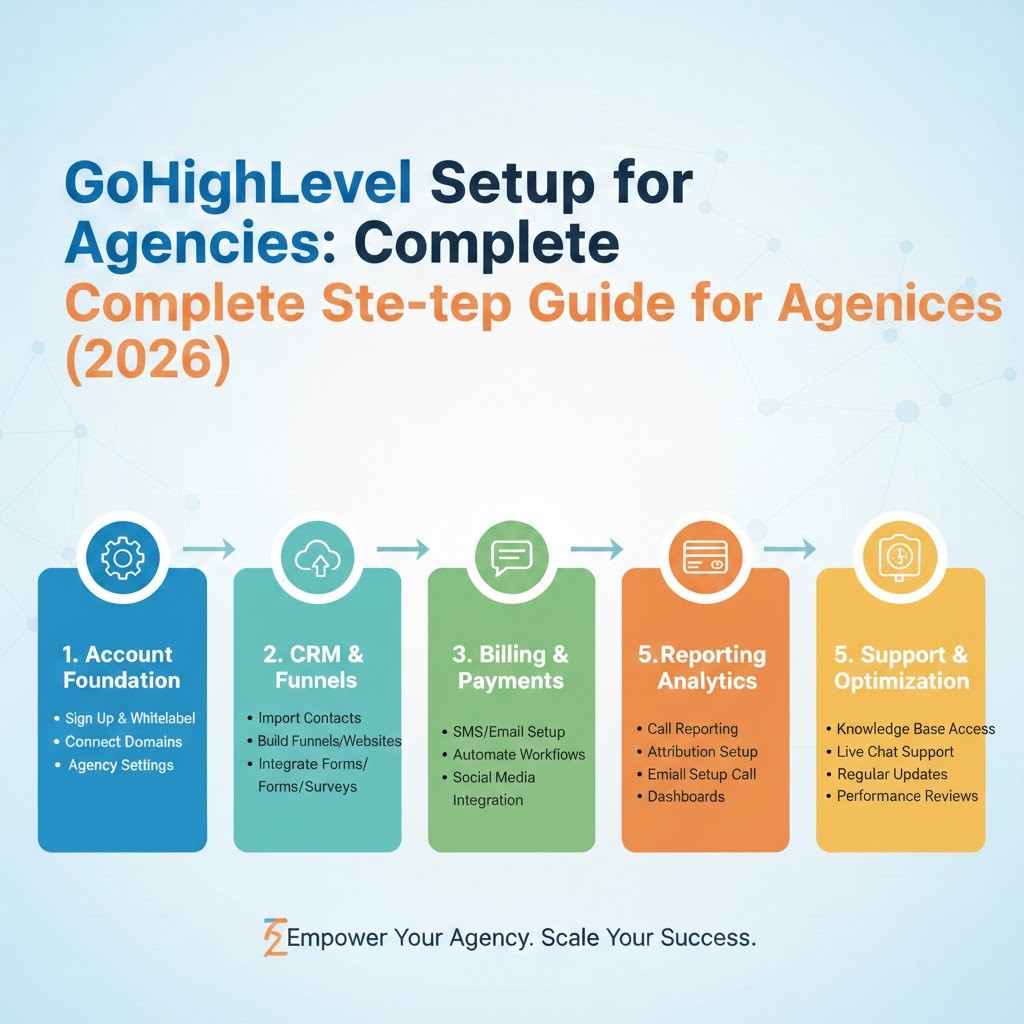
- GoHighLevel Setup Guide (Complete, 2026) — the full walkthrough for getting your account built.
- GoHighLevel Pipeline Mistakes to Avoid — fix the structure before you scale.
- GoHighLevel AI Features Explained (2026) — how the AI voice agent and AI assistant work and are priced.
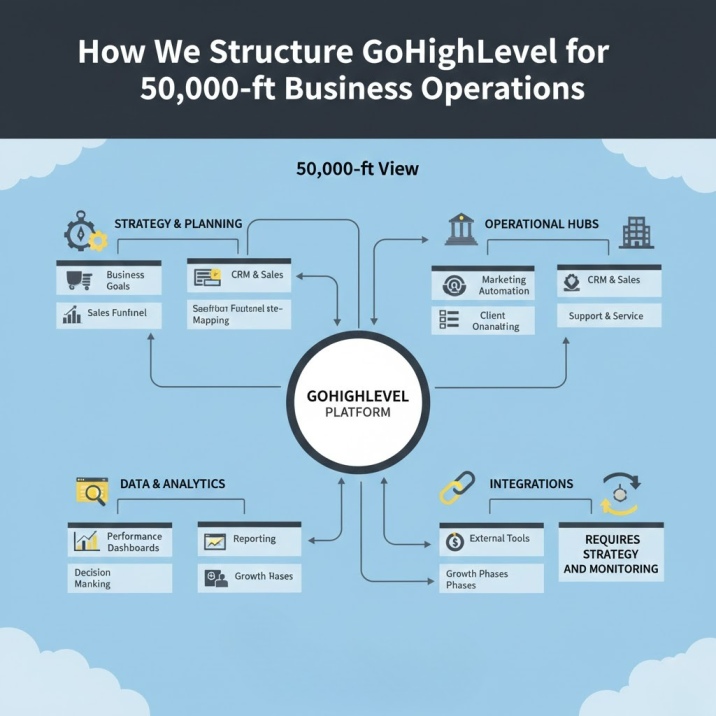
- GoHighLevel Business Operations Structure — organization for agents and teams.
- Best CRM Software (2026) — how GHL compares to other CRMs.
- GoHighLevel to HubSpot Migration — switching between the two major platforms.
Official GoHighLevel resources
- The GoHighLevel Blog (official) — marketing tips, automation strategies, and feature walkthroughs from the platform team.
- GoHighLevel Pricing (official) — current plan pricing and feature comparison.
- GoHighLevel Help & Documentation — official guides, academy, and support articles (including AI product pricing).
Research & industry resources
- Harvard Business Review, The Short Life of Online Sales Leads (2011) — the 7x response-time research.
- Inman, Real Estate Lead Response Research — industry tracking of agent response times.
- National Association of Realtors, Profile of Home Buyers and Sellers — buyer behavior data every agent should know.
- Mike DelPrete, Secret Shopping: 47% of Online Property Inquiries Are Ignored (2024) — what actually happens when buyers inquire online.
Sources
- Lead Response Management Study — Dr. James Oldroyd’s lead-response research, sponsored by InsideSales.com (2007), 100,000+ leads (21x findings); summarized in Harvard Business Review, “The Short Life of Online Sales Leads” (2011) — a 2,241-company audit: 7x within one hour, 37% responded within an hour, average 42 hours.
- Mike DelPrete, “Secret Shopping: 47% of Online Property Inquiries Are Ignored” (2024) — 100+ secret shops, 8h17m average response, 47% unanswered.
- National Association of Realtors, Profile of Home Buyers and Sellers (2025) — 74% of buyers interviewed only one agent (67% first-time, 76% repeat).
- GoHighLevel official pricing page and AI product pricing — base plan prices; usage-based SMS/phone rates; AI Employee Growth/Unlimited and Voice AI pricing (retrieved August 2026; verify current pricing before purchase).
- HighLevel Support Portal, Outbound Calls with Dialer (Manual Actions), Custom Dispositions for Voice Calls, Voice AI Outbound Calling and compliance checks — dialer queues, dispositions, outbound AI call limits, and safeguards (retrieved August 2026).
- HighLevel Support Portal, Overview of Voice AI Agents, Appointment Booking in Voice AI, Conversation AI setup, and Conversation AI audio/voice-note responses — inbound qualification, multi-calendar booking, multi-channel AI, and voice notes (retrieved August 2026).
- HighLevel Support Portal, Missed Call Text Back, Voicemail Drop, Assign to User (round-robin/weighted), Create Opportunity, Pipelines, Opportunity Changed trigger, Automating/Stale Opportunities, and Workflow Settings (stop-on-response) — follow-up, recovery, routing, pipeline automation, and stop conditions (retrieved August 2026).
- HighLevel Support Portal, Conversation AI post-booking actions and Call transcriptions for recorded calls — bot sleep after booking and transcription via Voice Intelligence (retrieved August 2026).
Disclaimer: Pricing, availability, and feature details are accurate at the time of writing and may change. Always verify current pricing and features on the official GoHighLevel website. Statistics from the studies above are used for context; your results will vary based on your market and lead sources.