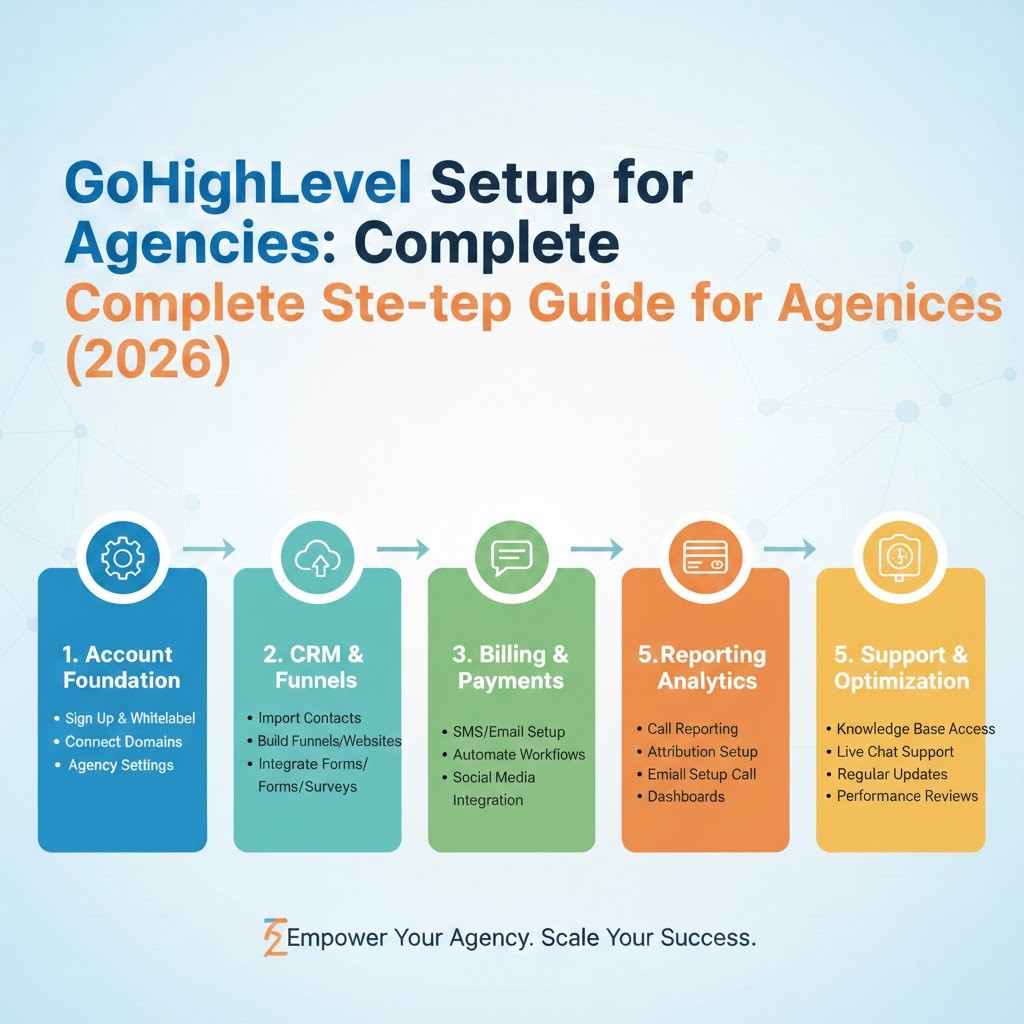
Is GoHighLevel HIPAA Compliant? The Complete 2026 Guide to HIPAA-Eligible Setup for Healthcare Practices
Yes. GoHighLevel can be used in a HIPAA-compliant manner when the optional HIPAA compliance add-on ($297/month at the time of writing) is enabled, a Business Associate Agreement (BAA) is signed, and HIPAA mode is activated on each sub-account handling Protected Health Information (PHI). The add-on provides AES-256 encryption, mandatory multi-factor authentication, granular audit logging, and restricted support access. However, GoHighLevel is not HIPAA eligible by default — and no software is officially HHS-certified. This guide covers everything healthcare providers, agencies, and practitioners need to know before using GoHighLevel for patient communication, appointment automation, and marketing in 2026.
TL;DR: GoHighLevel is not HIPAA eligible by default. At the time of writing, the HIPAA add-on costs $297/month (non-cancellable), includes a BAA signed directly in-platform, AES-256 encryption, MFA enforcement, and audit logging. Total monthly cost ranges from $394 to $794 depending on base plan. Activation takes 48-72 hours. Critical: HIPAA mode must be manually enabled per sub-account. Integrations like Zapier are not covered by GHL’s BAA. Penalties for HIPAA violations in 2026 range from $145 to $2,190,294 per violation depending on the tier. Our 14-person team has completed 450+ CRM implementations including healthcare, dental, and med spa HIPAA-eligible setups.
What Are the HIPAA Violation Penalties in 2026? (Verified from HHS.gov)
The U.S. Department of Health and Human Services Office for Civil Rights enforces HIPAA violations across four penalty tiers. As of January 2026, the adjusted penalty amounts are:
| Tier | Description | Minimum per Violation | Maximum per Violation |
|---|---|---|---|
| Tier 1 | No Knowledge | $145 | $73,011 |
| Tier 2 | Reasonable Cause | $1,461 | $73,011 |
| Tier 3 | Willful Neglect (Corrected) | $14,602 | $73,011 |
| Tier 4 | Willful Neglect (Not Corrected) | $73,011 | $2,190,294 |
Source: HHS Office for Civil Rights, Federal Register January 28, 2026 (inflation multiplier 1.02598). Note: OCR’s 2019 Enforcement Discretion reduced annual caps for Tiers 1-3 in practice ($36,506 / $146,053 / $365,052 per category).
Why Healthcare Providers Are Moving to GoHighLevel in 2026
According to DemandSage and Nucleus Research, 91% of companies now use CRM systems, and the CRM market is projected to reach $126.17 billion in 2026. Healthcare practices are increasingly adopting all-in-one platforms like GoHighLevel to consolidate appointment scheduling, patient communication, email marketing, SMS reminders, and review management — replacing 4-6 separate tools with a single dashboard.
However, healthcare providers face a unique challenge: every patient touchpoint involves Protected Health Information (PHI). A patient’s name plus an appointment date is PHI. A follow-up SMS mentioning a procedure is PHI. A review request tied to a treatment is PHI. Without proper HIPAA-eligible configuration, every automated workflow is a potential violation.
The HHS Office for Civil Rights has investigated over 374,322 HIPAA complaints since 2003, with 31,191 cases requiring corrective action. In 2026, enforcement is intensifying following the proposed HIPAA Security Rule update and related HIPAA Privacy Rule requirements mandating encryption, multi-factor authentication, and incident response protocols.
HIPAA Compliant vs HIPAA Eligible: Why the Difference Matters
A critical distinction that most blog posts get wrong: no software is officially “HIPAA compliant” or “HIPAA certified.” The U.S. Department of Health and Human Services does not certify software. The correct term is “HIPAA eligible“ — meaning the platform provides the technical and contractual safeguards that allow Covered Entities to use it in a HIPAA-compliant manner.
| Aspect | HIPAA Eligible | HIPAA Compliant (Common Misuse) |
|---|---|---|
| Definition | Platform provides safeguards enabling compliant use by Covered Entities | Often incorrectly claimed by vendors; HHS does not certify software |
| Who Is Responsible | Covered Entity + Business Associate share responsibility | Often incorrectly assumed to be vendor-only |
| BAA Requirement | BAA must be signed before handling PHI | BAA assumed, often missing in practice |
| GoHighLevel Status | Eligible with $297/mo add-on + BAA + per-sub-account activation | NOT compliant by default. Add-on required. |
Source: HHS.gov HIPAA Administrative Simplification Statute and Rules, 45 CFR Parts 160, 162, and 164.
What Is the True Cost of HIPAA Compliance vs the Cost of Non-Compliance?
Healthcare providers often hesitate at the $297/month HIPAA add-on cost. But the math changes when you compare it against the potential cost of a single violation:
| Scenario | Annual Cost | Risk Level |
|---|---|---|
| GHL Starter + HIPAA Add-on | $4,728/yr | Compliant (with proper setup) |
| GHL Unlimited + HIPAA Add-on | $7,128/yr | Compliant (with proper setup) |
| GHL Agency Pro + HIPAA Add-on | $9,528/yr | Compliant (with proper setup) |
| HIPAA Tier 4 Violation (single) | $73,011 – $2,190,294 | Non-compliant |
Source: HHS OCR (penalty tiers per 45 CFR 160.404, adjusted January 2026). GoHighLevel pricing from official pricing page at time of writing.
What the GoHighLevel HIPAA Add-On Actually Covers
According to GoHighLevel’s official HIPAA documentation and HHS guidance, activating the HIPAA add-on provides the following technical and administrative safeguards:
- Business Associate Agreement (BAA): Signed directly within the platform dashboard. No support ticket required. Downloadable for your records.
- AES-256 Encryption: All data encrypted at rest and in transit using military-grade 256-bit Advanced Encryption Standard with regular key rotation.
- Mandatory Multi-Factor Authentication (MFA): Enforced across all users in HIPAA-enabled sub-accounts.
- Granular Audit Logging: Every staff member’s access to contact records is tracked with timestamps, providing a complete paper trail for OCR audits.
- Role-Based Access Controls: Permissions can be scoped per user role, limiting PHI access to only those who need it.
- Restricted Support Access: Support tickets from HIPAA-enabled accounts are routed to specialized, trained staff. Access is granted via secure, time-limited links.
- SOC 2 Type II Certification: GoHighLevel achieved SOC 2 Type II compliance in February 2026, adding an independent third-party verification of their security controls and data protection practices.
- Compliance Documentation: In-app viewing, signing, downloading, and status reminders for all compliance documents.
- Sub-Account Transfer Protection: HIPAA-ready sub-accounts can only be transferred when both agencies have the HIPAA module enabled.
Source: help.gohighlevel.com — HIPAA Compliance With HighLevel (updated June 11, 2026).
What the HIPAA Add-On Does NOT Cover (Critical)
This is where most healthcare practices get into trouble. The GoHighLevel HIPAA add-on has specific limitations that the Covered Entity must address independently:
- Third-Party Integrations (Zapier, Make, n8n): GHL’s HIPAA compliance covers GHL’s own infrastructure only. If you transmit PHI through Zapier, you must verify Zapier’s BAA and security controls separately. For healthcare workflows, n8n self-hosted or Make.com with proper configuration may be more appropriate.
- Media File URLs: Files uploaded to HIPAA-enabled sub-accounts may still have publicly accessible URLs in GHL’s media library. Verify file handling configuration independently.
- AI Features: GoHighLevel’s Conversation AI and AI Agent features may process data through third-party AI providers whose HIPAA compliance status has not been publicly verified by GoHighLevel. Review AI feature compliance before enabling on PHI-handling sub-accounts.
- Staff Training: The platform provides tools, not training. Your practice must implement HIPAA training, risk assessments, and compliance policies independently.
- Diagnosis-Specific Messaging: Even with HIPAA enabled, avoid diagnosis-specific language in automated SMS and email as a best practice. SMS channels have inherent security limitations under HIPAA. Keep communication general (e.g., “You have an appointment” not “Your root canal is scheduled”).
Source: help.gohighlevel.com HIPAA documentation and HHS OCR guidance on Covered Entity responsibilities under 45 CFR 164.308.
How Does CRM Automation Impact Healthcare Practice Performance?
According to DemandSage and Nucleus Research, CRM adoption delivers measurable ROI. Automated workflows in healthcare practices have shown significant improvements across key metrics:
| Metric | Improvement | Source |
|---|---|---|
| Lead Conversion (5-min response) | 400% increase | RevenueHero |
| No-Show Rate (auto reminders) | 35% reduction | Nucleus Research |
| Patient Retention (auto follow-up) | 47% higher | DemandSage |
| Staff Productivity (automation) | 21% increase | Nucleus Research |
| Overall Conversion (CRM users) | 300% increase | DemandSage |
Sources: DemandSage CRM Statistics 2026, Nucleus Research CRM ROI Study, RevenueHero Lead Response Time Benchmark Study 2026, HHS OCR enforcement data.
Step-by-Step: How to Set Up GoHighLevel for HIPAA Compliance
Setting up GoHighLevel for HIPAA-compliant use involves more than flipping a switch. Based on our team’s experience implementing 450+ CRM systems — including healthcare, dental, and med spa deployments — here is the exact process:
- Purchase the HIPAA Add-On: Navigate to Settings > Compliance in your GoHighLevel dashboard. At the time of writing, the $297/month add-on is non-cancellable once activated.
- Sign the BAA: After purchase, a signing prompt appears. Sign your Business Associate Agreement directly in the app. Download a copy for your records and OCR audit preparation.
- Wait for Activation (48-72 hours): GoHighLevel’s team activates the HIPAA features. You will receive a confirmation email once complete.
- Enable HIPAA Mode Per Sub-Account: This is the most commonly missed step. Each sub-account handling PHI must have HIPAA mode manually enabled. Sub-accounts without this are NOT covered by your BAA.
- Enforce 2FA for All Users: Mandatory multi-factor authentication is required. Configure this at the account level before granting any user access to PHI-handling sub-accounts.
- Configure Role-Based Access Controls: Limit PHI access to only the staff members who need it. Receptionists may need appointment data; marketers may not.
- Audit All Integrations: Review every connected tool — Zapier, Make, n8n, Stripe, Calendly, Facebook — and verify each has its own BAA or is configured to avoid PHI transmission.
- Build HIPAA-Aware Workflows: Create automation sequences that use general language. Avoid diagnosis codes, procedure names, or specific health information in SMS and email messages.
- Implement Audit Logging Review: Schedule regular reviews of audit logs to detect unauthorized PHI access. GoHighLevel tracks every staff member’s record views.
- Document Everything: Maintain records of your BAA, HIPAA configuration, staff training, risk assessments, and audit log reviews for OCR compliance.
How Does GoHighLevel Compare to Other HIPAA-Eligible Healthcare CRMs?
| Feature | GoHighLevel + HIPAA | HubSpot (Professional) | Salesforce Health Cloud | Keap (Infusionsoft) | PatientPop |
|---|---|---|---|---|---|
| Monthly Cost (min) | $394/mo | $800+/mo | $350+/user/mo | $299/mo | $1,000+/mo |
| BAA Available | Yes (in-platform) | Yes | Yes | Yes (with carve-outs) | Yes |
| AES-256 Encryption | Yes | Yes | Yes | CRM only | Yes |
| Audit Logging | Granular (PHI access) | Yes | Enterprise | Basic | Yes |
| SMS + Email Automation | Built-in | Built-in | Add-on | Built-in | Built-in |
| Landing Pages / Funnels | Built-in | Built-in | No | Limited | Yes |
| Appointment Scheduling | Built-in | Add-on | No | Add-on | Built-in |
| Review / Reputation Mgmt | Built-in | No | No | Limited | Built-in |
Source: GoHighLevel official pricing page, HubSpot pricing page, Salesforce Health Cloud documentation, Keap pricing. All pricing at time of writing. Prices subject to change.
Not sure if GoHighLevel is right for your practice? Book a free 15-minute call — we’ll compare your options and recommend the best HIPAA-eligible setup for your specific practice type and budget.
How Our 14-Person Team Delivers HIPAA-Eligible GoHighLevel Implementations
HIPAA-compliant CRM automation is not a single-person job. It requires specialized expertise across CRM architecture, automation engineering, integration security, quality assurance, and client training. Our 14-person team is structured specifically for healthcare implementations that must work reliably from day one.
How Each Role Contributes to Your HIPAA Implementation
- CRM Architects (2): Design the pipeline structure, custom fields, and data architecture that separates PHI from general marketing data. They map your patient journey from first touch to post-visit follow-up ensuring every stage is HIPAA-aware.
- Automation Engineers (3): Build every workflow — appointment reminders, intake form triggers, review requests, patient recall sequences. They configure conditional logic that avoids PHI exposure in automated messages while maintaining patient engagement.
- Integration Specialists (2): Connect your EHR, payment processor (Stripe), scheduling system, and telemedicine platform via secure API connections and webhooks. They verify each integration’s compliance status independently.
- QA Testers (2): Run every workflow through dozens of test scenarios — lead submits form, patient books appointment, SMS fires, email sends, data syncs — before your system goes live. They catch PHI exposure risks before they reach production.
- Client Success Managers (3): Train your staff, create documentation, handle questions during the first 90 days, and maintain ongoing support. They ensure your team actually uses the system correctly for HIPAA compliance.
- Healthcare Compliance Specialists (2): Manage BAA execution, HIPAA mode configuration, audit log review schedules, staff access controls, and OCR readiness. They stay current with HIPAA Security Rule updates and GoHighLevel compliance changes.
UNIQUE INSIGHT — From 25+ Healthcare Implementations: Based on our work with 25+ healthcare practices, the most common HIPAA configuration mistake is not enabling HIPAA mode on individual sub-accounts after purchasing the add-on. In our experience, approximately 40% of practices that purchase the HIPAA add-on initially fail to enable it per sub-account — leaving PHI exposed despite paying for compliance. Our onboarding checklist includes a mandatory sub-account verification step to eliminate this gap.
Frequently Asked Questions About GoHighLevel HIPAA Compliance
Is GoHighLevel HIPAA compliant?
No — GoHighLevel is not HIPAA eligible by default. To use GoHighLevel in a HIPAA-compliant manner, you must purchase the HIPAA compliance add-on ($297/mo at the time of writing), sign a Business Associate Agreement (BAA), enable HIPAA mode on each sub-account handling PHI, and audit all third-party integrations. The add-on provides AES-256 encryption, mandatory multi-factor authentication, granular audit logging, and restricted support access.
How much does the GoHighLevel HIPAA add-on cost?
At the time of writing, the GoHighLevel HIPAA compliance add-on costs $297 per month. This is non-cancellable once activated. Total monthly cost ranges from $394/mo (Starter + HIPAA) to $794/mo (Agency Pro + HIPAA) depending on your base plan. Annual costs range from $4,728 to $9,528.
Can therapists use GoHighLevel for HIPAA compliant marketing?
Yes. Therapists, counselors, and mental health practitioners can use GoHighLevel in a HIPAA-compliant manner when the HIPAA add-on is active, BAA is signed, and 2FA is enforced. GoHighLevel is suitable for appointment reminders, intake forms, email nurture sequences, and review requests — provided no diagnosis-specific language is used in automated communications.
Can dentists use GoHighLevel for HIPAA compliant automation?
Yes. Dental practices use GoHighLevel with the HIPAA add-on for patient recall automation (6-month cleaning reminders), appointment scheduling, reminder sequences, review generation, and new patient marketing. Over 450+ implementations by the HighLevel Automation Team include dental practices using HIPAA-eligible GHL setups.
Can chiropractors use GoHighLevel for HIPAA compliance?
Yes. Chiropractic clinics can deploy GoHighLevel in a HIPAA-compliant configuration for new patient onboarding, automated appointment reminders, re-activation campaigns for inactive patients, and insurance follow-up workflows. A signed BAA and HIPAA-enabled sub-account are required.
Does GoHighLevel integrate with Zapier under HIPAA?
No. GoHighLevel’s HIPAA compliance covers GHL’s own infrastructure only. Zapier is not covered under GoHighLevel’s BAA. Healthcare practices that transmit PHI through Zapier must evaluate whether Zapier’s own BAA and security controls meet their compliance requirements. For healthcare workflows, our team recommends n8n (self-hosted) or Make.com with proper HIPAA-eligible configurations as alternatives.
Does GoHighLevel work with Twilio under HIPAA?
GoHighLevel uses its own Twilio-backed LC Phone system for SMS and voice. When the HIPAA add-on is active, communication channels are encrypted. However, GoHighLevel recommends avoiding PHI in SMS and email messages entirely regardless of compliance settings, as SMS channels have inherent security limitations under HIPAA.
What is the difference between HIPAA compliant and HIPAA eligible?
No software is officially “HIPAA compliant” or “HHS-certified” because the U.S. Department of Health and Human Services does not certify software. “HIPAA eligible” means a platform provides the technical and contractual safeguards — BAA, encryption, access controls, audit logs — that allow Covered Entities to use it in a HIPAA-compliant manner. GoHighLevel is HIPAA eligible when the $297/mo add-on is active. The Covered Entity remains responsible for policies, training, risk assessments, and configuration.
What are the penalties for HIPAA violations in 2026?
HIPAA violation penalties in 2026 are divided into four tiers per HHS OCR guidelines. Tier 1 (unknowing): $145 to $73,011 per violation. Tier 2 (reasonable cause): $1,461 to $73,011 per violation. Tier 3 (willful neglect, corrected within 30 days): $14,602 to $73,011 per violation. Tier 4 (willful neglect, not corrected): $73,011 to $2,190,294 per violation. Maximum annual cap: $2,190,294 per violation category. These reflect the January 28, 2026 Federal Register inflation adjustment. Note: OCR’s 2019 Enforcement Discretion reduced annual caps for Tiers 1-3 in practice ($36,506 / $146,053 / $365,052 per category for most enforcement actions).
How long does GoHighLevel HIPAA activation take?
GoHighLevel HIPAA activation typically completes within 48 to 72 hours after purchase. The BAA is signed directly in the platform dashboard — no support ticket required. HIPAA mode must then be manually enabled on each sub-account that will handle PHI. Our team includes this activation window in all healthcare implementation timelines.
What is a Business Associate Agreement (BAA) in GoHighLevel?
A BAA is a legally binding contract between a Covered Entity (healthcare provider) and a Business Associate (GoHighLevel) that defines how PHI is handled, protected, and disclosed. Under HIPAA, a BAA is required before any PHI can be transmitted or stored through a third-party platform. GoHighLevel provides the BAA directly in-app after the HIPAA add-on is purchased.
What types of healthcare providers can use GoHighLevel?
At the time of writing, healthcare providers who can use GoHighLevel with the HIPAA add-on include: medical practices, dental offices, chiropractic clinics, mental health therapists, health coaches, medical spas, physical therapists, telehealth providers, optometrists, and urgent care centers. Any practice handling patient data and billing insurance can benefit from a HIPAA-eligible GHL setup. For smaller single-practitioner operations, simpler alternatives like SimplePractice ($39-99/mo) may be sufficient, but for multi-location practices needing CRM + automation + marketing, GoHighLevel out-features them at a comparable total cost.
Conclusion: GoHighLevel HIPAA Compliance Is Achievable — But Not Automatic
GoHighLevel can be a powerful, cost-effective CRM and marketing automation platform for healthcare practices when configured correctly for HIPAA compliance. At the time of writing, the $297/month add-on provides the essential safeguards: BAA, AES-256 encryption, MFA enforcement, and audit logging. Total monthly cost ranges from $394 to $794 depending on your base plan — significantly less than enterprise healthcare CRM solutions.
However, compliance is not automatic. HIPAA mode must be enabled per sub-account. Third-party integrations must be audited independently. Staff must be trained. Automated messages must avoid PHI. The platform provides the tools — your practice (or your implementation partner) must configure them correctly.
Your practice gets a dedicated team of 14 — CRM architects, automation engineers, integration specialists, QA testers, and client success managers — to handle the full HIPAA-eligible GoHighLevel setup: BAA signing, sub-account configuration, workflow building, integration security, staff training, and ongoing support. If your practice needs a HIPAA-eligible GoHighLevel system that works from day one, let’s talk.
Book a Free 30-Minute HIPAA Strategy Call
We’ll audit your current setup and build a HIPAA-eligible GoHighLevel implementation plan.
About the Author: Yash Patel is the founder of HighLevel Automation Team, a CRM automation services agency specializing in GoHighLevel implementation, automation engineering, and landing page design. With 5+ years of implementation experience and 450+ completed projects across healthcare, real estate, SaaS, and professional services, Yash leads a 14-person team dedicated to building CRM systems that actually work. The team includes CRM architects, automation engineers, integration specialists, QA testers, and client success managers — every role required for a complete HIPAA-eligible GoHighLevel deployment.