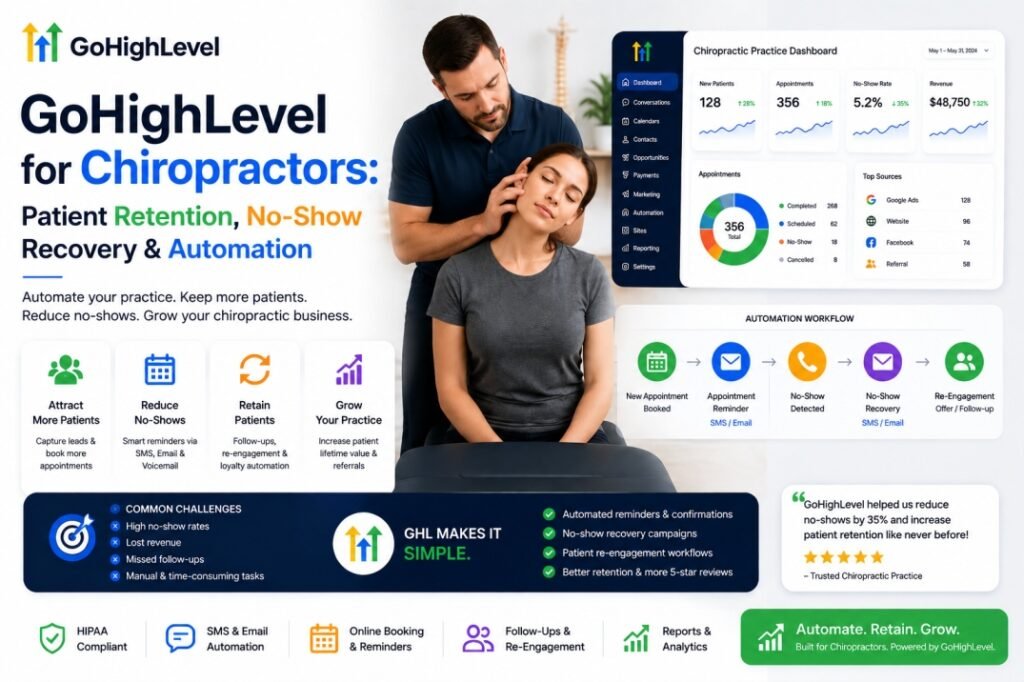
GoHighLevel for Chiropractors: Patient Retention, No-Show Recovery & Automation
By Yash Patel — Founder, HighLevel Automation Team
GoHighLevel for chiropractors automates the patient-communication and retention layer of a chiropractic practice — appointment reminders, no-show recovery, care-plan follow-up, recall, reactivation, missed-call recovery, and lead response. Whether it produces positive ROI depends on the practice’s appointment volume, baseline performance, implementation quality, and communication costs. GoHighLevel (GHL) is an all-in-one CRM, SMS/email automation, booking, and review platform; for a chiropractor it works as the patient-retention layer on top of your chiropractic EHR, and it can consolidate functions that may otherwise require separate reminder, review, funnel, CRM, and communication tools.
Last updated: August 2026. Research reviewed: systematic reviews indexed in PubMed, GoHighLevel official documentation, and HHS guidance at the time of writing. All pricing, plan eligibility, and BAA statements are “at the time of writing” and subject to change. This is an operational guide, not legal or medical advice — confirm compliance obligations with a healthcare attorney before routing PHI through any platform.
This guide is the retention-focused playbook most chiropractic “GHL for chiropractors” articles skip. It covers the no-show math, the care-plan drop-off problem, the reactivation economics, the exact chiropractic practice automation workflows to build, how to stay HIPAA-eligible, what it actually costs, and the pipeline a chiropractic practice should run — based on systems we have configured for healthcare clinics across North America. If you’re deciding whether to DIY or hand it to an expert, our done-for-you GoHighLevel setup service covers the difference at the end.
What’s in This Guide
- How GHL fits a chiropractic practice (patient lifecycle)
- The revenue leaks GHL can address: no-shows, care-plan drop-off, dormant patients
- The 8 core chiropractic workflows
- The production automation framework (10-part workflow anatomy)
- No-show & empty-chair recovery
- AI voice for chiropractic clinics
- GoHighLevel vs. chiropractic EHRs & CRM software
- HIPAA, TCPA & communication compliance
- GoHighLevel cost & ROI
- Implementation & 90-day roadmap
- The KPI dashboard
- When GHL is / isn’t a good fit
- FAQ
Key Takeaways
- A planning range of 10–15% of scheduled appointments is commonly used in chiropractic industry estimates for no-shows and last-minute cancellations — at $50–$75 per adjustment over a 22-day operating month, a 30-patient-a-day practice has ~$3,300–$7,400/month of appointment revenue at risk (planning model; in the systematic review below, the control-group no-show rate was ~21%, and reminders cut it to ~15%). Practices should calculate their own no-show baseline rather than assuming a number.
- A single missed appointment is a leading churn signal: patients who miss one visit are far more likely to stop care entirely, and medical practices lose an estimated 10–30% of patients to attrition per year (Dialog Health patient-retention data).
- A BMJ Open systematic review and meta-analysis across healthcare settings found electronic reminders were associated with a 25% lower no-show risk, and multiple reminders outperform a single one (Robotham et al., 2016); the evidence was not chiropractic-specific.
- Reactivating lapsed patients is often one of the highest-leverage workflows in the practice: a clinic bringing 20 lapsed patients back into a ~10-visit care plan at the ~$67 average chiropractic visit value could generate approximately $13,500 in modeled appointment revenue if the assumptions hold (model, Chiropractic Economics pricing).
- GHL is HIPAA-eligible, not HIPAA-certified — you need the $297/month HIPAA add-on plus a signed BAA before PHI flows through it; marketing-only workflows (inquiry follow-up, review requests) typically don’t require it. The HIPAA-eligible GoHighLevel distinction is covered in depth below.
Patient Lifecycle Architecture: The Map Everything Else Hangs Off
Before any workflow, understand the shape of the system. A chiropractic practice runs one patient through the same lifecycle again and again — and the entire GHL build is a set of automations attached to stages of that lifecycle. Here is the master map: every trigger in the practice connects to a stage, and every stage has an automation job.
The point of drawing it this way is that every workflow in the rest of this guide maps to a stage above — there is no workflow that exists outside this map. When a build goes wrong, it is almost always because a workflow was attached to the wrong stage or duplicated across two stages. This section is the reference: come back to it when a sequence feels redundant.
The Personal-Injury Pipeline: The Niche Many Chiropractic GHL Builds Miss
Many chiropractic practices run two revenue lines in one clinic: cash/membership wellness care and personal-injury (PI) cases from auto accidents. PI has a longer, more legal-heavy journey than a standard new patient, so it needs its own automation logic. The automation value is in the hand-offs and the no-show protection — every missed PI appointment delays the case and the settlement, so the reminder and rebooking layer matters even more than in cash care. GHL can also send structured, schedule-triggered update templates to the referring attorney so the referral source stays looped in without staff manually texting each week.
If your practice is PI-heavy, add two pipeline-specific automations to the core workflows:
- PI intake sequence — from first contact, an SMS/email flow that collects accident details, insurance info, and the attorney’s contact before the consult, so the first visit starts with the paperwork done.
- Case-advancement check-ins — automated touchpoints at the authorization milestone, at the treatment plateau, and at case resolution to keep the patient active and the attorney updated. Do not treat “settlement” as an automation milestone unless your system and your attorney relationship actually support it — only collect and transmit the minimum information the workflow requires.
A compliance note specific to PI workflows: accident details, insurance information, and attorney correspondence are sensitive medical and legal information, and PI workflows move deeper into legal/medical territory than standard recall. Design these with the clinic’s legal/compliance requirements and attorney relationships in mind — collect and transmit only the minimum information required for the operational workflow, keep clinical and legal determinations with humans, and confirm with counsel how PI data should be handled in your jurisdiction before automating it.
Clinics that run both cash and PI lines typically keep them as two separate pipelines with different stages and different message tone — PI copy references the case and recovery; wellness copy references maintenance and lifestyle. Mixing them is one of the more common build mistakes in this specialty.
Why Chiropractors Need Automation More Than Most Practices
Chiropractic is a recurring-care business, not a transaction business. A dental patient visits once or twice a year. A chiropractic patient in an active care plan is expected to visit multiple times per week for a course of treatment, then transition to maintenance care. That structure means the practice depends on adherence, not acquisition — and adherence is exactly what manual follow-up fails at.
Here is the structural problem: most practice-management systems (ChiroTouch, ChiroFusion, ChiroHD, Genesis) are built to document the visit and handle billing. They are not built to chase the patient who said “I’ll call back,” recover the one who missed two weeks ago, or systematically turn a finished care plan into a maintenance-care patient. That follow-up layer is where the revenue leaks, and it is the layer GHL automates.
Patient lifecycle for a chiropractic clinic in GoHighLevel: Inquiry → Consultation Booked → Consultation Completed → Care Plan Presented → Care Plan Accepted → Active Patient → Maintenance / Wellness → Lapsed / Reactivation.
The No-Show Problem: The Math That Justifies GHL Alone
No-shows are among the most expensive silent leaks in a chiropractic clinic, because the chair is only billable when a body is in it. A planning range of 10–15% is commonly used in chiropractic industry estimates for no-shows and last-minute cancellations, and at typical adjustment fees of $50–$75, a practice seeing 30 patients a day over 22 operating days has ~$3,300–$7,400 per month in appointment revenue at risk (planning model; across the systematic review’s control group (Robotham et al., BMJ Open, 2016), the no-show rate was ~21%, with reminders cutting it to ~15%). Practices should calculate their own no-show baseline rather than assuming a number.
| Clinic size | No-show rate | Avg. visit value | Monthly revenue at risk |
|---|---|---|---|
| 30 patients/day | 10% | $50–$75 | $3,300–$4,950 |
| 30 patients/day | 15% | $50–$75 | $4,950–$7,425 |
| 60 patients/day | 12% | $60–$75 | $9,500–$11,880 |
How this is calculated (all rows use the same formula): 30 patients/day × 22 operating days × 10% no-show × $50 = $3,300; 30 × 22 × 15% × $75 = $7,425; 30 × 22 × 15% × $50 = $4,950; 60 × 22 × 12% × $60 = $9,504 and 60 × 22 × 12% × $75 = $11,880. These are planning models based on commonly cited chiropractic no-show ranges (10–15%) and typical chiropractic visit pricing; in the systematic review’s control group the no-show rate was ~21%, and reminders cut it to ~15% (Robotham et al., 2016). Run your own numbers with your schedule and average visit value.
Chiropractic no-show range per industry estimates; mid-range of each revenue-at-risk band shown.
Why do patients no-show? It is rarely “they decided to stop care.” It is usually they forgot, or the visit wasn’t top-of-mind. That is a communication problem, not a patient-quality problem — and communication is automatable. The evidence is consistent and peer-reviewed: a BMJ Open systematic review and meta-analysis found that patients who received digital reminders were ~25% less likely to no-show, and that multiple reminders beat a single reminder (Robotham et al., 2016, 26 studies). SMS messages have commonly-cited average open/read rates around 82% compared to email’s ~21% (Dialog Health patient-engagement data, vendor-published). The multi-touch reminder sequence we recommend building in GHL — confirmation at booking, reminders at 48/24/2 hours, plus a same-day rebook link if they miss — attacks that 10–15% directly.
The Care-Plan Drop-Off Problem Nobody Tracks
No-shows are visible. The bigger leak is the patient who quietly quits mid-care-plan — and chiropractic has a specific drop-off pattern: many practices see care-plan drop-off at predictable points, often right when symptoms improve, before the corrective or wellness phase of the plan is complete. The exact lapse point varies by practice and plan design — the fix is to measure your own lapse point by tagging visits and tracking when last-visit gaps spike, not to assume a universal number. They don’t cancel. They just stop booking. There is no invoice, no alert, nothing on the books flags it.
That is why care-plan drop-off is the retention problem GHL solves best, and why most chiropractic CRM content misses the point by focusing on lead capture instead of the second visit onward. For GoHighLevel patient retention, the second visit is where the system pays for itself. If your clinic already has an EHR but lacks automated lead follow-up, no-show recovery, and patient reactivation, this is exactly where a GHL implementation fits. The automations that matter here:
- Mid-plan check-in — a checkpoint SMS that normalizes the plateau without making clinical claims: “You’re approaching an important checkpoint in your care plan. If you’ve fallen behind on your scheduled visits, here’s an easy way to get back on track.” (Use checkpoints such as visit 5 or visit 10 depending on the clinic’s care model.)
- Care-plan adherence reminders — automated rebooking nudges so the plan cadence survives real life.
- Plan-completion handoff — a sequence converting a completed active plan into a maintenance-care conversation before the patient disappears.
- Lapse triggers — if a patient goes 30/60/90 days without a visit, an automated recall sequence fires, then continues to quarterly and 12–24 month touches per the recall ladder below.
The revenue case is direct: a care plan is the full plan value, not per-visit revenue. Every patient you carry through completion — or convert to maintenance care — is a patient who would otherwise re-enter your database as a cold “reactivation” a year later, at acquisition cost.
Reactivation: The Revenue Opportunity in Your Existing Patient List
Practices spend aggressively acquiring new patients while sitting on a dormant list they never use. Industry estimates put normal medical-practice attrition at 10–30% of patients per year (Dialog Health) — and chiropractic, with its recurring-visit structure, is on the higher end of that drift because patients “graduate” care without being transitioned to wellness.
Here is the reactivation economics. Take a clinic with 1,000 patient records (modest for a practice a few years old). At a 20% annual attrition estimate, that is roughly 200 lapsed patients a year. Reactivating even 10% of them — 20 patients — into a ~10-visit care plan at the average chiropractic fee of ~$67.40 per visit (Chiropractic Economics 27th Annual Fees & Reimbursements Survey, fees charged; practices that bill insurance collect less than the full fee) could generate approximately $13,500 in modeled appointment revenue if the assumptions hold (model built from industry attrition and pricing data). Most clinics never even ask.
| Dormant list size | Lapsed/yr (20%) | Reactivated (10%) | ~10-visit plan value | Modeled appointment revenue |
|---|---|---|---|---|
| 500 | 100 | 10 | ~$674 | ~$6,700 |
| 1,000 | 200 | 20 | ~$674 | ~$13,500 |
| 2,500 | 500 | 50 | ~$674 | ~$33,700 |
Model: 20% annual attrition estimate (Dialog Health), 10% reactivation of lapsed, ~$67.40 average chiropractic visit value (Chiropractic Economics survey). This is a planning model, not a guarantee — your numbers will vary by case value and plan length, and reactivation results depend on list quality and segmentation.
Because SMS messages have commonly-cited average open/read rates around 82% vs email’s ~21% (Dialog Health patient-engagement data, vendor-published), and ~48% of patients prefer text for appointment alerts (Phreesia patient survey, vendor-published), the reactivation sequence should lead with SMS and use email as the second touch. Segmentation matters more than the blast: completed-plan graduates get a warm maintenance-care check-in; mid-plan lapsers get an acknowledgment plus a low-friction restart; one-and-done patients get a fresh, low-pressure invitation; long-dormant (12–24 months) get the sparse Phase 3 touches on the recall ladder, never a weekly blast. Generic blasts to the whole list underperform every one of these.
The Production Workflow Framework: The 8 Core Chiropractic Workflows
This article is built on a named framework — call it the Production Workflow Framework — so that a practice, an agency, and an implementer are all describing the same system. Eight workflows are core and map to the full lifecycle (booking, retention, review, reactivation); three more are advanced and only some clinics need them. Every workflow in the framework is defined by the same ten-attribute anatomy (trigger, eligibility, priority, action, wait, condition, exit, escalation, logging, owner — detailed in the governance section below). The whole framework is grounded in one rule that governs the rest of the guide: one event gets one communication owner. Every workflow below exists to act on one trigger, with exit conditions so it stops acting the moment the event is resolved.
The eight core workflows:
- Instant lead response — new inquiry (web form, Google Business Profile, ad, missed call) gets an SMS within seconds, not hours. The speed-to-lead evidence (Harvard Business Review, 2011; InsideSales) has held across follow-ups since: a 5-minute response outperforms a 30-minute one by a wide margin.
- Consultation booking & reminder sequence — confirmation, intake-form link, 48h/24h/2h reminders, reschedule link. This is the booking layer covered end-to-end in our GoHighLevel setup work.
- Missed-call text-back — after-hours calls get an instant “we’re with a patient — here’s how to reach us / book online” text so you never lose an inquiry to voicemail.
- No-show recovery — “We missed you today — here’s a link to rebook” fires automatically, and a single no-show triggers a priority follow-up because the rebooking window after a missed visit is short and the follow-up decision matters most there.
- Care-plan adherence check-ins — mid-plan touchpoints (such as visit 5 or visit 10, depending on the clinic’s care model) that keep the plan on cadence.
- 30/60/90-day recall — the first phase of the recall ladder, automated rebooking nudges for wellness and maintenance care based on the last visit date, continuing to quarterly and 12–24 month touches for long-dormant patients.
- Review generation — an SMS review request after a completed visit (phone in hand, experience fresh). Note the policy boundary: Google’s review guidelines prohibit offering incentives for reviews and selectively soliciting positive reviews — request reviews from all patients, not just happy ones, and never trade a discount for a five-star rating. The FTC’s Endorsement Guides and its final rule on fake reviews (2024) add a second layer: never post, fabricate, or pay for reviews, and don’t have the practice or staff write reviews posing as patients. Practices running a compliant request consistently see more reviews; track your own monthly count rather than assuming a fixed multiple.
- Reactivation campaign — the segmented dormant-list sequence above.
Beyond the core 8, three advanced workflows deserve their own sections below: the personal-injury pipeline (high-ticket niche intake), AI voice agents (inbound reception, missed-call recovery, outbound reactivation), and failure handling (what happens when an automation can’t complete). They are not required to get value from GHL, but they are where chiropractic practices that outgrow the basics go next.
Workflow Governance: The Anatomy Every Workflow Should Have
Professional automation has a structure that template builds skip. Every workflow in a production chiropractic system should be defined by the same ten attributes, so that nothing runs on guesswork and nothing runs forever:
In plain text, every workflow in the framework is defined by ten attributes in order: trigger (the event that starts it), eligibility (who qualifies), priority (does another workflow win?), action (what sends), wait (how long between sends), condition (did it work?), exit (stop when true), next action or escalation (when false), logging (every run records its outcome), and owner (one person answers for it).
Applied to the eight workflows, governance looks like this — the same fields filled in for each, so nothing is ambiguous:
| Workflow | Trigger | Exit condition | Escalation |
|---|---|---|---|
| Instant lead response | New inquiry | Lead replies or books | — |
| Consultation reminders | Appointment booked | Confirmed / arrived / rescheduled | Unconfirmed → staff task |
| Missed-call text-back | Missed inbound call | Reply or booking | No reply → AI callback |
| No-show recovery | Status = No-show | Rebooked | No reply → staff task |
| Care-plan adherence | Visit gap / cadence miss | Back on cadence | Clinical concern → chiropractor |
| Recall ladder | Last-visit date (30d → 24 mo) | Rebooked or opted out | — |
| Review request | Visit completed | Review posted or declined | Negative → human |
| Reactivation | Segment entry (lapsed) | Rebooked or opted out | Angry reply → human call |
Every field above is a decision someone made on purpose. If a workflow has no exit condition and no escalation, it will either run forever or fail silently — which is the difference between automation and production automation.
How the Automation Works: Speed-to-Lead, No-Show Recovery & Short-Term Nurture
The eight workflows above are the what. This section is the how — the exact mechanics, timing, and research behind the three sequences that move revenue the most: speed-to-lead, no-show recovery, and the short-term nurture that keeps a non-booking lead from going cold. This is the layer that separates a chiropractic system that texts people from one that recovers chairs.
Here is the whole system as one map — every trigger in the practice branches into its automation and its outcome:
| Trigger | Automation | Outcome |
|---|---|---|
| New inquiry (form · call · ad · Google Business Profile) | Instant SMS + booking link | Booked in minutes — or a 14-day nurture until ready |
| No-show (missed appointment) | Recovery sequence: +15 min SMS → +60 min AI call → +24 h email | Rebooked — chair recovered (track your recovery %) |
| Care plan accepted | Adherence check-ins at mid-plan checkpoints + rebooking nudges | Plan completed → maintenance care; full plan value kept |
| No visit (30+ days, lapsed) | Reactivation sequence — segmented SMS + email | Back to active care |
| Visit done (completed visit) | Review request after visit — SMS → Google | New reviews → new inquiries (compliant, all patients) |
Every branch above runs automatically in GoHighLevel — staff steps in only for exceptions and escalations. Trigger → workflow → outcome, on repeat.
Speed-to-Lead: The 21x Window
The single highest-leverage automation in a chiropractic practice is the instant lead response, and the research is unambiguous. The 21x figure comes from Harvard Business Review’s original “The Short Life of Online Sales Leads” research (2011): leads contacted within 5 minutes were ~21x more likely to qualify than leads contacted after 30 minutes. The 391% conversion uplift is a separate, Velocify data point about contacting within 1 minute. And the 0.1% figure is InsideSales’ dataset showing how few inbound leads actually get a fast response. These are three different metrics from three datasets — the chart below keeps them separate instead of pretending they’re one scale.
| Metric | Figure | What it means | Source |
|---|---|---|---|
| Leads contacted within 5 min | ~21x more likely to qualify | vs. contact after 30+ min | Harvard Business Review, “The Short Life of Online Sales Leads” (2011) |
| Contact within 1 minute | ~391% higher conversion | vs. slower follow-up | Velocify sales-lead study (vendor-published; treat as directional) |
| Inbound leads actually engaged within 5 min | ~0.1% | Almost no one does this — the window is wide open | InsideSales/XANT Lead Response Study (5.7M-lead dataset, ~2015 era) |
Three datasets, three metrics. Treat them as directional evidence for speed, not as a single universal percentage — and measure your own response time before and after GHL.
In GHL the workflow is a few steps: a new inquiry enters (web form, Google Business Profile click, ad, or missed call), an instant SMS fires within seconds with the practice’s name and a one-tap booking link, and a follow-up text goes out if the lead doesn’t book within a set window. The front desk gets looped in only at the escalation step — every inquiry, not just the ones that catch the desk free, gets the 5-minute treatment.
Chiropractor No-Show Recovery: The First Hour After the Missed Visit
Here is the exact mechanism, based on how GHL’s Appointment Status workflow trigger is configured. When a staff member marks an appointment No-show, the trigger fires a workflow that tags the contact, adds them to a priority follow-up list, and sends a recovery sequence. The first message goes out within minutes of the missed visit — while the patient is still thinking about the appointment they just missed — with a one-tap reschedule link, not a guilt trip. (This sequence sends to patients with an existing appointment relationship on file; confirm the consent basis for your state and sending method before enabling the optional AI-call step.)
The critical insight is the timing. The rebooking decision is most responsive in the hours after a missed visit — a patient who no-shows and hears nothing is quietly re-deciding whether they’re still in care. The recovery sequence interrupts that decision while the missed appointment is fresh, and the contact’s tag means no one falls through the cracks when the front desk is busy. This is the workflow that turns a no-show from a lost chair into a rebooked one — and it runs on the same $97/month Starter plan, not a separate product.
Every step in the recovery flow needs an explicit STOP condition. Otherwise the workflow keeps talking to a patient who already solved the problem. The rule is a chain of checks, not a fire-and-forget sequence: after each message, check whether the patient rebooked — rebooked = STOP immediately, no more messages, no AI call, no email. Only continue to the next step if the patient is still unrecovered. A recovery workflow that stops the moment the problem is solved is what separates a considered system from spam.
Empty Chair Recovery: Filling the Slot a Cancellation Just Opened
No-show recovery handles appointments that were missed. Empty chair recovery handles the same economic problem one step earlier — a cancellation opens a slot, and the practice loses that slot’s revenue unless it’s filled. This is where GHL moves from retention software to capacity optimization:
| Step | Action | Branch |
|---|---|---|
| 1 | Cancellation opens a calendar slot | Identify flexible / waitlist patients |
| 2 | Consent + eligibility check | Per contact, per channel — skip ineligible |
| 3 | Prioritize and SMS the slot offer | — |
| 4a | Patient books | Slot filled — STOP (revenue recovered) |
| 4b | Declines or no reply | Offer cycles to the next eligible patient until filled or the slot expires |
The empty-chair idea turns last-minute capacity into revenue instead of writing it off: a 3:00 PM slot that opens at 2:00 PM can be offered to a waitlist patient or a flexible maintenance-care patient who already said they want earlier appointments. It is the same automation architecture as no-show recovery, just pointed at the slot instead of the missed appointment — and exact implementation depends on your calendar/integration capabilities and on patient consent, so build it only where the stack supports it.
Short-Term Lead Nurture: The First 14 Days
Here is the quiet leak no one talks about: chiropractic leads don’t always book on the first touch — they research, compare, and decide over weeks, which means a lead texted once and then forgotten is a lead lost. Some prospects take several weeks to decide; the automated first sequence is a 14-day SMS/email nurture that stays in front of the lead while they decide — education first, proof second, offer last. The exact decision window varies by practice and patient, so the sequence is built to hand off gracefully: if a lead hasn’t booked by D14, it moves into the long-term recall list rather than being deleted.
| Day | Touch | Channel |
|---|---|---|
| D0 | Instant SMS + booking link | SMS |
| D1 | Welcome — what to expect | SMS + email |
| D2–4 | Education, condition-specific | SMS + email |
| D5–6 | Patient proof & results | SMS |
| D7 | Relevant offer + booking invitation | SMS |
| D10 | Objection handling / soft re-engage | SMS |
| D12 | Reminder | |
| D14 | Last call + hand to re-engagement pipeline | SMS + voice |
The sequence leads with SMS because open/read rates are ~82% vs email’s ~21%. The payoff is a lead you already paid to acquire staying warm instead of going cold — compare your bookings from nurtured leads against your pre-nurture baseline.
Long-Term Nurture: The Recall Ladder from Day 30 to Month 24
Short-term nurture is for leads who haven’t booked yet. Long-term nurture is for patients you already have — the completed-plan graduate who should be in maintenance care, the mid-plan patient drifting toward lapse, and the dormant list. The logic flips from “convert” to “keep and reactivate,” and the cadence runs on a calendar, not a funnel.
The mechanics in GHL: a last-visit-date timer drives a recall ladder that extends out to 24 months, in three phases. Each phase is softer and less frequent than the last — this is a recall ladder, not a weekly blast. Patients who rebook at any rung route back into the active booking workflow; patients who hit the end of the ladder with no reply stay on the list but drop to a low-frequency seasonal touch so you never burn the relationship.
| Phase | Timing from last visit | Cadence | Message |
|---|---|---|---|
| Phase 1 — Active recall | Day 30 → 90 | 3 touches (30/60/90) | Softer each time: wellness check-in → rebooking nudge → low-friction re-engage offer |
| Phase 2 — Warm retention | Month 4 → 12 | Quarterly (every ~3 months) | Seasonal or content-based wellness touch with a single rebooking prompt |
| Phase 3 — Long-dormant reactivation | Month 12 → 24 | 2–3 gentle touches per year | Fresh invitation, new angle (“it’s been a year since your last visit”), opt-out always honored |
The point of the 24-month ladder is presence, not pressure — a patient who ignores a quarterly wellness text in month 8 is still warm enough to reply to a fresh invitation in month 14, as long as you never spam them weekly. Segmentation (the same four groups from the reactivation section) runs throughout, and the rebooking logic stays identical: anyone who books routes back into the active workflow immediately.
| Short-term nurture | Long-term nurture | |
|---|---|---|
| Audience | New leads who haven’t booked | Existing patients + lapsed list |
| Goal | First appointment booked | Rebooking, recall, reactivation |
| Trigger | New inquiry captured | Last-visit date ladder (Day 30 → Month 24) |
| Cadence | 14-day sequence (D0–D14) | 3 phases: 30/60/90 → quarterly → 2–3/yr |
| Channel | SMS-led, email second | SMS-led, email second, segmented |
| Content | Education → proof → offer | Wellness check-in → nudge → offer |
| Revenue impact | Keeps warm leads from going cold (track vs. baseline) | ~$13K recovered per 1,000 records |
The two natures feed each other: a short-term nurture that reaches D14 without a booking hands off to the long-term list rather than being deleted, and a long-term recall that gets a reply routes the patient back into an active booking workflow. That handoff — nurture converts, recall retains — is the full logic, and it’s why the practice needs both, not one.
Failure Handling: What Happens When Automation Can’t Complete
A workflow that runs every patient through the same path will eventually hit a patient it shouldn’t. The difference between a professional build and a template install is what happens at the edges. Before any message sends, the system should answer four questions in order: does the patient have consent? is this a duplicate? is the contact data valid? does the workflow need a human? Here is the failure-handling tree those questions feed:
Duplicate protection matters more in practice than it sounds. If a patient books online while the front desk also schedules them, two appointment records can each fire the same reminder — the patient gets three texts and unsubscribes. GHL’s Appointment Status workflow trigger helps here because workflows can key off a single appointment record, but the build still needs de-duplication logic: check whether the contact already has an active reminder step before sending a second one, and tag contacts on entry so a workflow never fires twice on the same trigger. A patient should never receive the same message twice because of a data bug.
Escalation is not failure. A no-show patient who replies “actually I’m switching doctors” should stop the sequence and alert staff. A reactivation text that gets an angry reply should trigger a human call, not a third automated message. The rule: any reply that signals a person needs help pauses the automation and routes to a human. That single rule is what keeps an automated system from ever feeling like spam.
That rule generalizes into the automation-vs-human decision tree — the strongest healthcare automation is not “automate everything,” it is automate predictable communication and escalate unpredictable situations:
The three automations above are why a properly built chiropractic GHL system outperforms a stack of disconnected tools: the lead is answered instantly, the no-show is recovered within the hour, and the lead who isn’t ready yet is nurtured for two weeks instead of abandoned after one text.
Want these three workflows built for your practice? That’s the core of what we do — speed-to-lead, no-show recovery, and short-term nurture configured for your clinic’s schedule and offers, with the A2P registration handled.
Automation Observability: Knowing When the System Breaks
Failure handling catches individual bad sends. Observability catches the system breaking — and a serious automation setup monitors itself. Without it, a workflow silently stops firing and nobody notices for weeks. The things worth watching, and what each signals:
| Signal | What it means | Action |
|---|---|---|
| Failed workflows | Runs that errored and never completed | Fix the trigger or step, re-run, log the cause |
| Failed SMS / failed calls | Deliverability and carrier rejections | Verify number status and A2P registration |
| Invalid numbers | Contacts that can never be reached | Tag for cleanup or suppress |
| Duplicate contacts | The same person in two records | Merge; check de-dup rules |
| Contacts stuck in a pipeline stage | The appointment booked but never moved | Review stage transition triggers |
| Appointments without confirmation | The reminder sequence never fired | Check the appointment-status trigger |
| No-shows with no recovery run | The trigger didn’t catch them | Verify the no-show workflow fired |
| Workflows with zero outcomes | Running but never producing a result | Audit the exit conditions and copy |
| Integration / API failures | The EHR or middleware bridge is down | Alert staff; resume when the bridge is back |
The observable difference between a template install and a production system: a template sends and forgets; a production system records every run, surfaces errors to a human owner, and gets reviewed weekly. That single habit — weekly log review — catches most of what quietly drains a practice’s automation ROI, and the automation exception rate (the percentage of workflow runs requiring human intervention) is a good single-number health check: rising exceptions mean a trigger or condition needs fixing.
Workflow Collision & Priority: When Two Automations Hit the Same Patient
Most GHL content stops at building workflows. The reason real builds fail is collision: the same patient is simultaneously in lead nurture, an appointment reminder, a recall sequence, and a no-show recovery — and without exit conditions, they receive conflicting messages. The rule that prevents this is simple: every workflow must know when it should stop.
In plain text, the priority stack has six levels: 1 · human escalation always wins; 2 · appointment-specific communication (reminder/reschedule); 3 · no-show recovery; 4 · active-care communication; 5 · recall/reactivation; and 6 · marketing nurture at the lowest priority.
The three exit conditions that stop collisions: booking an appointment removes the contact from lead nurture; returning from reactivation removes the patient from dormant sequences; no-show recovery stops the moment the patient rebooks. If your build has those three rules, a patient in four systems at once receives exactly one coherent message instead of four conflicting ones.
Communication Orchestration: One Event, One Channel Owner
Collision prevention handles which workflow wins. Channel orchestration handles which channel that winner uses — so the patient doesn’t get the same message as an SMS, an email, and a voicemail. The rule is simple: one event gets one communication owner. The channel is chosen by the situation, not by whichever workflow happens to be running:
| Situation | Preferred channel | Why |
|---|---|---|
| New lead | SMS → voice | Speed; SMS is instant, voice catches high intent |
| Appointment reminder | SMS | Fast, glanceable, high open rate |
| Education / long-form | Async; room to explain | |
| No-show recovery | SMS → voice | Recovery window is hours, not days |
| High-intent lead / no reply | Voice | A call converts what a text won’t |
| Reactivation | SMS → voice | Low-friction first, phone for responders |
| Complaint / clinical / sensitive | Human | Never automated |
Orchestrated this way, an event produces one message on the right channel — not a three-channel blast. The same governance that stops workflow collisions stops channel spam, and it keeps the patient experience feeling like one practice, not four tools.
The master rule of this guide — one event, one communication owner. For every patient event (inquiry, no-show, missed visit, care-plan milestone, lapse, completed visit), exactly one workflow owns the communication, exactly one channel carries it, and every other workflow yields to it. When you design a chiropractic GHL build, design this rule first — everything else in the framework depends on it.
AI Voice for Chiropractic Clinics: Inbound, Recovery, and Consent
AI voice is the highest-growth addition to the system above, and it maps onto the same lifecycle. GHL’s voice AI (an AI voice agent inside the platform) handles three jobs a chiropractic front desk is currently losing money on:
- Inbound receptionist — answers calls when the desk is busy or after hours, qualifies the caller by care type (new patient, adjustment, re-eval, auto injury), and books straight into the calendar. This converts “I called and no one answered” into “booked while you were with a patient.”
- Missed-call recovery — an inbound call that gets no answer triggers an instant SMS text-back, then an AI voice follow-up within minutes so the inquiry isn’t lost to voicemail.
- Outbound reactivation — the AI agent calls lapsed patients and rebooks them, layered on top of the SMS reactivation sequence for patients who prefer phone.
The compliance distinction that matters: inbound scheduling is not the same as outbound marketing. Consent requirements depend on the communication type, recipient, jurisdiction, and purpose, so treat each as its own layer rather than one blanket rule.
- Inbound AI receptionist & missed-call recovery — the patient called you; the AI is answering and booking. This is appointment/service communication, not marketing, and the lower consent bar reflects that. It should identify itself as an AI voice agent where required by applicable rules, and never pretend to be human.
- Appointment reminders & confirmations — transactional service messages. Keep them factual (time, place, reschedule link) and opt-out safe. Most practitioners and compliance commentary treat a reminder as a service message rather than a promotional blast, but the classification can depend on your state, carrier rules, and exact wording — confirm with counsel rather than assuming.
- Outbound reactivation of existing patients — service-relevant, but do not treat an existing patient relationship as blanket permission for AI/artificial-voice outreach. Before dialing, determine the communication’s purpose, recipient type, calling technology, consent status, and applicable federal/state requirements. Healthcare-related communications can receive specific treatment under TCPA rules, but the conditions matter; marketing and promotional outreach generally carries a higher consent burden. Honor opt-outs immediately.
- Marketing calls/texts to cold or non-consenting contacts — the highest bar. This needs explicit documented consent and A2P/TCPA-compliant sending, and it is where most compliance failures happen. An A2P 10DLC-registered number is a start; it does not replace consent management.
GHL provides tools and registration mechanisms that support compliant calling and messaging, but the practice remains responsible for determining whether a specific campaign complies with applicable federal and state requirements — who you contact, with what, with what consent, and when is your obligation. The burden increases as you move from inbound service to outbound marketing.
What AI should not do in a chiropractic clinic: AI voice should not diagnose, adjust, advise on treatment, make clinical judgments, or answer questions that require a licensed chiropractor. It routes, books, reminds, and follows up. Anything clinical escalates to a human — that boundary is the difference between a compliant automation layer and a liability. The failure-handling rules below (no consent, no reply, opt-out) apply to voice exactly as they do to SMS.
AI Outbound Calling: Where the System Starts Calling Back
The inbound side answers calls that come to you. The outbound side goes the other way — and it is where the system stops waiting for the front desk and actively chases the three moments that matter: a fresh lead, a missed appointment, and a lapsed patient. The engine is the same in all three cases; only the trigger changes:
Three use cases, one engine. New lead: SMS → AI call → qualify → book. No-show: SMS → AI call → reschedule (the recovery flow, now with voice). Reactivation: segment → SMS → AI call → book. In every case the AI handles administrative routing and booking only — clinical questions, complaints, and sensitive cases route to a human. Do not claim an AI dialer guarantees conversion lift; the value is speed, consistency, and reduced manual follow-up, so measure your own booking rate before and after.
The Chiropractic Pipeline in GoHighLevel
A chiropractic clinic runs on a longer, more retention-heavy pipeline than a service business, and GHL pipelines give you the visibility most practices simply don’t have. A realistic chiropractic pipeline:
| Pipeline stage | What happens | Automation trigger |
|---|---|---|
| New Inquiry | Call, form, or ad lead captured | Instant SMS + source tracking |
| Consultation Booked | First visit scheduled | Confirmation + reminders |
| Consultation Completed | First adjustment / eval done | Care-plan presentation sequence |
| Care Plan Presented | 12/20/24-visit plan offered | Plan-acceptance follow-up |
| Care Plan Accepted | Patient committed | Adherence check-ins (mid-plan checkpoints such as visit 5 or 10) |
| Active Patient | Ongoing treatment | Reminders + rebooking nudges |
| Maintenance / Wellness | Completed plan converted to wellness | Recall ladder (30/60/90 → quarterly → 24-mo) |
| Lapsed | 30+ days no visit | Reactivation sequence |
Exception states matter as much as happy-path stages. A production pipeline also models what happens when things go sideways — Cancelled (rescheduled or genuinely lost? tag it and feed the reschedule/re-engagement flow), No-show (recovery window, then a rebook attempt, then lapse), Lost / Not ready (long-term nurture or suppression, not a dead end), and Declined (care plan offered but not accepted — the follow-up matters there). Model these as pipeline stages or tags with their own automation, and measure how many patients pass through them. If cancellation is rising, that is a revenue signal your reminder timing or booking friction is off — and the pipeline is what shows it.
What the pipeline gives the clinic owner is visibility into where patients drop off. If you see consultations book but never complete, the leak is intake. If plans are accepted but never finished, the leak is adherence. If patients disappear after plan completion, the leak is the missing maintenance-care handoff. Practices operating blind on these stages are the ones quoting “we need more leads” when the real problem is they are already paying to acquire patients who then vanish.
Under the pipeline there is a deeper model worth understanding: the patient state machine. A patient is always in exactly one state, and every automation exists to move a patient from one state to the next — or to catch the transitions that shouldn’t happen. Thinking in states makes the collision rules above obvious:
GoHighLevel vs. ChiroTouch, ChiroFusion & Chiropractic CRM Software
This is the most common misconception. GoHighLevel does not replace your chiropractic practice-management system — and you should not try to make it do so. ChiroTouch, ChiroFusion, ChiroHD, and Genesis handle SOAP notes, insurance billing, ICD-10/CPT coding, and clinical records. The EHR should remain the clinical source of truth for records, diagnoses, SOAP notes, and billing. GHL is the marketing, communication, and retention layer that runs alongside it.
| Function | Chiro EHR (ChiroTouch/Fusion) | GoHighLevel |
|---|---|---|
| SOAP notes & clinical records | Yes | No — stays in EHR |
| Insurance billing / claims | Yes | No — stays in EHR |
| Appointment scheduling | Yes | Optional — online booking + reminders |
| New-patient inquiry follow-up | Basic / none | Yes — instant + automated |
| Missed-call text-back | No | Yes |
| SMS reminders & no-show recovery | Capabilities vary by EHR and configuration | Yes — multi-touch SMS |
| Care-plan adherence sequences | No | Yes |
| Recall ladder & reactivation | No | Yes — 30/60/90 through 24 months |
| Google review generation | No | Yes — automated |
| Funnels, landing pages, ads tracking | No | Yes |
At the time of writing, we did not identify a native, first-party integration between GoHighLevel and the chiropractic EHRs reviewed for this article (ChiroTouch, ChiroFusion, Genesis) — practices commonly use middleware such as Zapier, Make, APIs, or a custom integration layer for contact and appointment sync, and most keep the EHR as the source of truth for clinical data while GHL handles everything patient-facing. (A note on one common search result: ENGAGE CRM, marketed to chiropractors by CHIROBASIX, is widely reported to be built on GoHighLevel’s white-label platform — so evaluating “ENGAGE vs GHL” is often evaluating a pre-configured GHL. Verify current specifics with CHIROBASIX before deciding.)
Visually, the system is a stack with three layers and a sync layer under them — each layer owns a specific type of data and does not reach into the others:
HIPAA-Eligible vs. HIPAA-Certified: What Chiropractors Actually Need
Critical distinction for chiropractors, because the search results are full of vague “HIPAA compliant” claims. No software is “HIPAA certified” — there is no certification program. HIPAA compliance is a practice obligation, and software is either HIPAA-eligible (technical controls + BAA) or not. The question that decides your build is not “is GHL compliant?” — it is whether PHI flows through it. That is a data-flow decision, and it changes per workflow.
GoHighLevel is not HIPAA-compliant by default (GoHighLevel’s own HIPAA documentation states this plainly). To use it for PHI, you must:
- Enable the HIPAA compliance add-on — $297/month per HighLevel account, at the time of writing. Note the nuance: the add-on is enabled at the account level, and per GoHighLevel’s documentation the HIPAA toggle must be turned on per sub-account/location in Advanced Settings — it does not automatically apply to every sub-account you create (add-on pricing and scope from GoHighLevel’s official HIPAA documentation).
- Sign a Business Associate Agreement (BAA) — executed in-platform as part of the add-on.
- Keep clinical data in your EHR — GHL handles the pre-clinical and communication layer; SOAP notes, diagnoses, and treatment records stay in ChiroTouch/ChiroFusion, which carry their own BAAs.
Use the data-flow test, not the marketing label. The question is whether individually identifiable information connected to health information in the relevant context flows through a workflow — appointment reason, diagnosis, treatment details, and care-plan status are examples of data that typically triggers PHI obligations. It is worth separating three compliance questions that are often blended:
- HIPAA Privacy Rule classification — is PHI flowing through the workflow? HHS explicitly identifies appointment reminders as treatment communications that are generally not “marketing” under HIPAA — but the practical test is still whether the message references a health condition, in which case treat it as PHI. Marketing-only messages (a general “winter wellness special” with no health details) fall on the other side.
- Whether GHL must be configured for PHI — if PHI flows through the workflow, the HIPAA add-on plus BAA is the defensible configuration.
- TCPA / A2P communication rules — a separate question about consent, calling technology, timing, and carrier registration that applies to calls and texts regardless of HIPAA.
This is not legal advice — have your healthcare attorney confirm which of your workflows carry PHI. (For the baseline definition of what counts as individually identifiable health information under HHS’s Privacy Rule, the HHS guidance is the authoritative reference.)
Most chiropractic practices using GHL for pure marketing workflows — a general reactivation blast with no health details, review requests, inquiry follow-up before any clinical data is shared — can keep GHL off the PHI path and skip the add-on. The moment a message references a diagnosis, treatment detail, care-plan status, or reason for visit, PHI is involved and the add-on plus BAA is the defensible configuration. Again: this is a judgment call your practice and a healthcare attorney should make — it is not a one-size answer, and the compliance requirement applies to you, not the software.
What GoHighLevel Actually Costs a Chiropractic Practice
At the time of writing (2026), GoHighLevel’s base plans are $97/month (Starter), $297/month (Unlimited), and $497/month (Agency Pro) (GoHighLevel pricing page). For a single-location practice, Starter may cover the core CRM, booking, workflow, and communication requirements described in this guide, subject to usage-based charges and the clinic’s specific needs. Practices or agencies managing multiple locations or separate sub-accounts may need a higher tier depending on account structure (Starter includes a limited number of sub-accounts; Unlimited includes unlimited). A chiropractic marketing agency reselling GHL typically uses the $497 Agency Pro plan.
| Item | Cost (at time of writing) | Notes |
|---|---|---|
| GHL Starter (small single-location deployment) | $97/month | CRM, SMS, email, calendar, workflows (limited sub-accounts) |
| GHL Unlimited (multiple locations/accounts) | $297/month | Unlimited sub-accounts |
| HIPAA add-on | $297/month | Only if routing PHI; account-wide, includes BAA |
| SMS/email usage | Usage-based | Costs vary with volume; SMS carries per-message fees |
| EHR (ChiroTouch/Fusion) | Varies by vendor | Separate — clinical layer; quote from your vendor |
| Done-for-you GHL setup | $300–$3,000 one-time | Market range for specialist/agency builds observed at the time of writing (2026); template installs land low, production builds with EHR sync, pipelines, and HIPAA decisions land high |
All pricing “at the time of writing” and subject to change; verify current rates on the GoHighLevel pricing page before committing.
Note the ROI framing: the $97 Starter plan may consolidate the reminder, review, and SMS tools a practice already pays for separately — check your current stack before assuming savings, since some practices already have these covered by their EHR vendor. The cleaner case is behavioral: care-plan adherence and reactivation workflows target revenue the practice is not currently collecting at all, so the ROI math is about recovered visits versus an all-in-one subscription. For some practices, recovering even a small share of missed visits covers the software cost — calculate the break-even with your own appointment volume and average visit value rather than assuming it.
Run Your Own No-Show ROI: A Worked Example
Here is the break-even math with a concrete example you can substitute your own numbers into:
| Input | Example value |
|---|---|
| Appointments per day | 40 |
| Operating days per month | 22 |
| Average visit value | $65 |
| No-show rate | 12% |
Step 1 — Missed-visit revenue at risk: 40 × 22 × 12% × $65 = $6,864/month of appointment revenue at risk.
Step 2 — Estimated recovered appointment revenue with automation: If the reminder sequence + no-show recovery recovers just 25% of those missed visits, that is $6,864 × 25% = $1,716/month in estimated recovered appointment revenue — before variable delivery costs, staffing, payment processing, and other operating costs.
Step 3 — Compare against cost:
| Cost item | Example |
|---|---|
| GHL Starter subscription | $97/month |
| HIPAA add-on (only if routing PHI) | $297/month per account, account-wide |
| SMS/email usage | Usage-based, varies with volume |
| Setup/implementation | $300–$3,000 one-time (market range) |
Worked example: estimated recovered appointment revenue of $1,716/month vs. $97–$394/month in subscription cost leaves roughly $1,300–$1,600/month after the software, before variable delivery costs, staffing, payment processing, and other operating costs — at a conservative 25% recovery. This is a model with your inputs; if your numbers differ, the equation is still the same. The point is that the break-even question is answerable in three steps, and most practices never run it.
Setting Up GoHighLevel for a Chiropractic Clinic: The 7-Step Path
- Choose the plan — Starter can fit a small single-business deployment; practices or agencies managing multiple locations/accounts may need a higher tier depending on account structure. Sign up for the free trial.
- Import your patient list — export name, phone, email, and last-visit date from your EHR (ChiroTouch, ChiroFusion, ChiroHD, Genesis all export CSV). This list becomes your recall and reactivation asset.
- Configure the calendar & booking page — office hours, visit types (new patient, adjustment, re-eval, auto injury), durations, and a public booking link.
- Build the new-patient funnel — a landing page with a relevant offer or booking invitation (new-patient special, free spinal assessment, posture eval — use what fits your market), connected to the pipeline and instant-follow-up workflow.
- Wire the automation — the eight core workflows above: lead response, consultation reminders, missed-call text-back, no-show recovery, adherence check-ins, recall, reviews, reactivation. Add the advanced workflows (PI, AI voice, failure handling) only where they fit your clinic.
- Decide the HIPAA question — if PHI will flow through GHL, enable the add-on and sign the BAA before launch. Otherwise keep GHL marketing-only and keep clinical data in your EHR.
- Test, monitor, and launch — before going live, test every trigger, opt-out and duplicate suppression, appointment-status changes, calendar conflicts, failed SMS, human escalation, and integration failure. Confirm the workflow logs show clean runs, then launch with a baseline and a weekly review cadence.
Most single-location practices can have appointment reminders and review requests live within one to two weeks; a full build including EHR integration and wellness sequences typically takes three to six weeks. If you decide to hire help, a done-for-you setup from a GHL agency that has configured healthcare systems (not a generic template shop) can shorten implementation substantially when the clinic’s requirements, access, integrations, and compliance decisions are already clear — which is what we do at HighLevel Automation Team. A done-for-you healthcare GHL setup covers the pipeline architecture, the automation layer, A2P registration, and the HIPAA decision as one scope.
One point worth repeating before launch: the biggest implementation failures are not technical. They are sequencing failures — practices that buy the platform, import the list, and then stop, leaving the eight workflows unbuilt and the account dormant. Treat the setup as the system, not the subscription: plan the patient journey first, then the pipeline, then the automations, then the data. That order is why a properly built chiropractic GHL system holds up under real patient volume, and why a rushed one ends up abandoned within 90 days.
The 90-Day Implementation Roadmap
Here is how the seven steps above translate into a realistic 90-day rollout — measure a baseline first, launch the revenue leaks, then layer retention and growth on top:
| Phase | Timeline | What ships |
|---|---|---|
| 1 · Foundation | Days 1–14 | Audit EHR + existing workflows, map the patient lifecycle, clean the contact list (duplicates, invalid numbers, consent flags), configure the pipeline, define consent/suppression rules. |
| 2 · Revenue leaks | Days 15–30 | Instant lead response, missed-call text-back, booking reminders, no-show recovery — the four workflows most likely to produce measurable financial impact first; measure the baseline before and after. |
| 3 · Retention | Days 31–60 | Care-plan adherence check-ins, recall ladder, maintenance transition, review requests. This is where the KPI dashboard starts moving. |
| 4 · Growth | Days 61–90 | Reactivation campaign, AI voice (if it fits), reporting and attribution, first optimization pass on message copy and timing. |
Baseline before building: before day one, record monthly inquiries, booking rate, speed-to-lead, no-show %, cancellation %, rebooking %, care-plan acceptance and completion, lapsed patients, review volume, and revenue per patient. Compare the same numbers at day 90. If you can’t see a before/after, you can’t tell what the system actually did.
Common Mistakes When Using GoHighLevel for a Chiropractic Practice
- Buying the platform, not the system — GHL is empty until the workflows are built. A half-configured account texts patients at 2 a.m. or never follows up at all, which is worse than the old tool stack.
- Ignoring the lapsed list — the recall and reactivation sequences are where the ROI is, and most practices skip them entirely.
- Blasting the whole list — segmentation (graduates vs. mid-plan lapsers vs. one-and-done) beats a single generic message every time.
- Forgetting SMS compliance — automated SMS in the U.S. requires A2P 10DLC registration before texts send. Verify registration is done or the texts will silently fail.
- Confusing GHL with an EHR — don’t put SOAP notes in GHL; that’s a compliance and data-integrity mistake. Keep the EHR as the clinical source of truth.
- Skipping the HIPAA decision — decide before launch whether PHI touches GHL; guessing wrong later is a real risk, not a paperwork annoyance.
How to Choose a GoHighLevel Agency for Your Chiropractic Practice
If you decide to hire help, the screening questions are what separate a chiropractic-ready build from a template install. If you’re evaluating a dedicated GoHighLevel expert rather than a generalist, run them through the same checklist below:
- How many healthcare / chiropractic GHL builds have you completed, and can you share anonymized examples?
- Do you write specialty-specific copy for reminders and reactivation (empathetic, compliant tone), or generic templates?
- Do you handle the A2P 10DLC registration, or is that on me?
- Where does PHI live in your architecture, and when do you recommend the HIPAA add-on?
- Is the account in my name, and do I own the data if we part ways?
- What is the ongoing support cost after launch — and what does it actually deliver monthly?
The ownership and scope questions matter most. Get the deliverables in writing: number, A2P registration, calendar, forms, pipelines, the eight workflows, and testing. If an agency quotes “GHL setup” without mentioning A2P or where PHI lives, that’s a red flag, not a detail.
Measuring the System: The KPI Dashboard a Chiropractic Practice Should Run
An automation system without numbers is a faith-based purchase. Before you build anything, define what “working” looks like. Here is the dashboard we use when scoping a chiropractic build — a planning model, not a guaranteed result. Your clinic’s baseline is the starting point; the automation should move these numbers, and you should be able to see each one in GHL:
| KPI | What it measures | Where it shows in GHL |
|---|---|---|
| Speed-to-lead response time | Minutes from inquiry to first reply | Workflow run logs / contact first-touch time |
| Consultation booking rate | % of new inquiries that book a first visit | Pipeline: New Inquiry → Consult Booked |
| No-show rate | % of scheduled appointments missed | Appointment status reports (No-show tag) |
| No-show recovery rate | % of no-shows who rebook | Recovery workflow: rebooked vs. not |
| Care-plan completion | % of accepted plans reaching completion | Pipeline: Active → Maintenance conversion |
| Lapse-to-reactivation rate | % of lapsed patients who return to care | Reactivation campaign reply/book stats |
| Automation exception rate | % of workflow runs requiring human intervention | Workflow logs / escalations vs. total runs |
| Review volume & rating | Monthly reviews + average rating | Review request workflow + Google profile |
Set the baseline first, then measure after 90 days. Most practices discover their no-show rate is not what they thought, and their lead-response time is measured in hours, not minutes. Those two baselines alone tell you where the system should point. Report the KPIs monthly to the owner — if a number isn’t moving after 90 days, the workflow or the message needs changing, not more automation.
Under the KPIs is the routing that produces them — the patient communication matrix, which says which channel and timing each patient state gets, and which replies escalate to a human:
| Patient state | Channel | Timing | Goal |
|---|---|---|---|
| New inquiry | SMS | Immediate | Book |
| Appointment booked | SMS + email | Immediate | Confirm |
| Appointment approaching | SMS | 48h / 24h / 2h | Reduce no-show |
| No-show | SMS | Minutes | Recover |
| Active care | SMS | Care-plan cadence | Adherence |
| Plan complete | SMS / email | After completion | Maintenance transition |
| 30-day lapse | SMS | Day 30 | Recall |
| 90-day lapse | SMS + email | Day 90 | Reactivation |
| Long-dormant (12–24 mo) | Email / SMS | Sparse (2–3/yr) | Re-engage |
| Negative / complex reply | Human | Immediate | Escalate |
The matrix doubles as a build checklist: every row should exist as a workflow or a rule before you launch, and any reply that doesn’t fit a row routes to a human.
When GoHighLevel Makes Sense for a Chiropractic Practice
After all the architecture above, the honest question is: should your practice use GHL? Fit depends on the practice situation, not on the software’s feature count.
| Practice situation | GHL fit |
|---|---|
| 10–20 patients/day, no automation | Moderate — reminders alone justify the low tier |
| 30+ patients/day with frequent no-shows | Strong — no-show recovery is one of the workflows most likely to produce measurable financial impact; calculate your own baseline and recovery rate |
| Large dormant patient list | Very strong — reactivation is often one of the highest-leverage workflows when the list is cleanly segmented |
| Multiple locations | Strong — Unlimited plan, per-location pipelines and reporting |
| Heavy personal-injury cases | Strong with custom architecture — PI needs its own pipeline |
| Needs a clinical/EHR replacement | Poor fit — GHL is not an EHR |
| Needs SOAP notes / clinical documentation | Poor fit — those stay in the chiropractic EHR |
GHL is not the answer if you’re looking for an EHR. It becomes valuable when your EHR already works but your patient communication and retention layer doesn’t — which is the situation this entire guide assumes. If your clinic already has ChiroTouch or ChiroFusion doing the clinical job, and you’re losing patients to no-shows, drop-off, and a dormant list, that is exactly the gap GHL fills.
Who GoHighLevel is not for: a solo chiropractor seeing a handful of patients a week with no real no-show problem and no dormant list — the subscription and setup likely won’t pay for themselves yet; a practice with no appetite to run or hire the automations (an unmanaged GHL account is worse than none); a clinic that needs clinical documentation, e-prescribing, or insurance billing from its CRM — those belong in the EHR; and a practice unwilling to handle the compliance layer (A2P registration, consent, opt-out, and the HIPAA decision), because the software won’t do that thinking for you.
Chiropractic Automation Glossary
Short definitions of the terms used throughout this guide, so the architecture reads clearly for both practitioners and AI retrieval:
| Term | Definition |
|---|---|
| A2P 10DLC | Application-to-Person messaging over standard 10-digit long codes; the U.S. carrier registration system for business SMS, required before automated texts send |
| DNC / opt-out | Do-Not-Call registry and the patient’s request to stop contact — both must be honored and logged in the workflow |
| State machine | The model in which a patient is always in exactly one state (e.g., Lead → Active → Lapsed) and every workflow moves them between states |
| Exception rate | The % of workflow runs requiring human intervention — a health check that rises when triggers or conditions break |
| Trigger | The event that starts a workflow (e.g., appointment status = no-show) |
| Workflow | The automated sequence a trigger runs (messages, waits, conditions, actions) |
| Pipeline | The visible stages a contact moves through (Inquiry → Consult → Active → Maintenance) |
| Contact | A patient or lead record in the CRM |
| Appointment status | Booked, confirmed, arrived, cancelled, or no-show — the state workflows key off |
| Suppression | A rule that stops a message (opt-out, duplicate, invalid number, consent missing) |
| Consent | Documented permission to contact; its absence blocks outbound messages |
| API / Webhook | How systems exchange data programmatically (GHL ↔ EHR) |
| Middleware | Zapier, Make, or custom glue that bridges systems without a native integration |
| EHR | Electronic health record — the clinical source of truth (ChiroTouch, ChiroFusion) |
| Source of truth | The system that owns definitive data for a given domain (EHR for clinical, GHL for engagement) |
| PHI | Protected health information — health information that identifies or could reasonably identify an individual (e.g., a name combined with a diagnosis, appointment reason, or treatment detail); HIPAA obligations attach when a covered entity or its business associate holds or transmits it |
| AI voice agent | An AI that answers, qualifies, books, and routes calls on your behalf |
| Auto-dialer | Automated outbound calling; must pass consent, opt-out, and segmentation gates |
| Human escalation | Routing a conversation to a person when clinical, sensitive, or complex |
| Exit condition | The rule that stops a workflow once its goal is met (e.g., rebooked = stop) |
| Workflow collision | Two automations messaging the same patient at once; prevented by priority + exit rules |
| Lead scoring | Ranking contacts by readiness so limited staff time goes to the best leads |
| Attribution | Tracing a patient from source → booking → revenue |
Frequently Asked Questions
Is GoHighLevel good for chiropractors?
Yes. GoHighLevel works particularly well for chiropractors because the practice depends on recurring patient communication — appointment reminders, recall, care-plan adherence, and reactivation — which is precisely what GHL automates. It does not replace your chiropractic EHR (ChiroTouch, ChiroFusion, ChiroHD, Genesis); it runs the marketing and retention layer alongside it.
Can GoHighLevel reduce chiropractic no-shows?
Yes — and the evidence is peer-reviewed, not vendor marketing. A BMJ Open systematic review and meta-analysis (Robotham et al., 2016, 26 studies) found patients who received digital reminders were ~25% less likely to no-show, and that multiple reminders beat a single one. GHL’s multi-touch sequence (booking confirmation, 48h/24h/2h reminders, same-day rebook link) plus no-show recovery applies that layered logic to your schedule. Whether it pays for itself depends on your numbers: for some practices, recovering even a small share of missed visits covers the software cost — use your own appointment volume and average visit value to calculate the break-even point.
Does GoHighLevel replace ChiroTouch or ChiroFusion?
No. Your chiropractic EHR handles SOAP notes, insurance billing, ICD-10/CPT coding, and clinical records — the clinical layer. GoHighLevel handles everything patient-facing: inquiry follow-up, scheduling reminders, care-plan adherence, recall, reviews, and reactivation. The two run alongside each other, with Zapier, Make, or a custom integration layer as the bridge. At the time of writing we did not identify a native first-party GHL integration with the chiropractic EHRs reviewed for this article, so plan on middleware.
Is GoHighLevel HIPAA compliant by default for chiropractors?
Not by default. GoHighLevel is HIPAA-eligible, not HIPAA-certified — no software is “HIPAA certified.” Out of the box it is not configured for PHI; to route PHI through it you enable the $297/month HIPAA add-on (applied account-wide, at the time of writing) and sign a BAA. Most practices using GHL for marketing-only workflows (inquiry follow-up, review requests, general messages without PHI) don’t need the add-on. Clinical data stays in your HIPAA-compliant EHR either way. Confirm your specific obligations with a healthcare attorney.
Can GoHighLevel reactivate lapsed chiropractic patients?
Yes — and this is often one of the highest-leverage use cases when done well. GHL segments your dormant list and runs an automated recall ladder (30/60/90-day active recall, then quarterly wellness touches out to month 12, then sparse 12–24 month reactivation touches) via SMS with email as the second touch. At a 20% annual attrition estimate, a 1,000-patient clinic loses ~200 patients a year; reactivating even 10% into a ~10-visit plan at ~$67.40/visit could generate roughly $13,500 in modeled appointment revenue — a model, not a guarantee. Reactivation works only with clean segmentation and a baseline measured before launch.
How much does GoHighLevel cost for a chiropractor?
At the time of writing: $97/month Starter (single location), $297/month Unlimited (multi-location), plus usage-based SMS/email costs that vary with volume. The HIPAA add-on is $297/month if you route PHI. Done-for-you setup typically runs $300–$3,000 one-time depending on scope (market range, 2026).
Can GoHighLevel answer the phone and book appointments for a chiropractic clinic?
Yes. GHL’s AI voice agent can answer after-hours calls, qualify new patients by care type (new patient, re-eval, auto injury), and book straight into your calendar — and the missed-call text-back workflow covers calls when the front desk is busy. This is what converts “I called and no one answered” into “booked while you were with a patient.”
Does GoHighLevel work with Zapier and chiropractic software?
Yes. We did not identify a native first-party integration for the chiropractic EHRs reviewed in this article, but Zapier and Make bridge contact and appointment sync with ChiroTouch, ChiroFusion, ChiroHD, Genesis, and others. Most practices keep the EHR as the clinical source of truth and sync scheduling/contact data into GHL.
Can GoHighLevel store clinical records or SOAP notes?
No — and it shouldn’t. GHL is the marketing, communication, and retention layer; clinical records, SOAP notes, diagnoses, and billing stay in your chiropractic EHR (ChiroTouch, ChiroFusion, ChiroHD, Genesis). Putting clinical notes in GHL is both a data-integrity and a compliance mistake — the EHR is the clinical source of truth, and GHL holds the patient-facing layer alongside it.
Do outbound AI calls or texts need patient consent?
Yes. The consent burden is on your practice, not the software. You need documented patient consent before sending marketing or promotional outreach, you must honor opt-outs immediately, and AI outbound calls should identify themselves as AI where required by applicable federal or state rules — do not treat an existing patient relationship as blanket permission. A2P 10DLC registration keeps messages deliverable — it does not replace consent management. Confirm specifics with your attorney.
Can an AI voice agent actually book appointments for a chiropractor?
Yes — for scheduling and qualifying, not for clinical judgment. GHL’s AI voice agent can answer calls when the desk is busy, qualify callers by care type (new patient, adjustment, re-eval, auto injury), and book into your calendar. Anything clinical escalates to a human. The boundary is the whole point: AI routes, books, reminds, and follows up — it does not diagnose or advise.
Will duplicate workflows text a patient twice?
Only if the build is sloppy. A professional build includes duplicate protection: workflows key off a single appointment record, tags prevent a workflow firing twice on the same trigger, and the reminder step checks whether one is already active before sending. If a patient books online and the front desk schedules them at the same time, the system should send one reminder, not three.
The ROI Flywheel: Why the System Compounds
Every workflow in this guide feeds the next one, which is why the whole system beats the sum of its parts. This is the flywheel a chiropractic GHL build actually runs:
Each loop turns faster as reviews and referrals feed the top — automation is the engine, not the product.
This is why the positioning matters. GHL is not “automation software” here — it is the patient-revenue operating system for a recurring-care practice. Each workflow compounds into the next: fewer no-shows → more completed plans → more maintenance patients → more reviews → more leads. The KPI dashboard in this guide is what tells you the flywheel is actually turning.
Conclusion
Chiropractic is a recurring-care business, and the practices that do best are the ones that treat every patient relationship as a long-term care journey, not a one-time transaction. The three levers are the same everywhere: cut the no-shows (a 10–15% planning range is commonly used in industry estimates, but measure your own baseline), carry patients through care-plan completion and into maintenance care, and reactivate the dormant list you already paid to acquire.
The right question isn’t whether a chiropractic practice needs “more automation.” It’s whether the practice can identify where patients are being lost, assign each problem to a specific workflow, measure the baseline, and stop the automation when the outcome is achieved. Where those gaps exist, GoHighLevel can serve as a powerful communication and retention layer alongside the clinical EHR.
Research Methodology & Source Notes
This guide was written in August 2026 and reviewed against the sources below at the time of writing. Claims are labeled by type so you can weigh them yourself:
- Current / platform (2026, checked against official documentation): GoHighLevel pricing, HIPAA documentation, Appointment Status workflow trigger docs, and voice AI capabilities; Google’s review policy; A2P/TCPA-related requirements; current HHS guidance. These change, so they carry “at the time of writing” and were checked against official pages, not third-party summaries.
- Foundational research (older but still the underlying evidence): BMJ Open systematic review and meta-analysis on digital reminders and no-show reduction (Robotham et al., 2016); Harvard Business Review “The Short Life of Online Sales Leads” (2011) and the InsideSales response-time dataset for speed-to-lead. Older sources are used deliberately where the evidence is still foundational — not as a stand-in for a current claim.
- Primary/industry data (Tier 2): Dialog Health, Chiropractic Economics Fees & Reimbursements Survey, Phreesia patient survey, plus industry-standard benchmarks for messaging. No-show ranges for chiropractic specifically (10–15%) are industry estimates — in the peer-reviewed systematic review, the control-group no-show rate was ~21%, with reminders cutting it to ~15%.
- Modeled figures: Revenue-at-risk, reactivation recovery, and KPI ranges are labeled “model,” “estimate,” or “planning model” throughout — they are arithmetic on sourced inputs, not guarantees. Run them with your own schedule and visit value.
- Our own work: Where we reference “systems we have configured,” that refers to HighLevel Automation Team’s healthcare practice implementations — original experience, not a published dataset.
Where a statistic could not be independently verified, we label it as an estimate, a model, or a benchmark to be measured locally rather than presenting it as established fact. This article is not legal or medical advice — confirm compliance obligations with a healthcare attorney before routing PHI through any platform.
For a related read on how the same automation architecture plays out in another recurring-visit healthcare niche, see how we build GoHighLevel systems for other healthcare practices — the reminder, recall, and reactivation principles carry over almost exactly, minus the EHR layer.
If you’d like this done for your practice — the eight core workflows, the pipeline, the A2P registration, the HIPAA decision made correctly — we build done-for-you GoHighLevel systems for healthcare practices across North America. We’ll scope your setup, show you the no-show and reactivation math with your own numbers, and you keep the plan either way.
See how our done-for-you GoHighLevel setup works →
About the Author
Yash Patel — Founder, HighLevel Automation Team
Yash has spent 5+ years building GoHighLevel systems exclusively for healthcare practices, having personally configured automation infrastructure for 25+ clinics, doctor’s offices, med spas, and specialty practices across North America — the same original implementation experience referenced in this guide’s methodology. His work focuses on HIPAA-aware CRM architecture, appointment-booking automation, and patient reactivation systems that produce measurable revenue outcomes. He specializes in chiropractic, dental, mental health, and functional medicine patient-lifecycle automation. You can connect with him on LinkedIn, and see the retention architecture this guide describes in production on the HighLevel Automation Team setup page.
Expertise: GoHighLevel CRM · Healthcare Marketing Automation · HIPAA-Aware Architecture · Patient Lifecycle Systems