
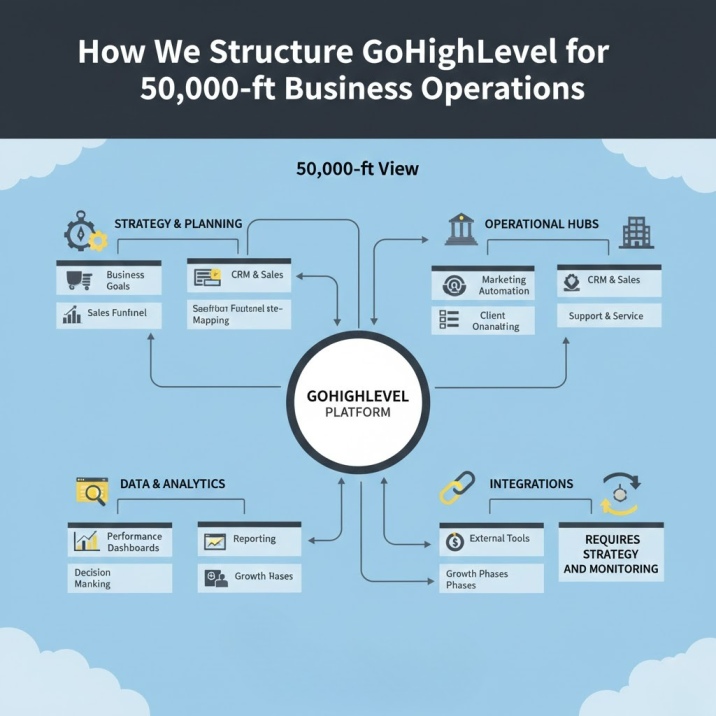
Most GoHighLevel setups fail within six months of going live.
Not because the platform is weak. Not because the workflows were built incorrectly. They fail because they were designed from the wrong altitude.
A junior operator builds workflows. A systems architect builds business operations. The difference shows up the moment you try to scale, hire, or hand off responsibility to someone else.
If you’re a CEO, founder, or agency owner, you’ve probably experienced this: a CRM that looked perfect in the demo but became a maintenance nightmare in production. Automations that fired beautifully until they didn’t. Integrations between GoHighLevel, Zapier, Make, and Airtable that worked until one API change brought everything down.
The cost isn’t just technical debt. It’s lost deals, team confusion, client churn, and the growing realization that your “business operating system” is actually a collection of duct-taped tools held together by one person who’s about to quit.
This article explains how we structure GoHighLevel for serious business operations—not demos, not agencies selling snapshots, and not entrepreneurs who think more automations equal more revenue.
What “50,000-ft Operations View” Means for a Business
When we say “50,000-ft view,” we’re not talking about high-level strategy in the abstract sense. We’re talking about the ability to see your entire revenue operation as a connected system where every piece has a clear purpose and every dependency is visible.
Most businesses operate at street level. They see individual workflows, specific automations, and disconnected tools. From that altitude, everything looks fine until something breaks—and when it does, no one knows why.
From 50,000 feet, you see:
Systems over tools. GoHighLevel isn’t your CRM. It’s the platform your revenue system runs on. Zapier isn’t an automation tool. It’s a controlled connector between systems that shouldn’t live in the same database. The question isn’t “what can this tool do?” It’s “what role does this play in the operation?”
Clarity over complexity. A five-step workflow that your team understands will outperform a 47-step “smart automation” that only one person can troubleshoot. Complexity is a liability. Clarity is an asset.
Reliability over automation volume. We’ve seen companies with 200+ automations that can’t reliably close a deal. We’ve also seen companies with 12 automations generating eight figures. The difference is intentionality. Every automation should solve a specific operational problem. If you can’t explain why it exists in one sentence, you don’t need it.
CEOs who think this way don’t tolerate systems that require constant supervision. They expect infrastructure that runs predictably, scales without breaking, and can be handed off to new team members without tribal knowledge.
That’s what we build.
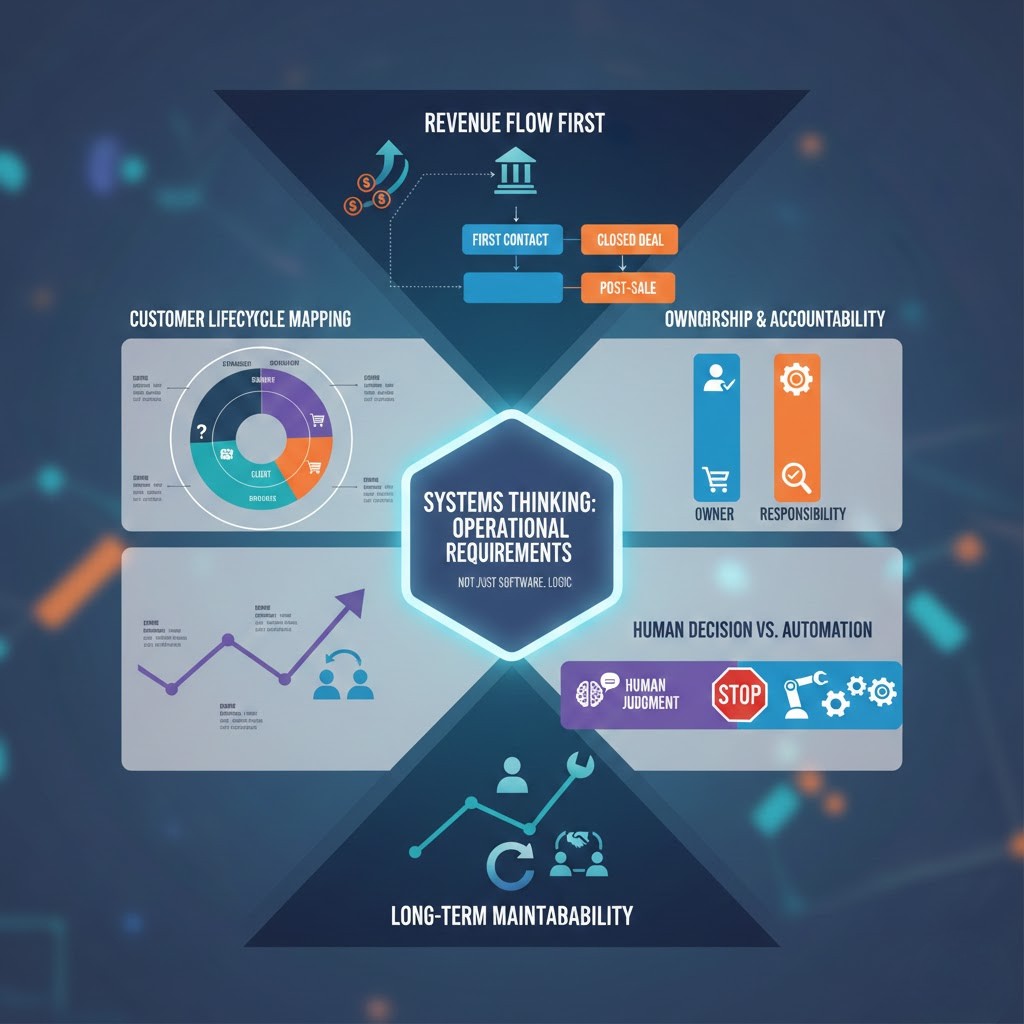
Principles We Apply Before Building Anything
We don’t start with GoHighLevel. We don’t start with workflows. We start with questions that force clarity:
Revenue flow first, software second. Where does money enter your business? What has to happen between first contact and closed deal? What happens after the sale? If you can’t draw this on a whiteboard in under ten minutes, your CRM won’t fix it.
Customer lifecycle mapping. Not buyer journeys. Not marketing funnels. The actual lifecycle: how someone moves from stranger to client to repeat buyer to referral source. Every stage needs a clear definition, owner, and exit criteria. If your pipeline stages are “Lead,” “Qualified,” “Proposal,” and “Closed,” you’re guessing.
Ownership and accountability. Every contact, every opportunity, every automation should have a clear owner. When something breaks, we need to know who’s responsible. When a deal stalls, we need to know whose job it is to move it. GoHighLevel CRM structure must enforce this, not hope for it.
Human decision points vs automation. Some moments require judgment. A high-ticket sales conversation. A strategic partnership negotiation. A refund decision. These should never be automated. Knowing where to stop automating is more valuable than knowing where to start.
Long-term maintainability. If the person who built your system leaves tomorrow, can someone else take over? If the answer is no, you don’t have a system. You have a dependency. Everything we build assumes the original builder won’t be around forever.
These aren’t philosophical preferences. They’re operational requirements. Skipping them is why most GoHighLevel automation architecture falls apart under real-world conditions.
How We Architect GoHighLevel as the Core System
GoHighLevel is designed to be the center of your operation, but only if you treat it that way from the start.
Agency View is your business architecture, not just an admin panel. Most people use Agency View to manage sub-accounts. We use it to enforce structure. Every sub-account represents a distinct operational unit—a division, a service line, a geographic market. Not because GoHighLevel requires it, but because your business does. Clean separation prevents cross-contamination. It also makes scaling predictable.
Sub-account structure follows business logic, not convenience. We don’t create sub-accounts because someone asked for one. We create them when there’s a legitimate operational boundary: different revenue models, different customer lifecycles, different team ownership. If two sub-accounts share the same sales process, they shouldn’t exist separately.
Naming conventions and data hygiene are non-negotiable. Every pipeline, workflow, custom field, and tag follows a consistent naming system. This sounds trivial until you’re six months in and no one can find anything. We enforce standards from day one because production-ready GoHighLevel setup depends on it.
Simplicity scales better than “smart” setups. We’ve torn down systems with conditional logic so complex that even the original builder couldn’t debug them. The smartest setup is the one that works when you’re not looking at it. If your team needs training to understand your CRM, it’s too complex.
GoHighLevel business operations should feel invisible. The system should guide behavior without micromanaging it. When someone asks “what do I do next?” the CRM should already be showing them.
CRM & Pipeline Design for High-Ticket Businesses
Here’s where most GoHighLevel implementations go wrong: they build one pipeline and try to make it do everything.
Sales pipelines vs operational pipelines. A sales pipeline tracks opportunities. An operational pipeline tracks fulfillment, onboarding, or client success. Mixing them creates confusion. Your sales team shouldn’t see delivery tasks. Your delivery team shouldn’t see unqualified leads.
We typically build three to five pipelines for high-ticket operations:
- Lead qualification pipeline: Separates noise from real opportunities before sales touches them
- Sales pipeline: Tracks legitimate opportunities through close
- Onboarding pipeline: Manages new client handoff and activation
- Delivery/client success pipeline: Tracks ongoing work and renewals
- Offboarding/churn pipeline: Handles exits cleanly and captures feedback
Each pipeline has a single purpose. Each stage has clear entry and exit criteria. Each opportunity has one owner.
Why one pipeline never works. Because your business has different operational modes. Trying to force them into one pipeline creates either too many stages (making it unusable) or too few stages (making it meaningless). High-ticket CRM systems need separation.
Meaningful stage definitions. “Qualified” isn’t a stage. “Discovery call completed, budget confirmed, decision-maker identified” is a stage. Vague stages create vague pipelines. Specific stages create accountability.
Visibility CEOs actually need. Most dashboards show activity: calls made, emails sent, workflows triggered. CEOs don’t care about activity. They care about outcomes. We build visibility around questions that matter: How many deals are stuck? Where do opportunities die? Which salespeople are converting? Which lead sources actually close?
Your GoHighLevel CRM structure should answer these questions without requiring a data analyst.
Automation Strategy (Done Responsibly)
Automation is a tool, not a goal. The question isn’t “what can we automate?” It’s “what operational bottleneck justifies automation?”
Event-based logic, not trigger overload. We build automations around meaningful business events: “opportunity reaches proposal stage,” “client completes onboarding,” “payment fails three times.” Not around every possible micro-action. Trigger-happy automations create noise, not value.
Where GoHighLevel automations stop. GoHighLevel handles internal operations beautifully: moving deals through pipelines, assigning tasks, sending notifications, managing appointments. It’s less effective at complex data transformations, multi-system orchestration, or conditional logic that depends on external context. Knowing this prevents over-engineering.
When Zapier or Make is justified. We use Zapier with GoHighLevel or Make.com automation architecture when we need to connect systems that shouldn’t share a database—accounting software, project management tools, third-party APIs. Not because GoHighLevel can’t do integrations, but because some connections are cleaner as controlled bridges than native integrations.
How Airtable fits as a structured data layer. Airtable with GoHighLevel makes sense when you need relational data, reporting flexibility, or team collaboration on data that doesn’t belong in a CRM. We use it for client projects, resource allocation, and operational tracking—not as a CRM replacement.
Reducing failure points. Every automation is a potential failure point. Every integration multiplies complexity. We minimize both by asking: “What’s the simplest way to achieve this outcome?” Often, the answer involves fewer automations, not more.
GoHighLevel automation architecture should feel boring. If your automations require constant attention, they’re not automations—they’re jobs.
What We Intentionally Do NOT Automate
Knowing what not to automate separates professionals from amateurs.
High-trust sales moments. The first call with a $50K prospect. The negotiation when a deal is on the line. The conversation when a client is considering canceling. These require human judgment, empathy, and adaptability. Automating them is offensive, and worse, it’s ineffective.
Strategic decisions. Should we take this client? Should we adjust pricing? Should we pause this campaign? These aren’t workflow questions. They’re business questions. Trying to automate them with conditional logic is a category error.
Edge cases that need judgment. Refunds. Disputes. Special requests. Partnership opportunities. Anything that happens infrequently but carries high stakes. Building automations for edge cases creates fragile systems.
Why restraint is a competitive advantage. Your competitors are automating everything they can. You’re automating everything you should. That difference compounds. Their systems break under exceptions. Yours handle them gracefully. Their teams feel replaced by robots. Yours feel supported by infrastructure.
Restraint signals confidence. It shows you understand the difference between operational leverage and operational theater.
Common System Mistakes We Fix
We’re often brought in to clean up existing GoHighLevel setups. The problems are predictable:
Automation spaghetti. Workflows triggering workflows triggering workflows, with no one able to explain the full chain. We’ve seen single contact updates trigger 30+ downstream automations. This isn’t efficiency. It’s chaos waiting to happen.
Overuse of third-party tools. Zapier handling tasks GoHighLevel does natively. Make.com running transformations that could happen in custom fields. Airtable duplicating CRM data for no clear reason. Every unnecessary tool is a failure point and a monthly cost.
No documentation or ownership. Systems built by people who no longer work there. Workflows no one dares to touch because no one knows what they do. This is the most expensive mistake because it locks you into dependencies you can’t afford.
No scaling or handoff plan. Systems designed for one user, one team, one use case. The moment you try to grow, everything breaks. GoHighLevel for scaling businesses requires thinking in multiples: multiple users, multiple teams, multiple sub-accounts. If your system wasn’t designed for that, you’re rebuilding, not scaling.
Fixing these problems costs more than building correctly the first time. But most people don’t realize that until they’re already committed to a broken system.
Who This Approach Is Built For (And Who It’s Not)
This methodology isn’t for everyone. It’s for operators who think in systems and understand that infrastructure is an investment, not an expense.
You’re a fit if:
- You run a high-ticket business where each deal matters
- You’re scaling and can’t afford systems that break under load
- You’ve been burned by “automation experts” who disappeared when things stopped working
- You think in terms of reliability, accountability, and long-term cost of ownership
- You’d rather pay more once than pay less repeatedly
You’re not a fit if:
- You’re looking for a cheap snapshot or template
- You want someone to “just build it” without strategic input
- You think more features and automations automatically equal better results
- You’re not willing to invest in proper architecture before implementation
- You expect systems to run themselves without any organizational discipline
We don’t work with everyone. We work with leaders who understand that business operations are too important to treat as a software problem.
How HighLevelAutomationTeam Works
We’re not a GoHighLevel agency setup service. We’re systems architects who use GoHighLevel as the foundation for production-ready business operations.
Consulting-first approach. We start with discovery, not implementation. What’s your revenue model? Where are the operational bottlenecks? What’s working that we shouldn’t touch? What’s breaking that we need to fix? We don’t build until we understand your business at the operating system level.
Architecture before automation. We design the structure first: pipelines, sub-accounts, data flow, ownership models, integration strategy. Only then do we build workflows. This prevents the “automation first, strategy never” trap that creates technical debt.
Focus on clarity, stability, and scale. Every decision optimizes for these three outcomes. Not feature count. Not “cool factor.” Not what’s possible. What’s sustainable.
We work with CEOs, founders, and agency owners who are done experimenting. If you’re ready for a system that works when you’re not watching it, that scales without breaking, and that someone else can maintain when you grow—we should talk.
The Real Cost of Bad Architecture
Here’s what poor GoHighLevel system architecture actually costs:
- Revenue leakage: Deals falling through cracks because pipelines don’t match reality
- Team inefficiency: Hours wasted managing systems instead of closing deals
- Hiring friction: New team members taking weeks to onboard because nothing is documented
- Strategic drag: Leadership spending time troubleshooting tools instead of running the business
- Rebuilding costs: Paying twice (or three times) to fix what should have been built correctly initially
The companies that grow smoothly aren’t lucky. They’re built on infrastructure that supports growth instead of fighting it.
Next Steps
If you’re evaluating your current GoHighLevel setup and wondering whether it’s built to scale—or if you’re starting fresh and want to avoid the mistakes we see every week—let’s have a conversation.
We offer Systems Architecture Calls for operators who are serious about getting this right. Not a sales pitch. Not a feature demo. A working session where we review your business model, current systems, and growth goals to determine whether your infrastructure will support where you’re going.
This isn’t for everyone. If you’re looking for quick fixes, cheap snapshots, or someone to just “make it work,” this isn’t the right fit.
But if you’re ready to build GoHighLevel business operations that function like infrastructure instead of science projects, book a Systems Architecture Call.
We work with fewer clients. We work with better clients. We build systems that last.
HighLevelAutomationTeam — Systems architecture for serious operators.
1. How is this different from hiring a GoHighLevel expert on Upwork or Fiverr?
A GoHighLevel expert builds what you ask for. We determine what you actually need.
The difference: a freelancer optimizes for deliverables (workflows built, automations launched, snapshots installed). We optimize for outcomes (deals closed reliably, teams operating independently, systems scaling without breaking).
Most technical experts are excellent at execution. Very few understand business operations well enough to design systems that support growth. We’re brought in when companies realize their “perfectly built” GoHighLevel setup doesn’t match how their business actually works.
If you know exactly what you need and just need skilled execution, hire an expert. If you need someone to think through what your business requires at an architectural level, that’s a different conversation.
2. Do you work with businesses that are just starting with GoHighLevel, or only those fixing existing setups?
Both, but the engagement looks different.
Starting fresh: We design your GoHighLevel system architecture before anything is built. This is the ideal scenario—no technical debt, no bad habits to unlearn, no rebuilding costs. We map your business operations first, then build GoHighLevel to support them.
Fixing existing systems: We audit what you have, identify what’s salvageable, and rebuild around it. This takes longer and costs more because we’re working around existing dependencies. But it’s often necessary when a business has outgrown its original setup.
The commonality: both scenarios require understanding your business operations before touching the software. Whether you’re starting from zero or recovering from automation chaos, the methodology is the same—architecture before implementation.
3. How long does it typically take to build or restructure a GoHighLevel system properly?
Discovery and architecture: 2-4 weeks
Implementation: 4-8 weeks
Refinement and team training: 2-4 weeks
Total: 8-16 weeks for a production-ready GoHighLevel setup.
This sounds slow compared to “we’ll have you up in 48 hours” promises. It is slow. Deliberately.
Fast implementations skip discovery, ignore edge cases, and create technical debt. They look impressive in demos and fall apart in production.
We’re not building for launch day. We’re building for year two, when you’ve doubled headcount, tripled revenue, and can’t afford downtime.
The timeline also depends on complexity: a single high-ticket service with one sales process is faster than a multi-division agency with different revenue models per sub-account. We adjust based on operational reality, not arbitrary deadlines.
If you need something live tomorrow, we’re not the right fit. If you need something that works for the next three years, the timeline makes sense.
4. What happens if the person you assign to build our system leaves your team?
You own the architecture, the documentation, and the logic—not just the build.
Here’s how we prevent dependency:
Complete documentation: Every pipeline, workflow, automation, and integration is documented with purpose, logic, and maintenance instructions. Not technical notes. Business logic that your team can understand.
Recorded walkthroughs: Video explanations of how your system works, why decisions were made, and where to look when something needs adjustment.
Training sessions: Your team learns the system during implementation, not after. By the time we hand off, multiple people understand how it works.
Standard architecture patterns: We don’t build custom snowflakes. We use repeatable patterns that any competent GoHighLevel professional can maintain.
The goal is to make ourselves replaceable. If you need us for ongoing support, great. If you don’t, also great. Either way, you’re not locked into a dependency you can’t escape.
5. How much does this cost, and how do you structure pricing?
We don’t publish fixed pricing because every business is different. A single-service consultancy has different needs than a multi-brand agency.
Typical engagement structure:
- Systems Architecture Consulting: $3,500–$7,500 (discovery, mapping, design)
- Implementation: $8,000–$25,000+ (depends on complexity, sub-accounts, integrations)
- Ongoing optimization: $2,500–$5,000/month (optional, for businesses that want continuous improvement)
For context: we’re typically 3-5x more expensive than snapshot sellers or junior GoHighLevel agencies. We’re also 50-80% cheaper than hiring an internal operations team to figure this out through trial and error.
The investment makes sense if:
- Your average deal size is $5K+
- Broken systems are costing you real revenue
- You’re scaling and can’t afford to rebuild in six months
- You value reliability over cost optimization
If price is your primary decision factor, we’re not the right fit. If long-term cost of ownership and operational reliability are your decision factors, we should talk.
6. Do we need to use Zapier, Make, and Airtable, or can everything be done in GoHighLevel?
Short answer: Most businesses can run 80-90% of operations in GoHighLevel alone. The other tools fill specific gaps.
When we recommend staying GoHighLevel-native:
- Your revenue model is straightforward
- You don’t need complex data relationships outside CRM logic
- Your team prefers simplicity over flexibility
When we bring in additional tools:
- Zapier/Make: Connecting GoHighLevel to accounting software, project management platforms, or third-party APIs where native integrations don’t exist or aren’t robust enough
- Airtable: Managing relational data (client projects, resource scheduling, operational reporting) that doesn’t belong in a CRM but needs structure
We don’t add tools because we can. We add them because the operational requirement justifies the complexity cost.
If your business can run entirely in GoHighLevel, that’s what we’ll recommend. Fewer tools mean fewer failure points, lower costs, and simpler maintenance. We only complicate when simplification creates bigger problems.
7. What if we’ve already invested heavily in our current GoHighLevel setup—can you work with what we have?
Yes, but with conditions.
What we can salvage:
- Existing pipelines (if they map to actual business operations)
- Contact data and custom fields (with cleanup)
- Workflows that solve clear problems (even if they need optimization)
- Integrations that serve legitimate purposes
What we typically rebuild:
- Automation spaghetti with no clear ownership
- Pipelines that don’t match your actual sales process
- Overcomplicated workflows built around workarounds
- Undocumented “magic” that only one person understands
The approach: we audit everything, identify what’s worth keeping, and build the new architecture around salvageable pieces. This minimizes disruption and protects your existing data.
The hard truth: sometimes the most cost-effective path is starting fresh in a new sub-account and migrating selectively. Trying to renovate a condemned building often costs more than building new.
We’ll tell you honestly which situation you’re in during the discovery phase. If your current system is mostly solid and just needs optimization, we’ll say that. If it needs to be rebuilt, we’ll say that too.
Either way, you’ll know what you’re dealing with before committing to the work.